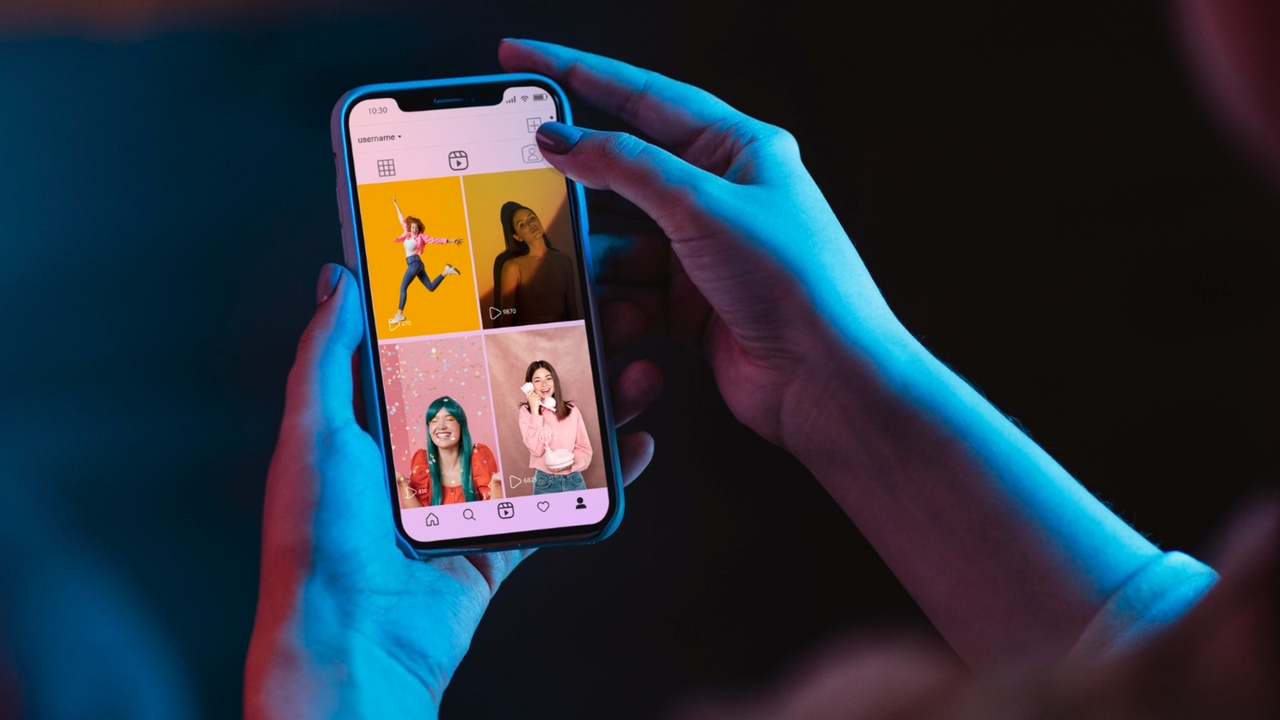
What is an Instagram Reel?
Instagram Reels are short-form, vertical videos that have taken the social media world by storm.
Introduced as Instagram's answer to the booming popularity of bite-sized content, Reels allow users, creators, and brands to record, edit, and share entertaining videos set to music or trending audio. Unlike standard Instagram Stories that disappear after 24 hours, Reels have a permanent place on your profile grid and a dedicated tab.
They offer a powerful way to reach new audiences through the platform's Explore page and algorithm, making them an essential tool for digital marketing, storytelling, and viral engagement.

What size are Instagram Reels: the entire cheat sheet
To ensure your content looks crisp, professional, and optimized for the algorithm, you must adhere to the correct Instagram Reel size specifications. The platform is designed for a full-screen mobile experience, which means your video orientation should always be vertical.
Here are the definitive technical specifications for Instagram Reels:
- Aspect ratio: 9:16 (This is non-negotiable for full-screen experience).
- Maximum resolution: 1080 x 1920 pixels (the recommended standard for maximum clarity).
- Minimum resolution: 720 x 1280 pixels (anything lower may result in a blurry upload).
- Supported file formats: MP4 or MOV.
- Frame rate: 30 fps (frames per second) is recommended, though action-heavy videos can benefit from 60 fps.
- Video codec: H.264 is the standard for maintaining visual quality without massive file sizes.
- Audio codec: AAC ensures crisp and clean sound playback across all mobile devices.
- Maximum file size: 4 GB for standard video uploads.
While the full Instagram video is 1080 x 1920, the bottom and top sections (about 250 pixels each) are often obscured by the Instagram UI, such as captions, audio tracks, and profile information. Always keep essential text and visuals centered!
Learning about Instagram Reel cover size & thumbnail size
Creating an engaging video is only half the battle; getting people to click on it is equally important. This is where your Instagram Reel sizes for cover and thumbnail come into play. Many creators confuse the two, but understanding how Instagram crops these images is vital for maintaining an aesthetically pleasing profile grid.
Your Instagram Reel Cover is the image displayed when your video appears in the dedicated "Reels" tab or the "Explore" page. The ideal size for a Reel cover is the exact same as the video itself: 1080 x 1920 pixels (a 9:16 aspect ratio). You can select a frame directly from your video or upload a custom-designed cover image from your camera roll.
However, when that same Reel is displayed on your main profile grid, Instagram automatically crops the center of your cover photo into a 1:1 square thumbnail (1080 x 1080 pixels). Because of this cropping behavior, you must design your cover photo strategically. Ensure that all crucial elements, like your face, the main subject, or catchy title text, are placed dead center. If your text sits too high or too low on the 9:16 cover, it will get cut off awkwardly on your 1:1 profile grid view.
Instagram Reels vs. Stories vs. TikTok: are they the same?
On paper, the baseline dimensions for Instagram Reels, Instagram Stories, and TikTok videos are exactly the same. All three platforms prioritize full-screen, vertical viewing and recommend a resolution of 1080 x 1920 pixels with a 9:16 aspect ratio.
However, the crucial difference lies in each platform's "safe zones".
A safe zone is the area of your video that won't be covered up by the app's user interface (UI) elements like usernames, captions, and engagement buttons (like, comment, share). Because each app has a unique layout, your composition must adapt if you plan to cross-post:
- Instagram Reels safe zone: The Reels UI places your username and caption at the bottom, and engagement buttons stack up along the right side. To keep text readable, you need to leave roughly 250 pixels clear at the top and about 420 pixels clear at the bottom. The safest area is the center 1080 x 1350 pixels (a 4:5 ratio).
- Instagram Stories safe zone: Stories have a much cleaner interface. The top features a progress bar and your profile icon, while the bottom houses the "Send Message" reply box. You generally only need to avoid placing text on the very top and bottom margins (about 250 pixels each).
- TikTok safe zone: TikTok's interface is notorious for taking up screen real estate. It features a heavy cluster of icons on the right side and an expanding caption area at the bottom. To be safe on TikTok, you must pull text further away from the right edge (about 150 pixels) and significantly higher up from the bottom (roughly 320 to 480 pixels).
While you can record a 1080 x 1920 video once, you must keep all vital text and visuals tightly clustered in the absolute center of the screen if you want it to look perfect across Reels, Stories, and TikTok without any platform's UI blocking your message.
How to create properly sized Instagram Reels every time?
Manually formatting videos and worrying about aspect ratios and safe zones can drain your creative energy. But what if AI could handle the process of technical formatting for you?
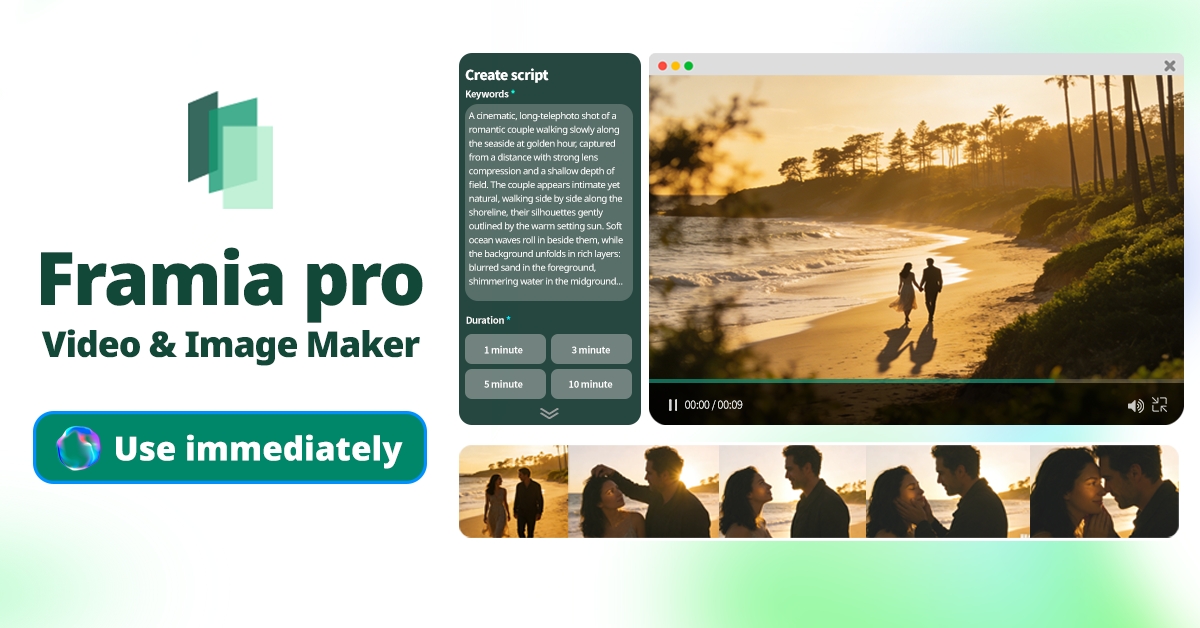
Framia Pro is an advanced AI-powered video generation platform that takes guesswork out of formatting, helping you create visually stunning, upload-ready Instagram Reels every single time without the manual editing hassle.
Key features of Framia Pro:
- Specialized shorts agent: Utilize a dedicated AI agent specifically trained to generate quick, highly digestible vertical videos ideal for Instagram Reels.
- Upload-ready auto-export: Say goodbye to manual cropping. Framia Pro automatically exports your content in the required 9:16 aspect ratio.
- Full automation: Let AI manage heavy lifting, effortlessly handling script generation, storyboarding, and automatic background music synchronization.
- Targeted chat-to-edit: Notice a formatting issue? Simply select the specific segment and describe what to fix without regenerating the whole video.
3 Simple steps to create Instagram Reels with Framia Pro:
Ready to revolutionize your workflow? Here is how to create flawlessly sized Instagram Reels in three simple steps:
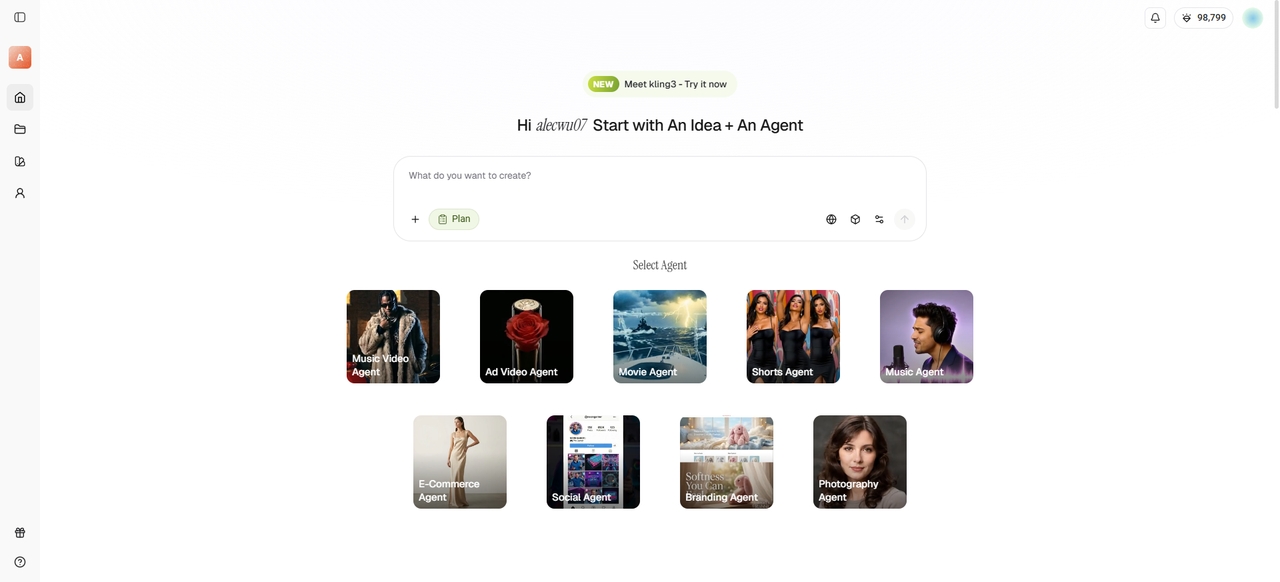
Step 1: Select your video aspect ratio and AI model
Start by choosing the "Shorts Agent". Then, select the mandatory 9:16 aspect ratio for your Instagram Reel directly on the dashboard. Next, pick from Framia Pro’s suite of powerful AI video models, like Veo 3.1 or Kling 2.6, to ensure top-tier visual quality.
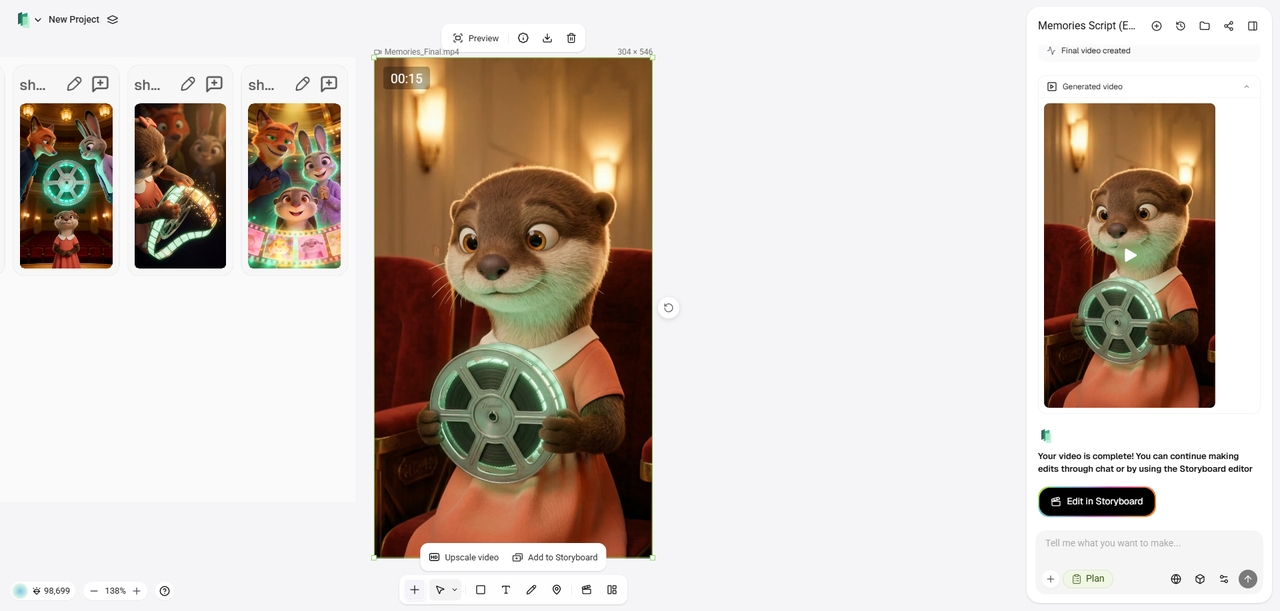
Step 2: Enter your video idea and prompt
Now, bring your vision to life. Type in your prompt or video idea. Framia Pro’s AI automatically storyboards your shots, generates context-aware B-roll, and flawlessly syncs background music and sound effects to match your exact concept and aesthetic.
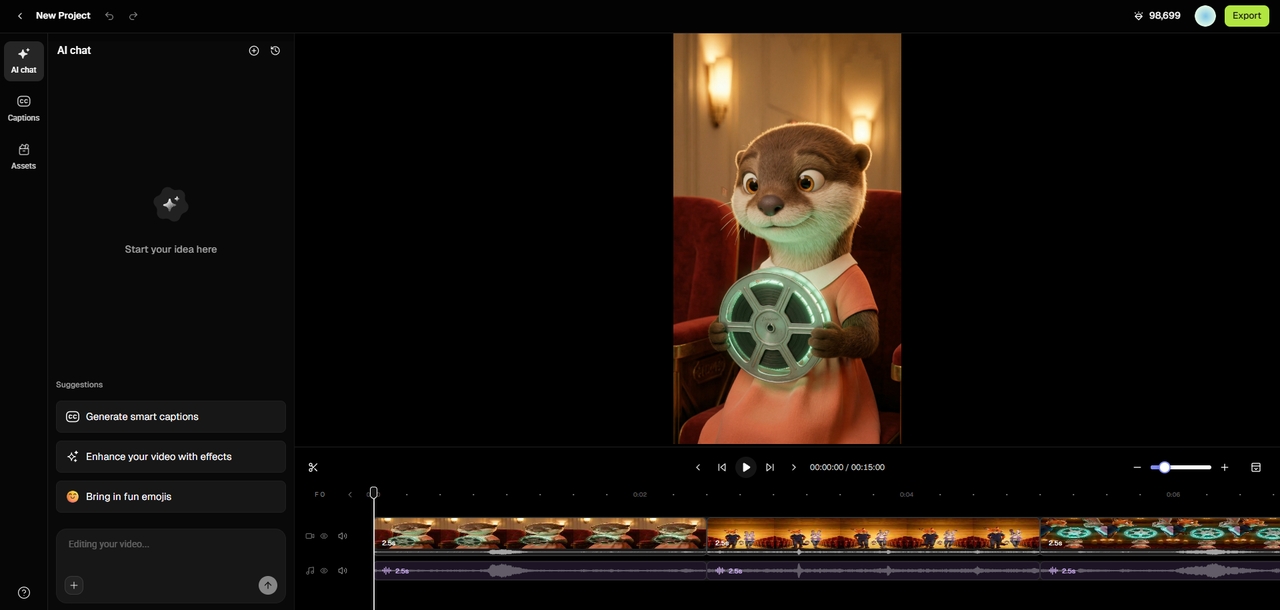
Step 3: Finalize and export
Once Framia Pro generates your initial short video, head to the storyboard editor ("Edit in Storyboard" option). You can tweak individual shots, use the chat-to-edit feature for precise corrections, add captions, and finally "Export" your upload-ready, perfectly sized 9:16 video directly to your device for Instagram.
Best practices and mistakes to avoid for Instagram Reels
Now that you know how to perfectly size and generate your Reels using AI, it's time to focus on strategy. Even the most visually stunning video can fall flat if it doesn't align with Instagram's algorithm and user behavior. To maximize your engagement and reach, keep these essential do's and don'ts in mind before you hit publish.
| Best practices to follow | Mistakes to avoid |
| Hook viewers instantly: Capture attention within the first three seconds using striking visuals or an intriguing question to prevent scrolling. Use trending audio: Incorporate popular music or viral soundbites to significantly boost your Reel's visibility on the Explore page. Optimize your text: Place closed captions and key text tightly within the safe zone so it isn't covered by the UI. Include a CTA: Always end with a clear call to action, encouraging viewers to like, comment, share, or follow today. Post content consistently: Maintain a regular posting schedule to engage your audience and continuously signal relevance to the Instagram platform algorithm. | Ignoring safe zones: Placing text near the edges causes it to be hidden by Instagram's buttons, ruining the viewer experience entirely. Uploading watermarked videos: Avoid posting content with TikTok watermarks, as Instagram’s algorithm will actively demote and hide these recycled videos immediately. Poor lighting and audio: Low-resolution visuals and muffled sound instantly deter viewers, making high-quality production absolutely essential for retaining audience attention. Writing lengthy captions: Reels are meant to be fast-paced visual experiences; keep text brief instead of writing long, overwhelming paragraphs on screen. Forgetting the cover: Skipping a custom 9:16 cover makes your profile grid look messy and drastically reduces your overall click-through rate. |
Wrapping up
Mastering Instagram Reel sizes is non-negotiable if you want to maximize your reach, maintain a professional aesthetic, and captivate your audience. From respecting the strict 9:16 aspect ratio to keeping crucial elements safely within the UI zones, every technical detail directly impacts your video’s success across the platform.
However, remembering these specifications doesn't have to be a burden. By leveraging Framia Pro, you can automate the entire creation process. With its specialized AI video agents, context-aware generation, and one-click 9:16 export, Framia Pro ensures your content is perfectly sized, highly engaging, and ready to go viral every single time.
FAQs
What are the standard reels dimensions?
The required dimensions are 1080 pixels wide by 1920 pixels tall. This specific size establishes a 9:16 aspect ratio, which provides the optimal full-screen vertical viewing experience for mobile users.
What is the ideal Instagram reels thumbnail size?
While your video is vertical, your profile grid crops the cover into a 1:1 square. Ensure your main subjects fit within a centralized 1080 x 1080 pixel area to display correctly.
What is the best size for Instagram reels to ensure high quality?
Uploading exactly 1080 x 1920 pixels prevents compression, keeping visuals sharp. Framia Pro’s auto-export guarantees this optimal 9:16 resolution every time, ensuring maximum quality without manual resizing.
Are there any changes to the Instagram reel size 2026 guidelines?
The fundamental guidelines have not changed. The standard remains a 1080 x 1920 pixel resolution. Content creators should continue prioritizing center-aligned text to accommodate the platform's interface and safe zones.
Do these reels dimensions apply to other platforms?
Yes, the baseline 1080 x 1920 size works across most short-form video platforms. However, you must carefully adjust your text placement to avoid different user interface elements blocking your content.