
We all know the frustration: you sit down with an advanced artificial intelligence tool, type a request, and output is a generic mess. AI models are only as good as the instructions you feed them. This is where an AI prompt generator comes in, acting as the ultimate translator between human thoughts and machine logic.
But what exactly are these tools, and how can they elevate your workflows? In this guide, we will explore what AI prompt generators are, essential features to look for, and how we selected the best options.
Finally, we will review the top 7 generators dominating search results today and provide actionable tips to choose the perfect one for your needs.
What are AI prompt generators?
An AI prompt generator is a specialized software tool that helps you craft highly detailed, effective inputs (prompts) for artificial intelligence models. Instead of typing a vague request like "write a story about a dog" or "create a scenic image of a beach", you input your basic idea. The generator then uses natural language processing and prompt engineering frameworks to expand it into a comprehensive set of instructions.
These generated prompts (image prompts, video prompts, or text prompts) include specific constraints, context, tone, and formatting rules that AI models require for high-quality outputs. Think of it as a blueprint creator: you provide the raw idea, and it builds the structured blueprint.
Ultimately, these tools bridge the gap between human creativity and AI execution, saving time and reducing the frustrating trial-and-error process.
Top features to look for in an AI prompt generator in 2026
When you are in the market for an AI prompt generator, it is crucial to realize that not all tools are created equal. Depending on your primary use case, certain features will be much more valuable to you than others. Here are the core features to look for:
- Cross-model compatibility: The best generators do not lock you into a single ecosystem. Look for tools that allow you to generate prompts optimized for various models, such as OpenAI's GPT-4, Anthropic's Claude, Google's Gemini, and image models like Midjourney or Stable Diffusion. Different models respond differently to syntax, so a tool that formats specifically for your chosen AI is a massive advantage.
- Context and constraint inputs: A great prompt generator will force you to think about the boundaries of your request. It should have dedicated fields or smart chat interfaces where you can input the desired word count, target audience, tone of voice, and specific things the AI should avoid (negative prompting).
- Intuitive user interface: You are using a prompt generator to save time, not to learn a completely new and overly complex software language. The tool should have a clean, logical interface that guides you step-by-step from your initial idea to the final structured prompt.
- Modality specific options: Text generation requires entirely different parameters than image or video generation. If you work with visual AI, your prompt generator must include features like aspect ratio calculators, lighting styles, and camera angles. If you work with text, it needs to focus on logical reasoning, formatting, and persona adoption.
How did we select the best prompt generator AI tools?
To ensure we are recommending the most relevant and highly-rated tools, we took a systematic approach to our selection process. We evaluated dozens of platforms based on the following key factors:
- Search engine popularity: We analyzed the top search engine results pages (SERPs) to identify which AI prompt generators are currently the most searched for and utilized by the public, as popularity often points to usability and reliability.
- Core functionality and output quality: We systematically tested how well each tool took a basic, unrefined idea and transformed it into a robust, highly effective prompt.
- Modality coverage: We prioritized platforms that catered to different creative areas, ensuring our final list includes tools specifically designed for text, image, video, art, and novel generation.
- Pricing accessibility: We paid close attention to pricing models, ensuring we included a fair mix of powerful free tools alongside premium, enterprise-grade applications.
- User feedback: We reviewed real community discussions and reviews to ensure our list of pros and cons accurately reflects the daily user experience.
The top 7 AI prompt generators to try in 2026
Based on our extensive research and testing, here is the curated list of the top 7 AI prompt generators you should consider using today.
| Tool | Best For | Pricing | Supported Modalities | Login Required |
| Jotform AI | Business workflows & forms | Free | Text, Image | Yes |
| Originality.ai | Highly specific text & images | Freemium | Text, Image | Yes |
| QuillBot | Academic & novel writing | Free | Text | No |
| Feedough | Unlimited business ideation | Free | Text | No |
| Promptsera | Multimedia (Text, Image, Video) | Free | Text, Image, Video | No |
| PromptPerfect | Professional API optimization | Freemium | Text, Image | Yes |
| Prompt Cowboy | AI art & image generation | Freemium | Image | No |
- Jotform AI prompt generator - notable AI image prompt generator
Jotform is widely known for its form-building capabilities, but they have recently introduced a highly effective AI prompt generator designed to streamline business operations and content creation.
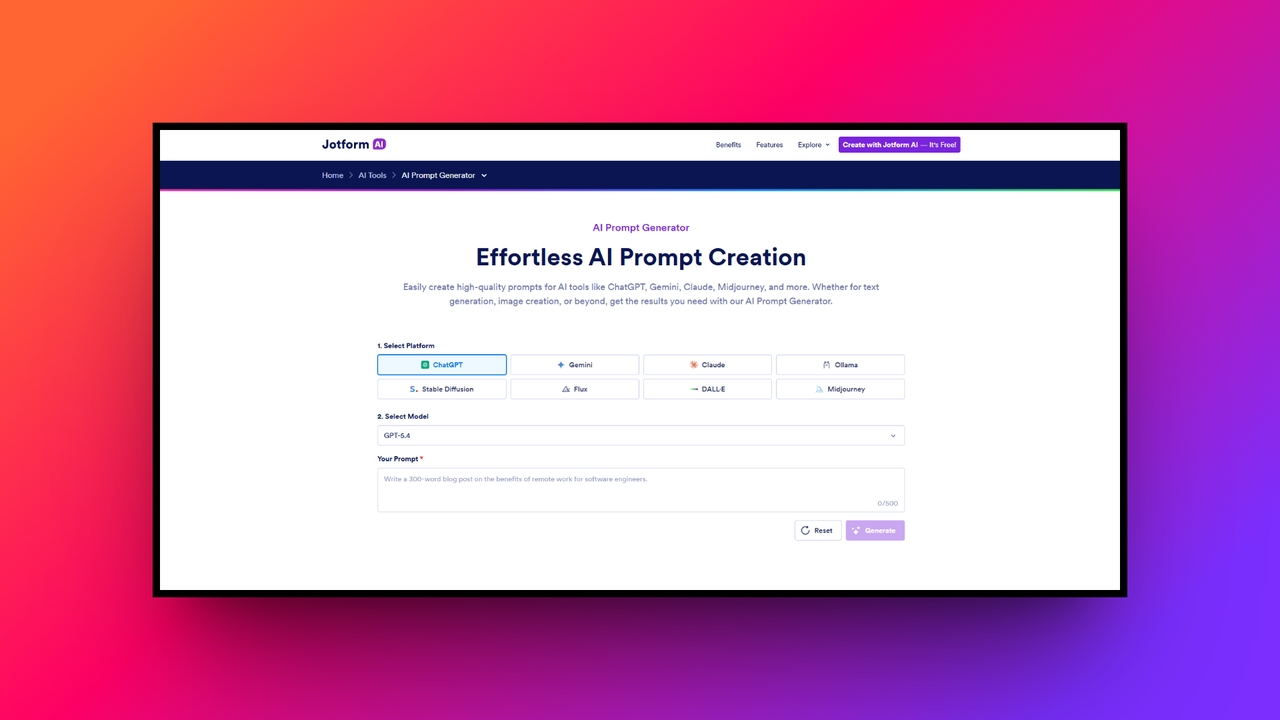
- Best for: Streamlining business workflows and form creation (great for text & image generation).
- Key features:
- Platform versatility supporting output for ChatGPT, Midjourney, Claude, and more.
- Specific input fields for customizing topic, tone, and style requirements.
- Direct integration with Jotform's broader suite of AI workflow tools.
- A simple one-click copy and export interface.
- Pricing: Free to use as part of the Jotform ecosystem.
- Pros:
- Incredibly easy to use, making it perfect for AI beginners.
- Saves a significant amount of time on writing elaborate descriptions.
- Versatile enough to handle basic requirements across multiple models.
- Seamlessly fits into broader business, marketing, and data collection workflows.
- Cons:
- It operates primarily as an add-on to Jotform's main products, which may feel limiting if you want a dedicated, standalone prompt playground.
- Originality.ai prompt generator - best AI prompt meme generator
Originality.ai is famous for its AI detection software, but they also offer a fantastic prompt generator aimed at helping writers overcome writer's block while ensuring high-quality, original-feeling outputs.
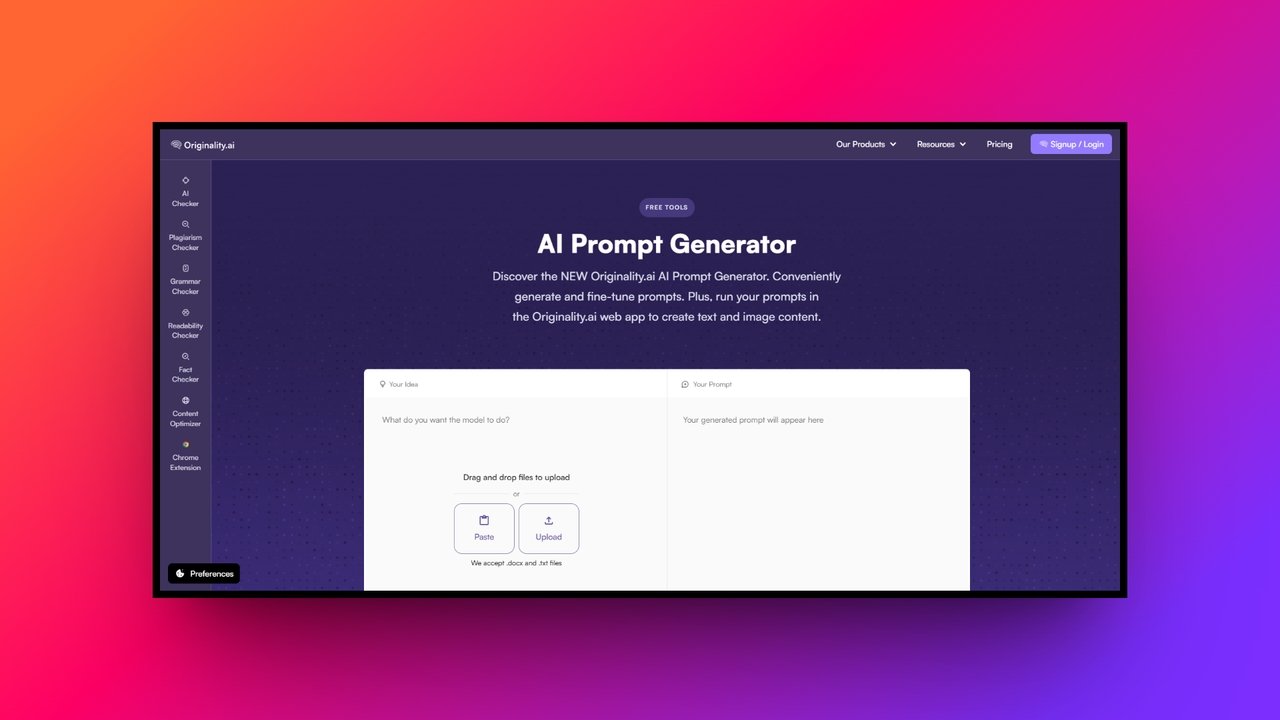
- Best for: Content marketers and writers needing highly specific instructions (great for text and image generation).
- Key features:
- All-in-one generator for both text and image AI models.
- Fine-tuning capabilities specifically tailored to how different LLMs (GPT vs. Claude) interpret instructions.
- Capacity to handle up to 250 words of initial descriptive context.
- In-app execution, allowing you to run the prompt and see the result without leaving the platform.
- Pricing: Free to generate prompts; premium subscription required for in-app execution and advanced features.
- Pros:
- Generates highly tailored instructions that actively minimize AI hallucinations.
- Allows you to test the prompt directly on the platform, saving tab-switching.
- Provides model-specific recommendations for the absolute best results.
- Features a user-friendly interface with easy "start over" and refinement tools.
- Cons:
- You must create an account and log in to access the execution and premium features.
- QuillBot AI prompt generator - best AI novel generator from prompt
QuillBot has long been a staple for students and writers needing paraphrasing assistance. Their prompt generator is built with the same user-friendly, text-focused philosophy.
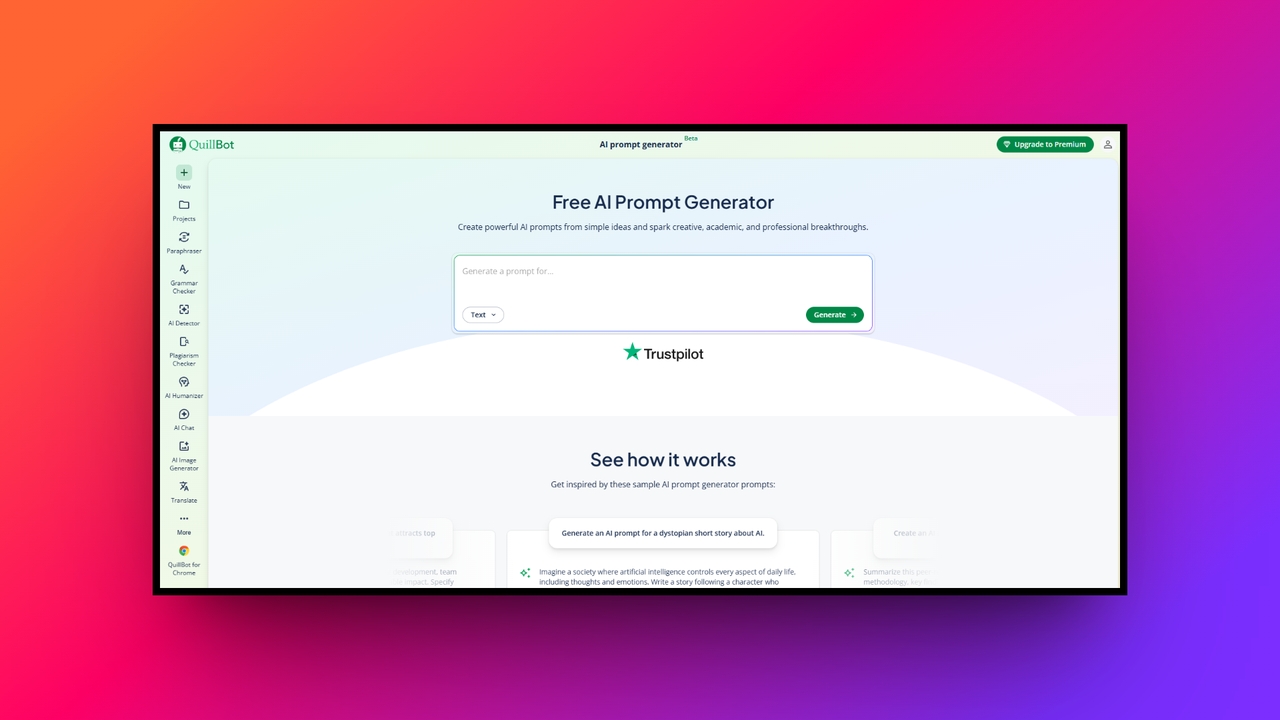
- Best for: Students, authors, and bloggers needing structured outlines (great for text, novel writing, and academic generation).
- Key features:
- A keyword-based suggestion engine to build comprehensive prompt ideas.
- A goal-oriented chatbox designed for inputting rough concepts or creative blocks.
- Tailored outputs specifically designed for essay writing, summarizing, and rewriting.
- Direct integration with QuillBot’s popular grammar checking and text-humanizing tools.
- Pricing: Free to use.
- Pros:
- Excellent for taking vague novel or academic ideas and giving them firm structure.
- Seamlessly integrates with an entire suite of text-refining and editing tools.
- Contains no complex technical jargon, making it ideal for the everyday writer.
- Offers extremely fast generation times to keep your writing momentum going.
- Cons:
- It is strictly focused on text generation, lacking any image or video prompting capabilities.
- Feedough AI prompt generator - best AI writing prompt generator
Feedough offers a straightforward, no-nonsense tool designed for business users who want better outputs without jumping through hoops or dealing with complex software.
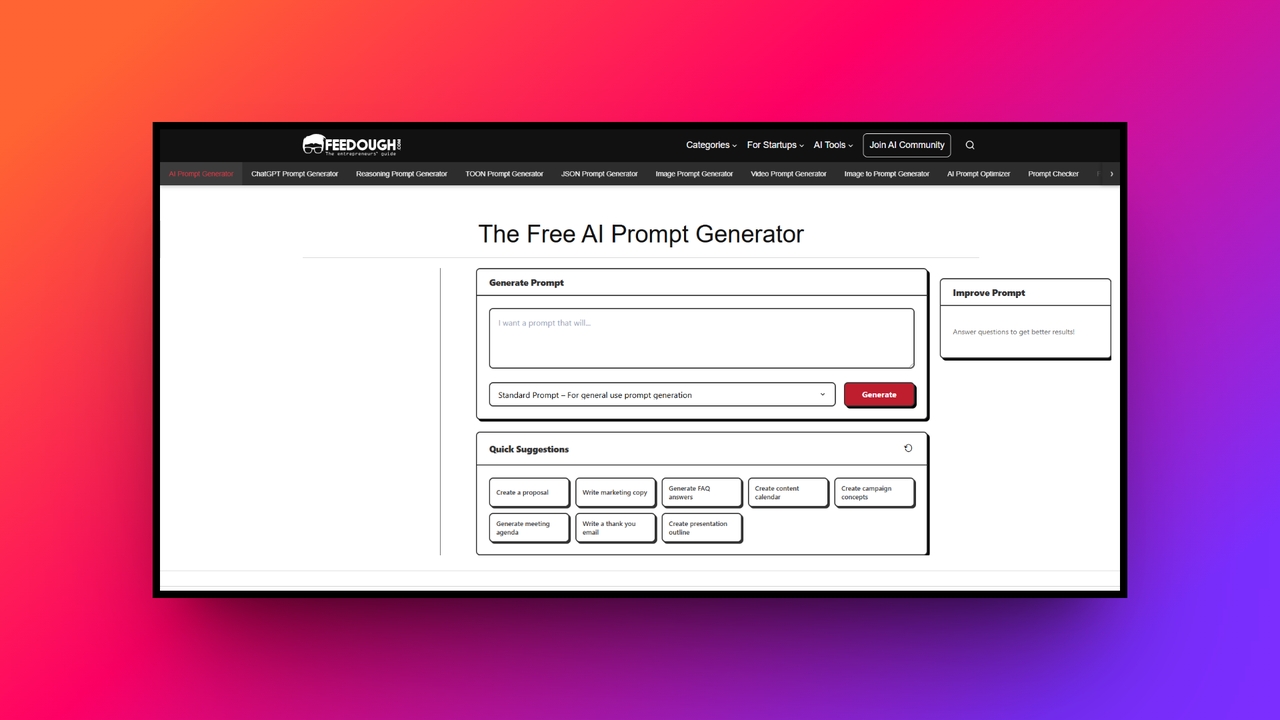
- Best for: Entrepreneurs and marketers looking for unlimited ideation (great for text and copy generation).
- Key features:
- Goal-defining text fields that structure your exact desired outcome.
- Dedicated context and background information inputs for deeper AI understanding.
- Constraint addition settings to enforce rules like word counts or specific formatting.
- A natural language processing (NLP) engine that intelligently interprets user intent.
- Pricing: 100% Free with unlimited use and no login required.
- Pros:
- Requires absolutely no sign-up, login, or credit limits to use.
- Excellent at forcing users to provide proper context, acting as a great learning tool for prompt engineering.
- The simple, step-by-step process is highly intuitive.
- Works exceptionally well for generating business ideation and marketing copy.
- Cons:
- The user interface is highly functional but lacks the sleek, modern design found in premium tools.
- Promptsera - best AI video prompt generator
Promptsera is a powerhouse designed for creators who work across multiple media types, offering deep technical control over how the in-built AI will behave.
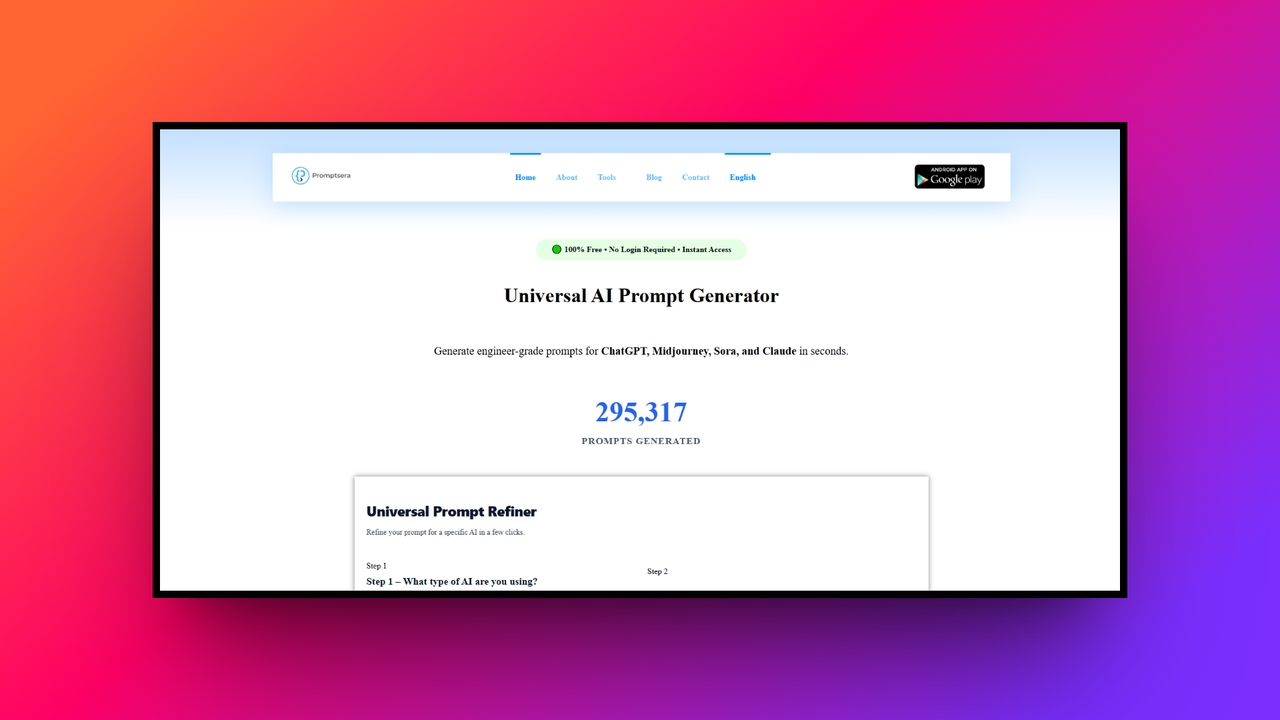
- Best for: Advanced users and multimedia creators (great for text, image, and video generation).
- Key features:
- Modality-specific algorithms tailored for text, images, and advanced video AI.
- A dedicated negative prompt builder to clean up AI generations and remove artifacts.
- A built-in aspect ratio calculator for social media and cinematic formatting.
- Complex style modifiers for instant application of aesthetics (e.g., cyberpunk, cinematic lighting).
- Pricing: 100% Free with no login required.
- Pros:
- One of the few free tools that natively supports advanced video AI prompting.
- Automatically formats complex parameters, saving you from frustrating syntax errors.
- Produces highly detailed outputs that significantly improve image and text realism.
- Offers engineer-grade capabilities entirely for free.
- Cons:
- The sheer number of parameters, settings, and technical options can be overwhelming for casual users.
- PromptPerfect - ideal for budding developers
PromptPerfect by Jina AI is the industry standard for professional prompt optimization, treating prompt engineering as a precise science rather than an art.
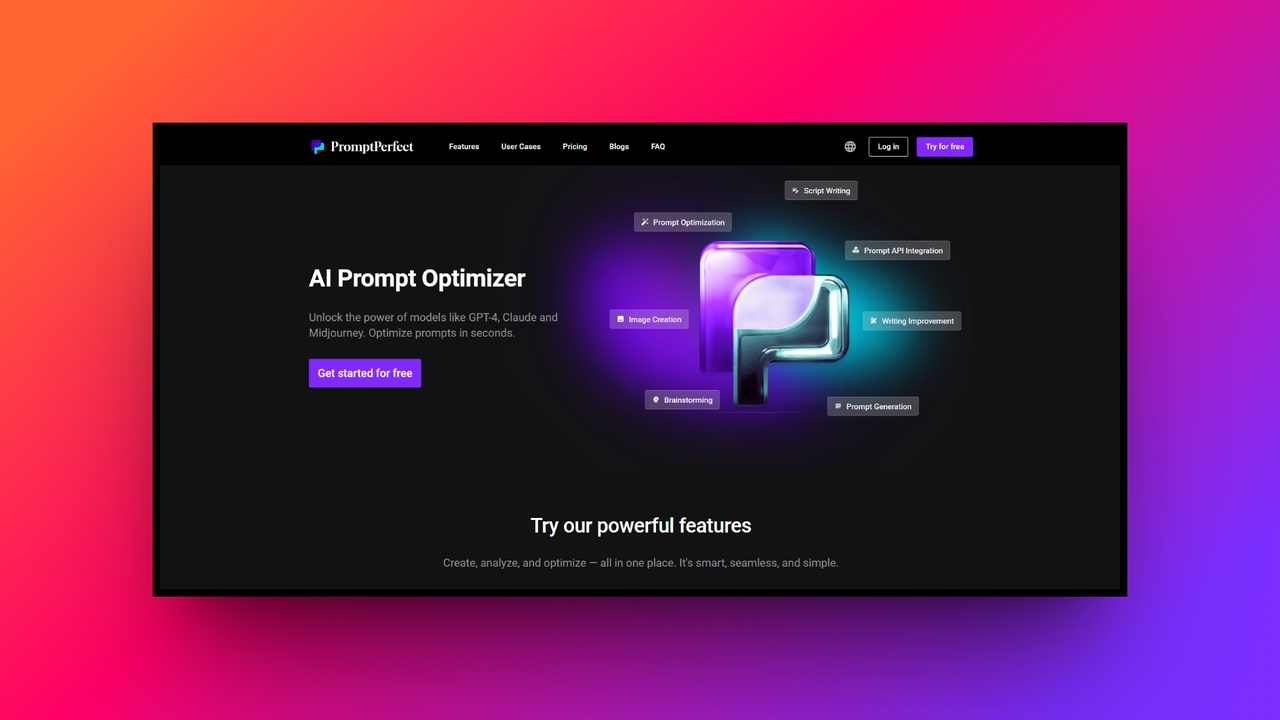
- Best for: Professional developers looking to optimize at scale (great for text, image, and API-based generation).
- Key features:
- Automatic prompt enrichment and iterative optimization engines.
- Multi-model support for parallel testing across GPT-4, Claude, Llama, and Stable Diffusion.
- Robust API access for integrating prompt optimization directly into custom software.
- Customizable settings for maximum prompt length and optimization intensity.
- Pricing: Freemium model based on a credits system.
- Pros:
- Delivers some of the highest quality, scientifically optimized prompts on the market.
- API integration allows enterprise developers to build the optimization engine directly into their own applications.
- Lets you compare how different AI models react to the exact same optimized prompt side-by-side.
- Features highly secure data handling with the ability to delete your data from their servers at any time.
- Cons:
- The most advanced optimization features and API access require purchasing credits.
- Prompt Cowboy - best AI art prompt generator
Prompt Cowboy is an incredibly popular tool that simplifies the notoriously complex process of creating breathtaking visual art with AI.
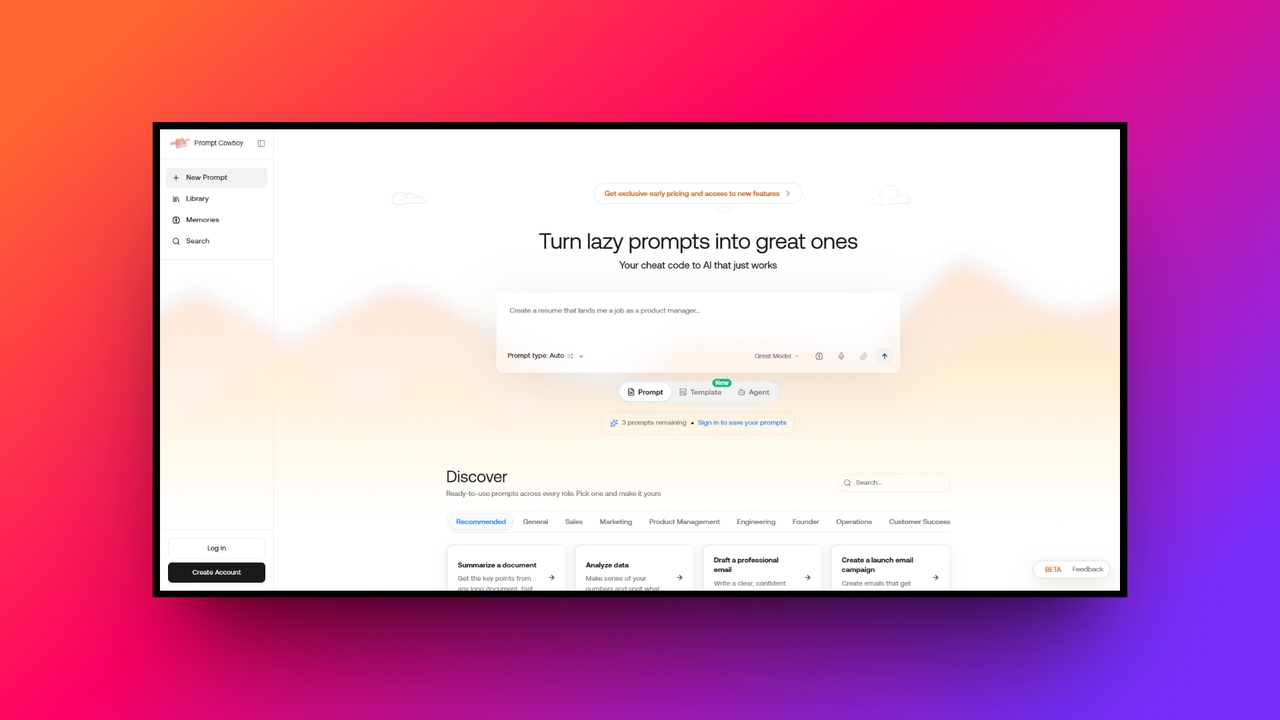
- Best for: Digital artists and designers needing precise stylistic control (great for AI art and image generation).
- Key features:
- Midjourney-specific syntax formatting to ensure perfect execution of variables.
- Extensive parameter libraries for lighting, camera angles, and artistic mediums.
- A massive, searchable community-driven database of tested visual prompts.
- Intuitive UI sliders to easily adjust weights, aspect ratios, and chaos levels.
- Pricing: Free with optional premium upgrades.
- Pros:
- Takes guesswork out of learning complex image model syntax.
- The community database is fantastic for visual inspiration and reverse-engineering styles.
- Visual sliders make technical tweaking accessible to non-programmers.
- Highly specialized, resulting in vastly superior visual outputs compared to generalist tools.
- Cons:
- It is exclusively built for visual creation and lacks support for text or video generation models.
Interesting generative AI prompt examples to try today
If you want to see exactly how these generators structure requests, here are six high-quality prompt examples covering various formats that you can copy and test directly on your favorite AI models today.
| Novel writing | "Act as a New York Times bestselling thriller author. Write a compelling 500-word opening chapter about a detective who just discovered that the main suspect in a high-profile art heist is their own twin sibling. Focus heavily on sensory details, maintain a suspenseful tone, and end the passage with a cliffhanger." |
| Image generation | "A hyper-realistic cinematic portrait of a cyberpunk street vendor cooking neon-glowing noodles. Heavy rain, neon reflections glowing on wet pavement, shot on a 35mm lens, f/1.8 aperture, 8k resolution, highly detailed, octane render --ar 16:9." |
| Video generation | "A continuous, sweeping drone shot flying through a bustling futuristic city filled with flying cars and towering glass skyscrapers. The camera smoothly tracks a sleek red hover-bike as it weaves through heavy traffic. Lighting should reflect golden hour sunset with rich volumetric light rays." |
| Meme creation | "Create a humorous, highly relatable meme caption for an image of a cat staring intensely at a blank wall. The comedic theme should be about the universal feeling of walking into a room and instantly forgetting what you went in there to do. Keep the tone lighthearted and internet-friendly." |
| Marketing copy | "Act as an expert copywriter. Write a punchy, 3-sentence Facebook ad for a new pair of noise-canceling headphones designed specifically for remote workers. Emphasize all-day comfort and industry-leading 60-hour battery life. End with a strong, urgent call-to-action to buy now." |
| Code generation | "Write a clean, well-commented Python script that uses the Pandas library to load two large CSV files. Merge these files based on a shared 'User_ID' column, remove any completely duplicate rows, and output the final cleaned dataset as a new JSON file. Ensure error handling is included." |
Effortlessly bring your prompts to life with Framia Pro
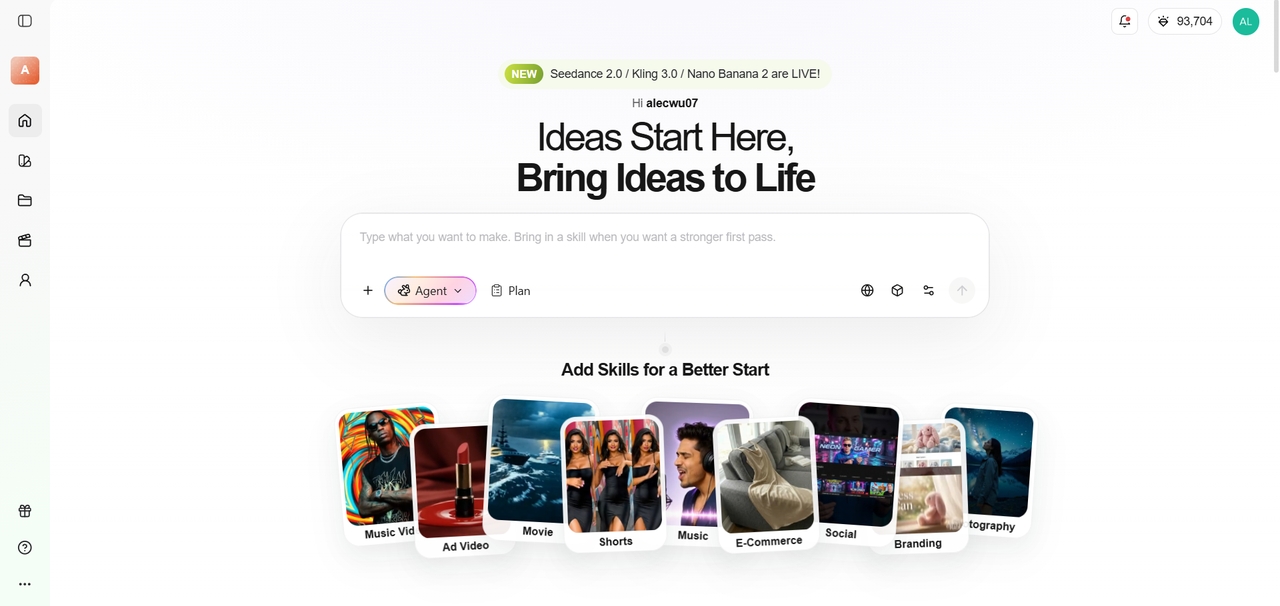
Framia Pro is an all-in-one, conversational AI creative platform that transforms your prompts/ideas into polished videos and images. Instead of juggling complex timelines, you simply chat with specialized AI agents. Powered by industry-leading models like Kling 3.0, Veo 3.1, Nano Banana 2, Midjourney, etc., Framia Pro acts as your personal cyber director to produce cinematic content effortlessly.
Top features for executing your prompts
- Specialized AI agents: Framia Pro offers dedicated agents (like the Shorts Agent/Movie Agent or Design Agent) that are uniquely trained to interpret your specific prompts.
- Multi-model architecture: The platform seamlessly integrates top-tier generation models, such as Seedance 2.0, Veo 3.1, and Midjourney, all under one unified canvas.
- Conversational editing: You can refine your visual outputs by speaking directly to the AI, allowing you to tweak camera angles or pacing using natural language.
- Character consistency engine: This feature allows you to lock in character faces, outfits, and aesthetic styles so your generated prompt stays consistent across multiple scenes.
How to create AI images and videos with Framia Pro
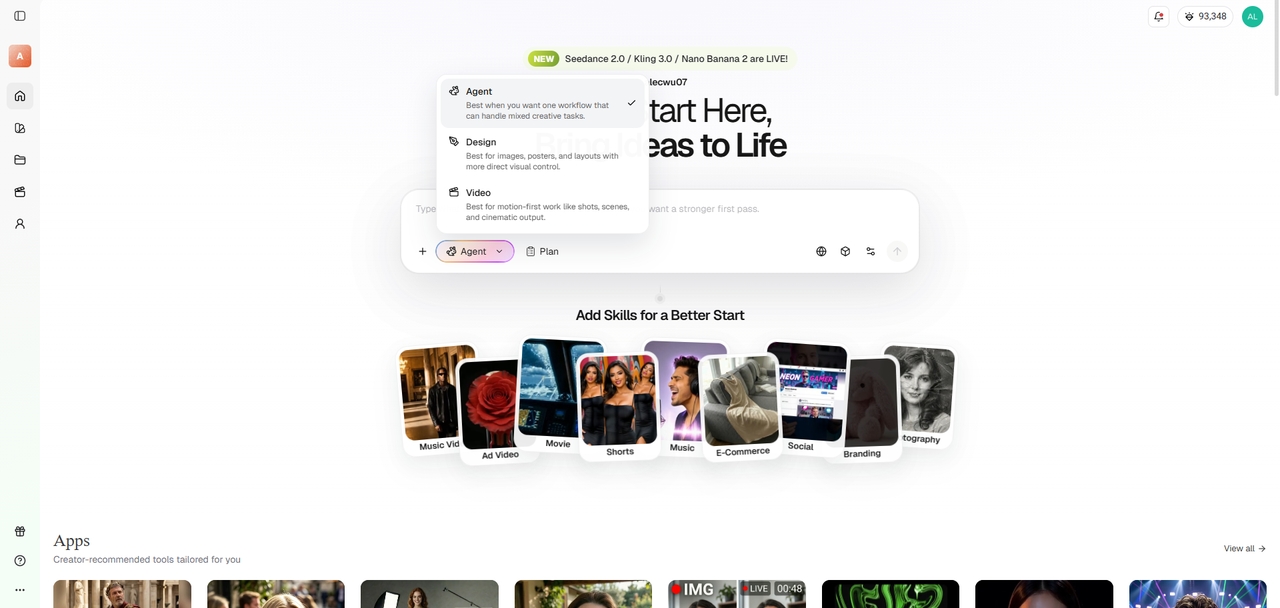
Step 1: Choose your AI agent and model
Open the Framia Pro dashboard and select the specific agent that best matches your project. If you are working with images, choose the "Design Agent", while for videos select the "Video Agent".
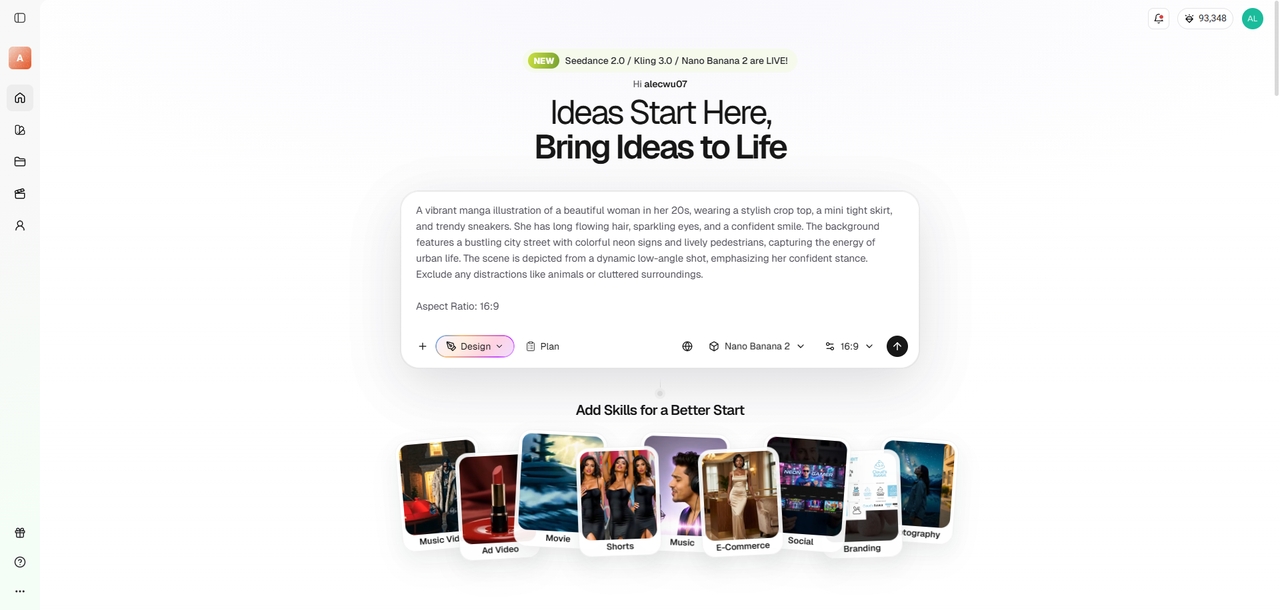
Step 2: Input your generated prompt
Take the highly structured prompt you created using one of the top 7 tools listed above and paste it directly into Framia Pro’s conversational chatbox.
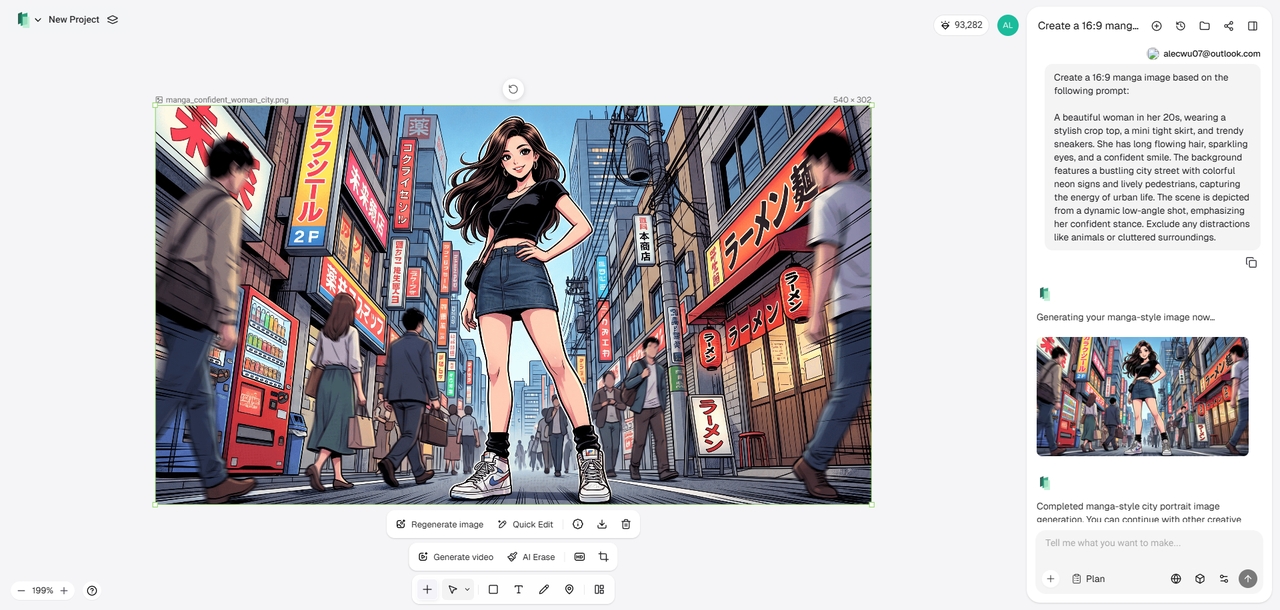
Step 3: Generate and export
Framia Pro will then break your prompt down into a visual storyboard. Review the timeline and use simple text commands to tweak specific shots, lighting, or motion. Once your scenes look perfect, download your creation for instant sharing.
Crucial tips to choose the right AI prompt generator for your use case
Now that you have seen the top contenders, how do you decide which AI prompt generator is right for you? Keep these tips and tricks in mind when making your final choice:
- Identify your primary medium: Start by determining if you need a tool great for text, image, video, or novel generation. Text-focused authors should lean toward QuillBot, while visual artists need specialized tools like Prompt Cowboy.
- Assess your technical comfort level: If you are a beginner, stick to user-friendly platforms like Jotform or Feedough that guide you step-by-step. For advanced parameter tweaking and granular control, look at Promptsera.
- Consider your budget: Always test out the free versions first. You should only invest in premium models like PromptPerfect if you are building an application and require API access or enterprise-scale optimization.
- Test the workflow integration: A good tool should save you time, not add steps to your day. Run a simple idea through two or three generators to see which interface feels the most intuitive and produces the best final result in your AI of choice.
Signing off
Mastering artificial intelligence no longer requires a degree in computer science; it simply requires the right communication tools.
AI prompt generators are the missing link between your creative ideas and flawless AI execution. By using the platforms we have outlined, whether you are drafting a novel with QuillBot, generating cinematic video prompts with Promptsera, or bringing them all to life in Framia Pro, you can eliminate the frustrating guesswork from your daily workflow.
Choose the tool that aligns best with your primary medium, start experimenting, and watch your AI outputs transform from generic responses into highly specialized, professional-grade content.
Frequently asked questions (FAQs)
Will AI prompt generators replace prompt engineers?
No, they empower them. While generators automate the basics, expert engineers are still needed to build underlying systems, optimize APIs, and handle highly nuanced AI behavioral tasks.
Can a prompt generator stop AI hallucinations?
They significantly reduce hallucinations by providing strict boundaries. By clearly defining what the AI should not do, generators keep outputs much more accurate and firmly grounded in reality.
Do I need different generators for text and images?
Usually, yes. Text requires logical structuring, while the best prompt for AI image generators needs technical parameters like aspect ratios. However, multi-modal tools like Promptsera handle both effectively without needing separate applications.
Are free prompt generators safe for confidential data?
You should exercise caution. Free tools often use inputs to train models. Always avoid inputting sensitive personal information, passwords, or proprietary business secrets into open public generators.
What is a "negative prompt" in Sora AI prompt generator?
A negative prompt tells the AI exactly what to exclude from the final output. For images, this might mean "no blurry backgrounds," ensuring the result matches your precise vision.