
What is an AI video prompt technique?
An AI video prompt technique is the strategic crafting of text-based instructions fed to generative AI models to produce highly specific, high-quality video content.
Unlike basic text-to-image prompting, video prompting requires factoring in the dimension of time. It involves dictating not just visual aesthetics, subjects, and lighting, but also camera movement, frame rate, pacing, and dynamic transitions.
Mastering the technique of writing effective AI prompts for creating viral videos on YouTube bridges the gap between a vague concept and a cinematic masterpiece, allowing creators to manipulate motion, physics, and visual continuity simply through the precise articulation of descriptive words and industry-standard cinematography terms. It is an essential skill.
Core elements and formula of an AI video prompt
Crafting a reliable AI video prompt requires a structured approach to ensure the model understands both the visual and temporal requirements.
The most effective formula follows this structure:
[Subject] + [Action/Motion] + [Setting] + [Cinematography] + [Lighting] + [Style/Atmosphere]
Here are the core elements you must include:
- Subject and appearance: Clearly define the main entity, whether it is a human, animal, or object. Detail their specific clothing, distinct physical features, and exact emotional expressions.
- Action and dynamic motion: Describe exactly what the subject is doing. Because this is a video, detailing the pace and nature of the movement over time is critical.
- Setting and environment: Establish the background and location. Specify the geographical setting, the current weather conditions, and the exact time of day.
- Cinematography and camera movement: Directing AI like a filmmaker. Use specific camera angles (like wide shot or extreme close-up) and exact camera movements (such as a slow pan, tilt, or tracking dolly shot).
- Lighting and illumination: Define the light sources. Mention terms like cinematic lighting, golden hour glow, neon reflections, or harsh shadows to create depth.
- Style and atmosphere: Note the aesthetic medium, like photorealism, 3D animation, or vintage 35mm film.
Quick prompting examples:
Depending on your starting point, whether you are using a free AI video generator from text prompts or utilizing AI image to video prompts, the input will vary slightly as follows.
- Text-to-Video: "A glowing neon sports car speeding down a rainy cyberpunk street. Low-angle tracking shot, vibrant neon reflections, photorealistic 8K."
- Image-to-Video: [Using an uploaded static image of a campfire] "The flames flicker dynamically as glowing embers float upward into the night sky. Slow cinematic zoom in, warm illuminating light, smooth continuous motion."
In-depth analysis of some effective AI video prompts
If you are looking to write effective AI video prompts for your next video content production, then be sure to analyze the following examples for the best results.
Example 1: Cinematic sci-fi scene
- Weak prompt: A spaceship flying in space near a planet.
- Strong prompt: A highly detailed sleek silver spaceship gliding slowly past a glowing red gas giant. Cinematic lighting, deep space background filled with distant stars. Slow tracking shot moving from the rear of the ship to the front. 4k resolution, photorealistic, epic sci-fi atmosphere.
- Analysis: The weak prompt lacks visual direction and temporal cues. The strong prompt introduces specific textures, a distinct background, clear lighting, and exact camera movement (tracking shot), resulting in a professional, dynamic clip rather than a flat animation.
Example 2: Commercial product reveal
- Weak prompt: A bottle of perfume on a table with water.
- Strong prompt: Extreme close-up of an elegant glass perfume bottle sitting on a sleek black marble podium. Slow-motion macro shot as crystal-clear water splashes dynamically behind the bottle. Dramatic studio lighting, sharp focus, 8k resolution, luxurious commercial style, high frame rate.
- Analysis: The first prompt is lifeless. The strong prompt employs commercial cinematography terms like "macro shot" and "slow-motion," establishing both the pacing and the high-end aesthetic required for product marketing.
Example 3: Nature and wildlife
- Weak prompt: A tiger walking in the jungle.
- Strong prompt: A majestic Bengal tiger prowling through a dense, misty tropical rainforest. The camera pans smoothly alongside the tiger. Golden hour sunlight filtering through the dense green canopy, creating volumetric light rays. National Geographic documentary style, hyper-realistic, vivid colors.
- Analysis: The weak prompt leaves the environment and lighting to chance. The strong version dictates the specific weather (misty), lighting (volumetric rays, golden hour), and camera movement (panning), ensuring a stunning, cohesive documentary feel.
Example 4: Abstract artistic visualizer
- Weak prompt: Colorful paint swirling around.
- Strong prompt: Vibrant neon pink and cyan fluid paint slowly swirling and mixing together in mid-air against a pitch-black background. Macro lens, smooth continuous motion, glossy texture, 3D render, octane render, mesmerizing and relaxing atmosphere.
- Analysis: Abstract concepts easily become messy without strict boundaries. The detailed prompt defines the exact colors, the background contrast, the texture (glossy), and the specific rendering style, guaranteeing a clean, high-quality artistic sequence.
AI video prompting guide: best AI video prompts examples to use
If you are wondering how to write effective prompts for AI video generation, then the following sets of examples for different video styles can help you inspire you to do something more.
1. Cinematic Photorealism
This style mimics high-end camera gear, focusing on hyper-realistic textures, depth of field, and dramatic lighting.
- Prompt A: "A sweeping drone shot over a rugged, snow-capped mountain range at dawn. Cinematic lighting, lens flares, photorealistic 8k, IMAX film style."
- Prompt B: "Close-up of a weary detective standing under a flickering street lamp in the rain. Dramatic chiaroscuro lighting, shallow depth of field, 35mm film grain, 24fps."
2. 3D Animation (Pixar/Disney Style)
Use this style for vibrant, family-friendly visuals with smooth motion and expressive characters.
- Prompt A: "A cute, fluffy red panda wearing a tiny backpack happily jumping over a stream. Bright vibrant colors, Pixar style 3D animation, soft studio lighting, highly detailed fur."
- Prompt B: "A clumsy robot dropping a stack of glowing gears in a futuristic workshop. Exaggerated cartoon physics, octane render, vivid warm lighting, Dreamworks animation style."
3. 2D Anime/Manga Style
Perfect for stylized action and beautiful, hand-drawn aesthetics, utilizing specific animation studio keywords.
- Prompt A: "A futuristic cyberpunk warrior drawing a glowing katana on a neon-lit rooftop. High-octane action, Studio Ghibli style, cel-shaded, dynamic anime motion blur."
- Prompt B: "Cherry blossom petals falling slowly over a peaceful Japanese tea garden. Soft pastel colors, Makoto Shinkai style, tranquil atmosphere, 2D hand-drawn animation."
4. Stop-Motion / Claymation
This aesthetic mimics the choppy, tactile, and miniature feel of practical animation models.
- Prompt A: "A claymation dinosaur clumsily trying to eat a giant strawberry. Stop-motion animation, visible fingerprints on clay, miniature studio lighting, 12fps choppy motion."
- Prompt B: "Felt-textured woodland creatures having a tea party on a tree stump. Laika studio style stop-motion, shallow depth of field, macro photography, tactile textures."
5. Vintage / Lo-Fi Aesthetic
Used to recreate the nostalgic imperfection of old film cameras or retro VHS tapes.
- Prompt A: "Teenagers skateboarding down a sun-drenched California street in the 1990s. VHS camcorder footage, tracking glitches, low resolution, washed-out retro colors."
- Prompt B: "A jazz band playing in a smokey underground club. 1920s silent film style, black and white, heavy film grain, vignette, scratched celluloid texture."
Best practices for AI video prompts: navigating pitfalls and proven tips
Creating flawless AI videos requires navigating technical limitations while maximizing creative potential. Understanding exactly what techniques to embrace and what common errors to avoid is the ultimate key to success.
| Pitfalls | Tips |
| Overloading the Prompt: Cramming too many subjects into one scene confuses the AI, often resulting in morphed, unnatural objects. Focus on one primary action or subject per video clip for optimal clarity. Using Vague Motion Terms: Relying on abstract motion descriptors like "moving nicely" leads to unpredictable, jittery outcomes. Always use specific cinematic terms like "slow pan left" to maintain complete control over the scene. Ignoring Lighting Directives: Leaving lighting up to the AI often yields flat, lifeless visuals. Failing to specify lighting directions, sources, or styles strips the final video of its necessary depth and cinematic mood. Demanding Complex Physics: Requesting unnatural physics, like glass shattering backward while water flows upward, breaks current generation models. The AI struggles with these conflicts, causing bizarre visual artifacts and heavily distorted video renderings. Mixing Contradictory Styles: Combining conflicting styles, such as "photorealistic cartoon," severely confuses the rendering engine. The output usually becomes a muddy, low-quality hybrid rather than the distinct artistic vision you originally intended. Neglecting the Temporal Element: Forgetting the dimension of time makes your video look like a static image with wiggling edges. You must thoroughly describe how the overall scene evolves and transitions over time. | Start Simple and Build: Begin with a basic subject and setting, to generate a test clip. Once the foundation looks solid, incrementally add lighting, camera motion, and complex atmospheric details to achieve visual perfection. Leverage Film Terminology: Adopt a seasoned director's vocabulary. Words like bokeh, depth of field, tracking shot, and 24fps act as powerful cheat codes, triggering the AI to produce highly realistic, cinematic video outputs. Specify the Visual Medium: Clearly dictate the exact medium you want, such as 35mm film, GoPro footage, or CGI render. This instantly aligns the AI's core generation process with your desired visual aesthetic perfectly. Control the Action Pacing: Use descriptive adverbs to dictate the speed of the action. Words like "drifting slowly," "frantically running," or "smoothly transitioning" help the AI understand the emotional rhythm of the scene. Utilize Negative Prompts Effectively: If your tool allows it, aggressively use negative prompts to banish unwanted elements like watermarks, blurry text, extra limbs, or warped faces. This ensures pristine and professional visual quality. Iterate, Tweak, and Evolve: Treat your initial generation as a rough draft. Always tweak one variable at a time, like changing the camera angle, to observe how the AI interprets different phrasing nuances. |
Exploring the top AI video generation models in 2026
The AI video landscape is evolving rapidly, with cutting-edge models pushing the boundaries of cinematic storytelling. Leading the charge are Veo 3.1, Kling 3.0, and Seedance 2.0.
Before you even think about studying Veo 3 AI video prompt examples or Kling AI video prompt examples, it is important to understand the unique capabilities, motion control, and multi-modal strengths of these top-tier generators, so that you can choose the right tool for your project.
| Feature | Veo 3.1 | Kling 3.0 | Seedance 2.0 |
| Max Resolution | Up to 4K at 60fps | 1080p (4K upscaling) | 1080p (up to 2K export) |
| Max Duration | 8 seconds | Up to 15 seconds | Up to 15 seconds |
| Native Audio | Yes (Professional 48kHz dialogue & sync) | Yes (Lip-sync in 8+ languages) | Yes (Dual-channel audio & sound effects) |
| Reference Inputs | 1-3 images for character consistency | 1-4 images for multi-element control | Up to 12 files (9 images, 3 videos, 3 audio) |
| Core Strength | Broadcast-grade cinematic realism | Industry-leading motion physics | Unmatched multi-modal control & video references |
While knowing these models is important, managing their different interfaces can be overwhelming. This is where unified platforms step in to simplify the entire production pipeline.
Turn AI video prompts into cinematic videos using Framia Pro
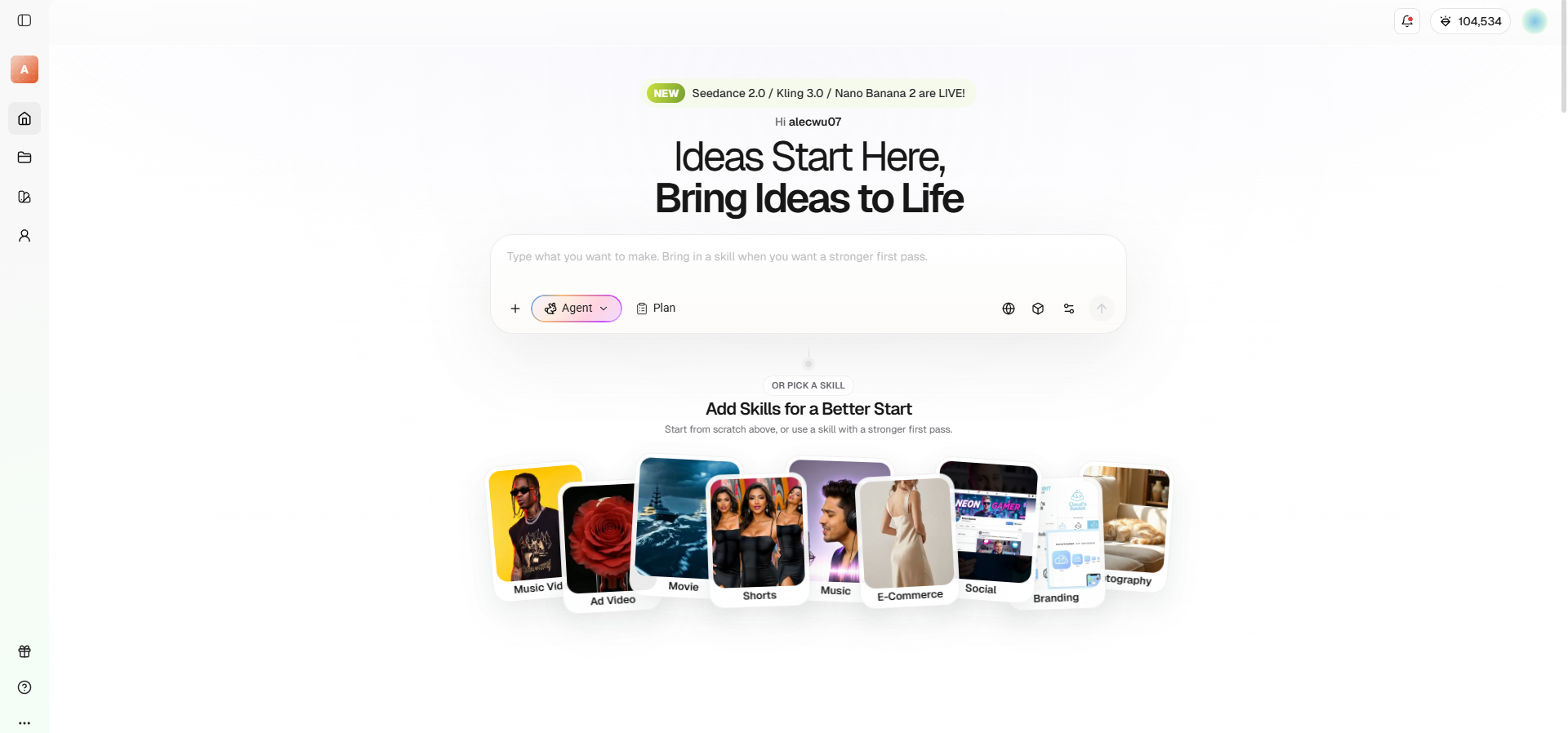
Framia Pro is an all-in-one AI creative platform designed to transform raw ideas into fully produced cinematic videos and images. Instead of using complex editing timelines, it features a conversational interface powered by specialized AI agents.
By integrating top-tier generative models like Veo, Kling, and Seedance, Framia Pro seamlessly handles scriptwriting, storyboarding, and video rendering directly from your text prompts.
Key video generation features of Framia Pro
- Specialized video agents: Framia Pro uses purpose-built agents, such as the Movie Agent for emotional storytelling and the Shorts Agent for quick vertical explainers, to optimize outputs automatically.
- Full-SOP automation: The platform handles the entire production pipeline autonomously, generating scripts, storyboarding main shots, selecting B-roll context, and syncing background music for a complete, upload-ready video format.
- Chat-to-edit functionality: Instead of regenerating an entire video, creators can select a specific segment and simply describe what needs fixing in plain language for highly targeted, precise visual corrections.
- Character consistency engine: Framia Pro allows creators to lock in a cast's appearance at the beginning, maintaining perfect visual continuity of faces, expressions, and clothing across every single generated shot.
How to use Framia Pro to write AI video prompts?
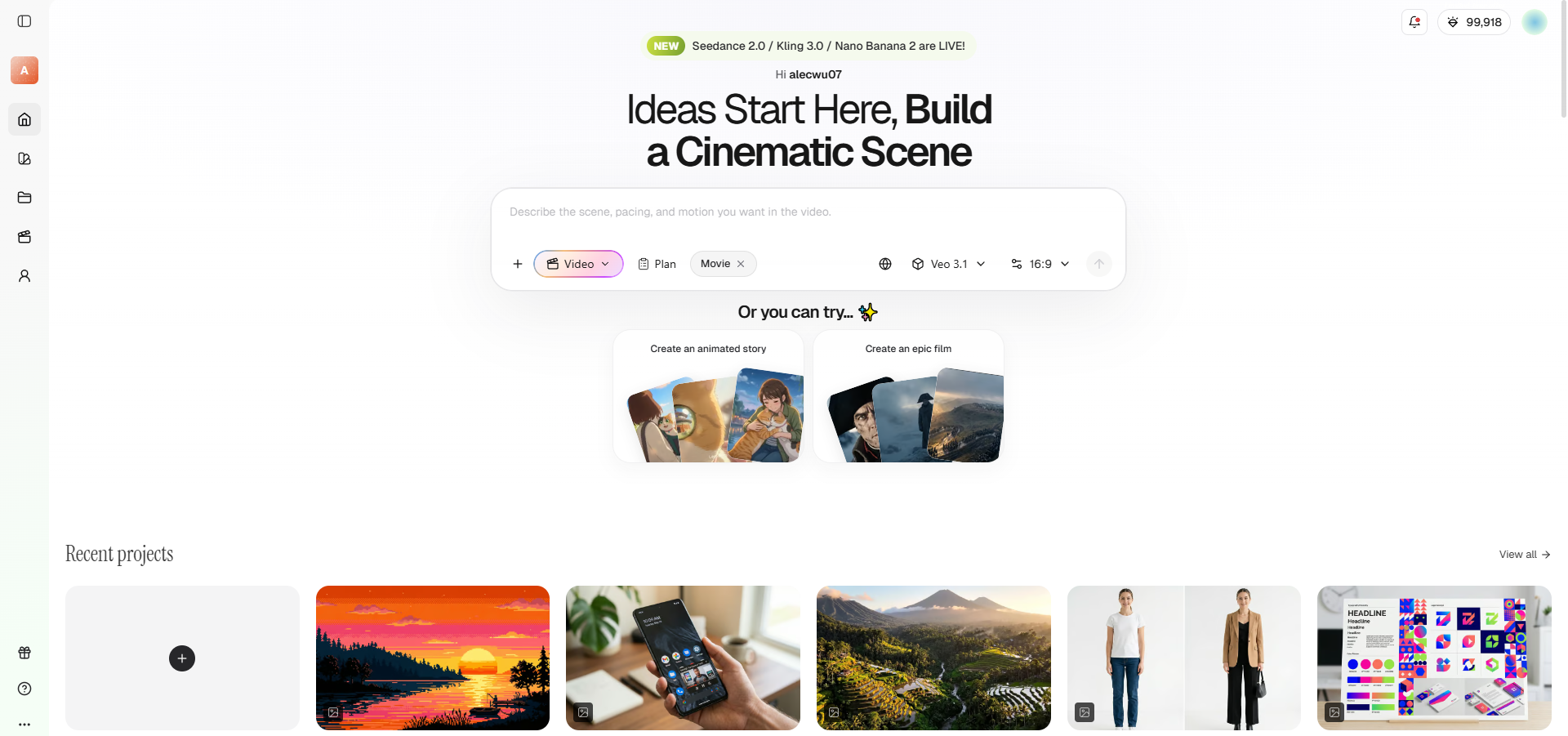
Step 1: Select your Framia video agent and AI video generation model
Begin by choosing a specialized agent, like the "Shorts" Agent for vertical clips or the "Movie" Agent for cinematic narratives. Next, select a powerful AI video generation model from the supported options, such as Veo, Seedance, or Kling, for rendering.
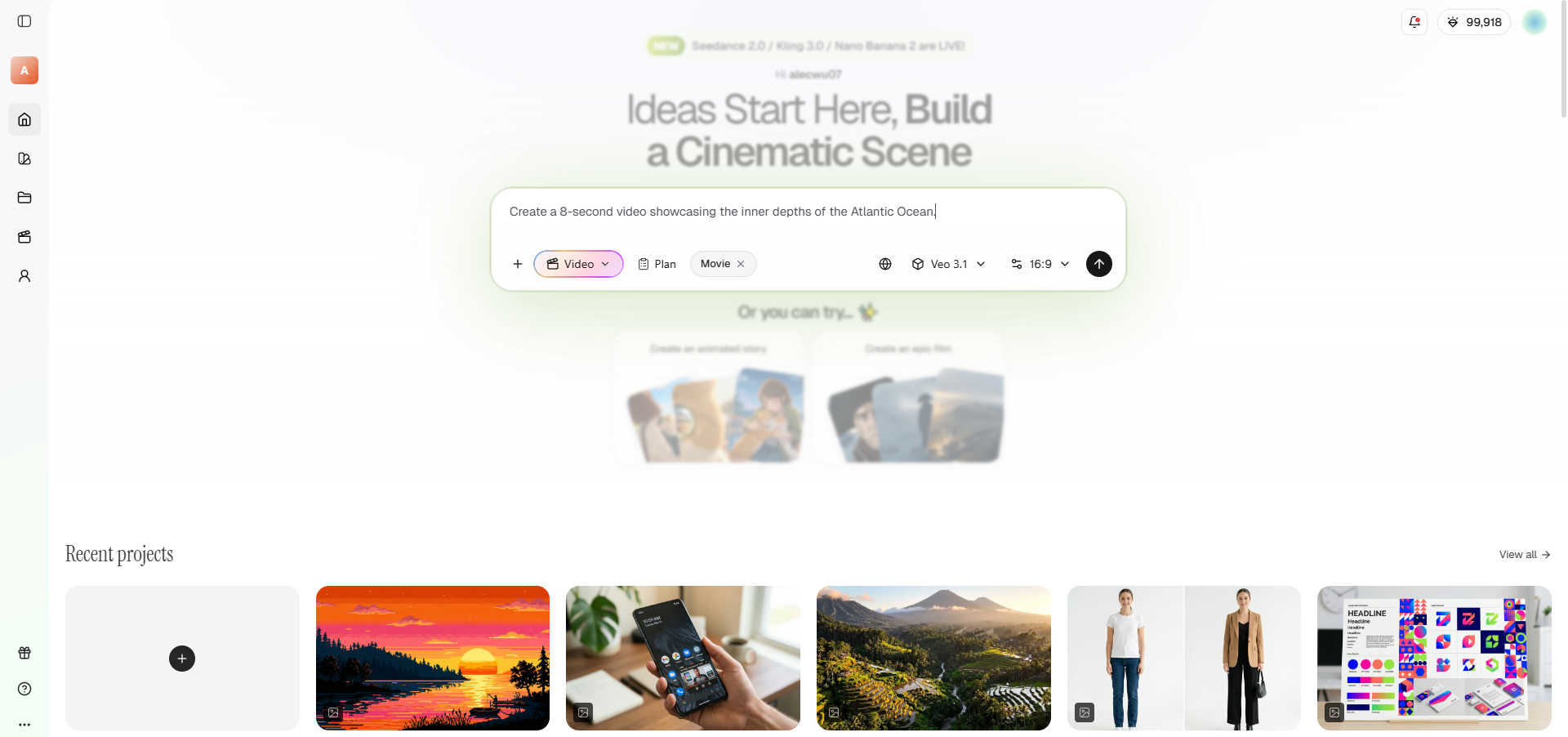
Step 2: Provide your detailed AI video prompt for video generation
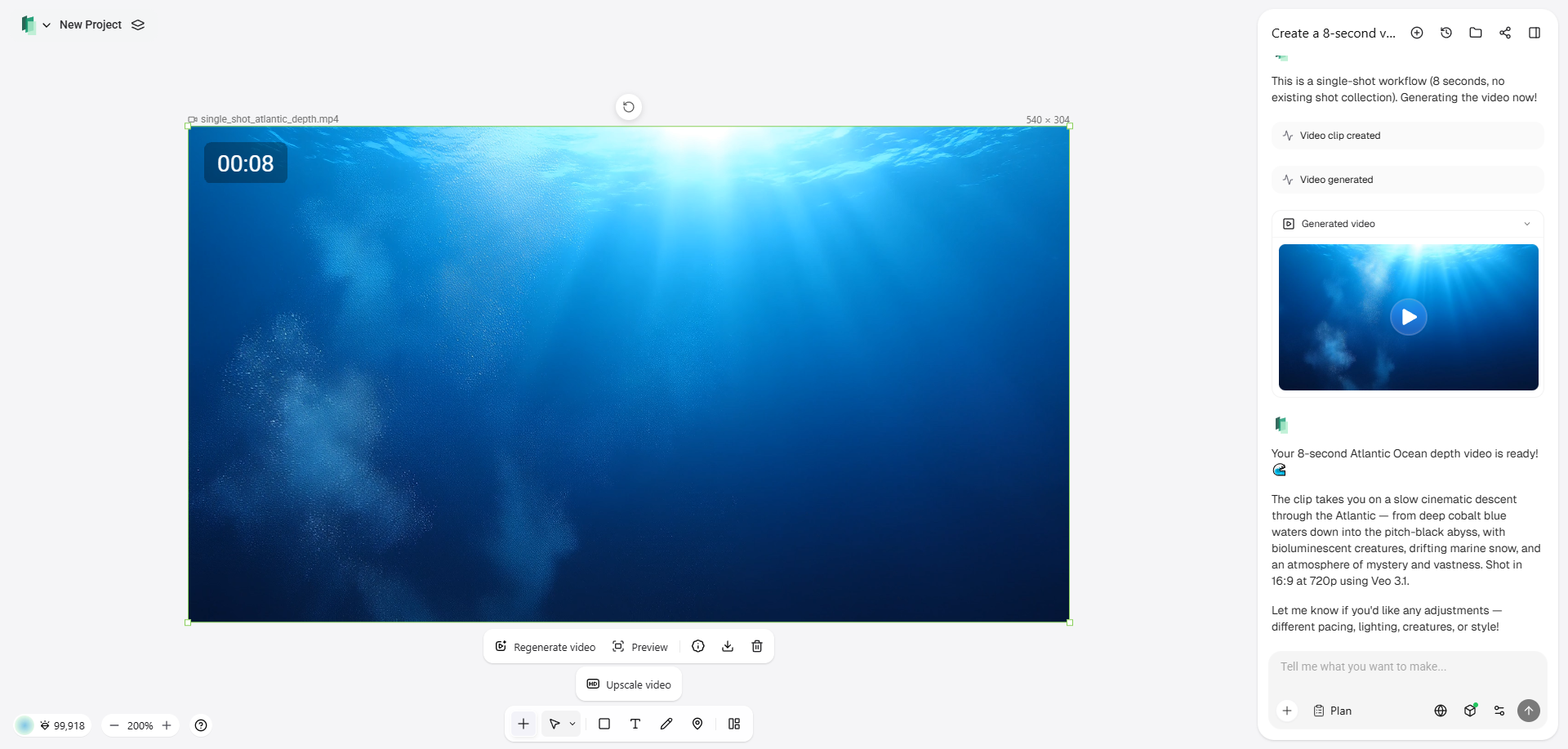
Input your structured prompt detailing the subject, camera movements, lighting, and cinematic style. Framia Pro’s script and reasoning models, like Claude 4.5 Opus or Gemini 3, will process your text to automatically generate a comprehensive storyboard and compose main shots.
Step 3: Finalize and export your AI-generated video
Review the auto-generated storyboard timeline to check perfect audio-visual synchronization, and use chat-to-edit for targeting precise corrections without regenerating everything. Finally, securely export your completed masterpiece in an upload-ready format natively optimized for social platforms like Instagram, TikTok, or YouTube.
Best practices to follow when using Framia Pro
- Leverage chat-based refinement: Treat the AI like a co-director. Start with a broad concept and use the chat interface to iteratively tweak specific shots or camera angles without starting over.
- Lock characters early: Establish your characters' physical attributes and styling immediately. Locking these parameters upfront ensures that the Character Consistency engine keeps your subjects perfectly identical across multiple scenes.
- Utilize the storyboard editor: Always review the auto-generated storyboard before finalizing. Use the visual timeline to easily regenerate individual shots and ensure perfect audio-visual synchronization prior to your final render.
- Choose the right agent: Match your prompt to the correct agent. Use the Shorts Agent for high-energy 9:16 vertical clips and the Movie Agent for deeper, cinematic 16:9 narrative sequences.
Wrapping up
Mastering AI video prompts is the crucial bridge between a fleeting imagination and a stunning cinematic reality.
As we’ve explored, the secret lies in treating the AI like a film crew: providing meticulous details regarding the subject, dynamic action, precise camera movements, and atmospheric lighting. By avoiding common pitfalls like vague phrasing and overloading scenes, and by utilizing the structured formulas and best practices outlined above, you can drastically elevate your video generation quality.
Platforms like Framia Pro further streamline this creative process, offering specialized agents and chat-based editing to turn your refined prompts into fully polished, professional-grade masterpieces.
FAQs
What is the best AI video prompt formula?
The most reliable formula is: [Subject] + [Action/Motion] + [Setting] + [Cinematography] + [Lighting] + [Style/Atmosphere]. This guarantees the AI understands both visual aesthetics and temporal pacing.
Why does my AI video look blurry or morphed?
Blurry or morphed outputs usually stem from overloaded prompts, vague motion instructions, or conflicting physics. Focus on one primary action and use specific camera terminology to ensure clarity.
How do I maintain character consistency across scenes?
Detailed upfront descriptions help, but using specialized platforms like Framia Pro with built-in Character Consistency engines is the best way to lock facial features and clothing across shots.
Are AI-generated videos suitable for professional marketing?
Absolutely. With advanced tools offering 4K resolution, precise camera control, and automated editing pipelines, AI videos are increasingly used for commercial ads, product reveals, and cinematic social media campaigns.
How long should a good AI video prompt be?
A strong prompt is concise but highly descriptive, typically ranging from 40 to 80 words. Focus strictly on essential visual, environmental, and temporal details without unnecessary filler words.