
You open your laptop, type a quick prompt, and hit enter. Seconds later, a fully produced, high-definition video starts playing on your screen. Sounds like pure magic, right?
In the fast-paced world of digital content, artificial intelligence is changing everything. As a creator, marketer, or business owner, you are always looking for ways to produce content faster and better. You already know that ChatGPT is an absolute powerhouse for writing blog posts, coding, and brainstorming. But lately, one massive question is dominating the conversation: Can ChatGPT make videos?
The answer is both yes and no. It depends entirely on how you define "making" a video. While you cannot simply download an MP4 file directly from a standard ChatGPT text window, this incredible AI tool is actually the ultimate secret weapon for video creation. It acts as your personal director, expert scriptwriter, and master prompt engineer.
In this complete 2026 guide, we will break down exactly how you can use ChatGPT to make videos, explore the best third-party AI video generators to pair it with, and give you a step-by-step workflow to bring your visual ideas to life. Let's dive in!
The Short Answer: Can ChatGPT Create Videos Directly?
Let's clear up the biggest area of confusion right away. If you log into the standard ChatGPT interface and ask it to "generate a video of a cat riding a skateboard," it will not spit out a playable video file.
So, can Chat GPT create videos all by itself? The traditional text-based GPT-4 model cannot render video frames. It is a Large Language Model (LLM), which means it processes and generates text, code, and static images.
However, this does not mean ChatGPT is useless for video. In fact, it is the exact opposite. Think of ChatGPT as the brains behind the operation. Real-world video production requires a massive amount of planning. You need a solid hook, a compelling script, detailed scene descriptions, and a clear call to action. ChatGPT handles all of this heavy lifting in seconds.
Furthermore, the ecosystem is evolving rapidly. OpenAI, the company behind ChatGPT, has introduced Sora—a groundbreaking text-to-video model. While Sora operates as a distinct video engine, the bridge between ChatGPT's text brilliance and Sora's visual rendering answers the question of can gpt generate videos with a resounding "yes" when looking at the broader ecosystem.
How ChatGPT Contributes to Video Creation
If you want to use ChatGPT to make videos, you need to treat it like a highly skilled creative partner. Here is a deep dive into the four core ways ChatGPT supercharges the video creation process.
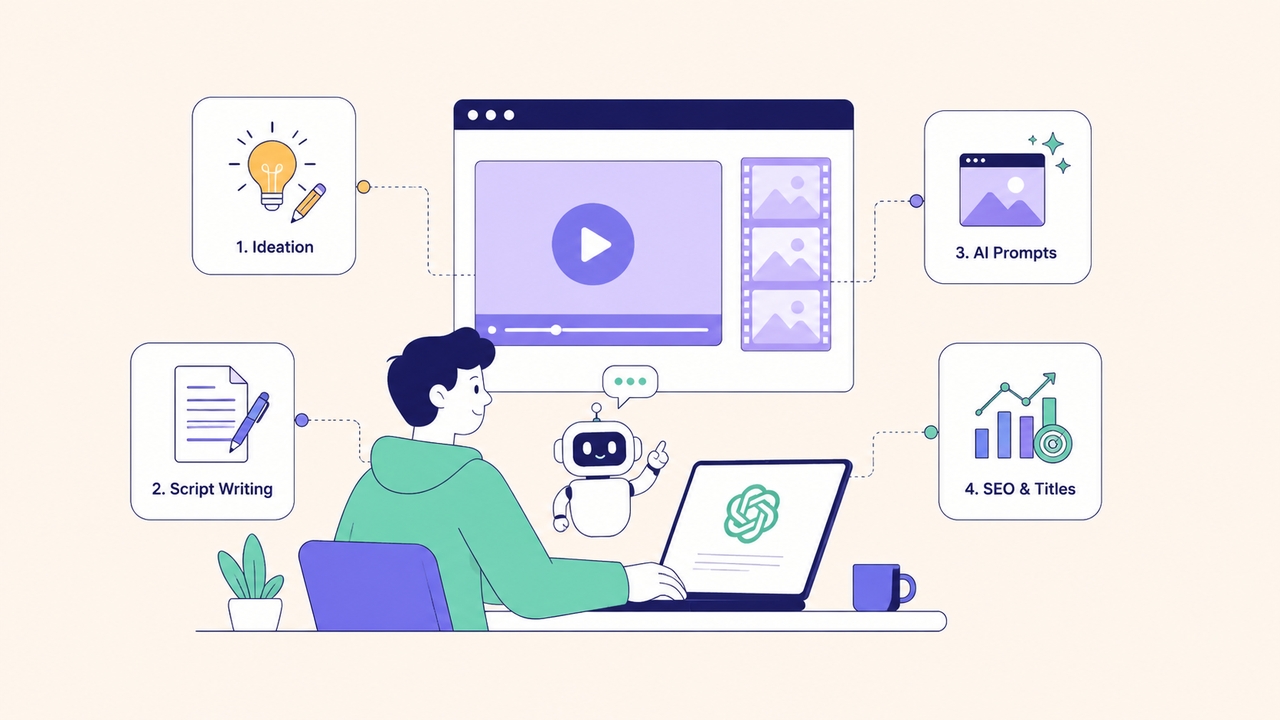
- Brainstorming and Ideation
Staring at a blank page is the worst feeling for any creator. ChatGPT eliminates creator's block entirely. You can ask it to generate 10 viral video ideas for a specific niche, outline a 30-day YouTube Shorts content calendar, or suggest trending topics in your industry. It analyzes vast amounts of data to give you fresh, engaging angles you might never have thought of.
- Writing Engaging Video Scripts
A video is only as good as its story. Whether you need a quick 15-second TikTok hook or a highly detailed 10-minute YouTube documentary script, ChatGPT delivers. You can instruct it to write in a specific tone—like humorous, professional, or dramatic. It can even format the output perfectly, separating the audio narration from the on-screen visual directions.
- Crafting Perfect Prompts for AI Video Generators
This is where the real magic happens. If you want to know how to make video using ChatGPT, you must master prompt engineering. AI video generators require incredibly descriptive, specific prompts to create good visuals. ChatGPT can take a simple idea and expand it into a rich, highly detailed visual prompt.
For example, instead of typing "a futuristic city," ChatGPT can generate: "A cinematic, sweeping drone shot of a neon-lit cyberpunk city at dusk, with flying cars leaving light trails, rain slicking the metallic streets, highly detailed, 4k resolution, photorealistic." This level of detail guarantees dramatically better results from your video generator.
- SEO Optimization and Titles
Once your video is created, nobody will watch it if they can't find it. ChatGPT excels at writing click-worthy YouTube titles, optimizing video descriptions with the right keywords, and even generating relevant tags and hashtags.
The OpenAI Ecosystem: A Look at Sora
When people ask can ChatGPT generate video, they are often thinking about Sora. Announced by OpenAI, Sora is an AI model that can create realistic and imaginative scenes from text instructions.
Sora represents a massive leap forward. It can generate videos up to a minute long while maintaining stunning visual quality and adherence to the user's prompt. It understands how objects exist in the physical world, accurately simulating complex camera motion and character consistency.
While Sora is the engine rendering the pixels, ChatGPT is the interface that helps you communicate with it perfectly. As these tools become more deeply integrated, the line between text generation and video generation will completely disappear.
Step-by-Step: How to Make a Video Using ChatGPT
If you are wondering how to create a video using ChatGPT, you need a solid workflow. By combining ChatGPT's text generation with a dedicated AI video tool, you can create a masterpiece from scratch. Here is your step-by-step blueprint.
Step 1: Ideation and Hook Generation
Start by giving ChatGPT context about your goals.
- Prompt Example: "I want to make a 60-second YouTube Short about the history of coffee. Give me 3 highly engaging hooks that will stop viewers from scrolling."
- Choose the best hook. A strong opening is critical for viewer retention.
Step 2: Scripting the Video
Once you have the hook, ask ChatGPT to write the full script. Tell it to use a two-column format.
- Prompt Example: "Write a 60-second script for the coffee video. Use a two-column format. The left column should be the Voiceover (what the narrator says). The right column should be the Visuals (detailed descriptions of what is on the screen). Keep the tone upbeat and fast-paced."
Step 3: Generating Visual Prompts
Now, you need to translate those visual descriptions into prompts that an AI video generator will understand.
- Prompt Example: "Take the Visuals column from the script above and turn each scene into a highly detailed image/video generation prompt. Include details about lighting, camera angle, and cinematic style."
Step 4: Feeding Prompts into an AI Video Generator
Now, take those optimized prompts and paste them into a dedicated AI video generator (we will cover the best ones below). The video tool will read ChatGPT's detailed descriptions and render the actual video clips.
Step 5: Voiceover and Editing
Take the Voiceover column from your ChatGPT script and run it through an AI voice generator, or record it yourself. Finally, drop your generated video clips and your audio track into an editing software to stitch it all together. Add some background music, and your video is complete!
Best AI Video Generators to Pair With ChatGPT
Since the answer to can Chat GPT generate videos internally is no, you must partner it with an external engine. The market is flooded with amazing tools. Here is a breakdown of the best AI video generators to use alongside ChatGPT in 2026.
| Tool Name | Best Used For | Key Feature | Pricing Model |
| Framia Pro | All-in-One Workflow | Connects Sora 2, Veo 3.1, and Kling 3.0 via AI agents for end-to-end video creation. | Freemium (Credits) |
| Sora (OpenAI) | Cinematic Realism | Unmatched physical world simulation and 60-second clips. | Subscription |
| Runway Gen-4.5 | Advanced Control | Director mode with precise pan, tilt, and zoom controls. | Freemium (Credits) |
| Kling AI | Realistic Human Motion | Highly accurate facial expressions and long-form action. | Freemium (Credits) |
| Vmake AI | E-commerce & Marketing | Excellent for product videos, background removal, and clean aesthetics. | Subscription |
| HeyGen | Talking Head Videos | Photorealistic AI avatars with perfect multilingual lip-syncing. | Subscription |
- Framia Pro — Best All-in-One Creative Agent
Framia Pro is a revolutionary AI creative agent platform built specifically for solo creators and digital teams. If you hate jumping between five different tabs to finish one project, this is your ultimate solution. It acts as an intelligent workspace connecting world-class frontier models—including Sora 2 Pro, Google Veo 3.1, and Kling 3.0—directly on a single interactive canvas.
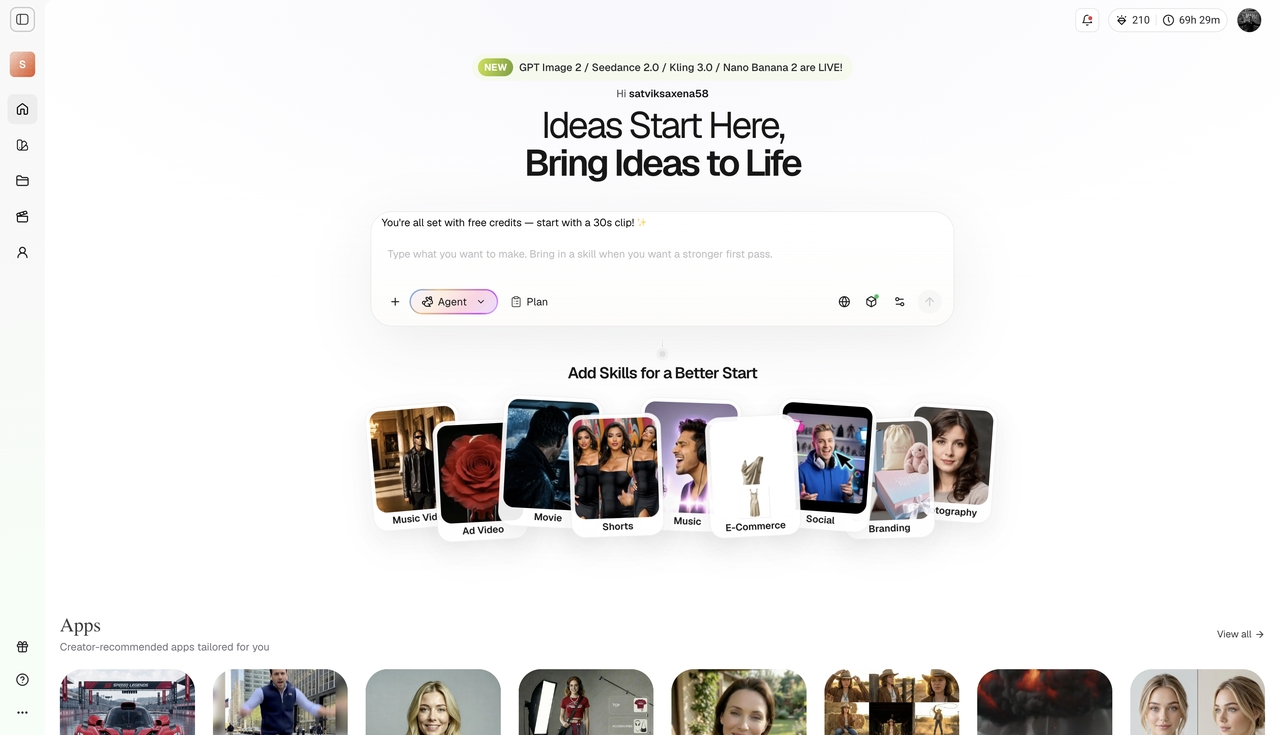
Key features:
- Intelligent canvas workflow: Connects multiple top-tier models directly in one unified space.
- Full-SOP automation: Automates script generation, storyboarding, and video rendering instantly.
- Chat-to-edit tools: Make precise layout corrections using simple natural language commands.
- Character consistency: Maintains exact character appearances across multiple dynamic scenes effortlessly.
Pros:
- Eliminates the need to switch between multiple software platforms.
- Massive time savings with end-to-end video production automation.
- Perfect character consistency for cohesive brand storytelling.
Cons:
- The advanced agent-based workflow might have a slight learning curve.
- High-resolution exports can consume credits quickly.
- Sora (OpenAI) — Best for Cinematic Realism
Developed by the same brilliant minds behind ChatGPT, Sora remains the gold standard for hyper-realistic world-building. It excels at generating highly detailed video sequences that deeply understand complex physical world interactions, reflections, and natural lighting.
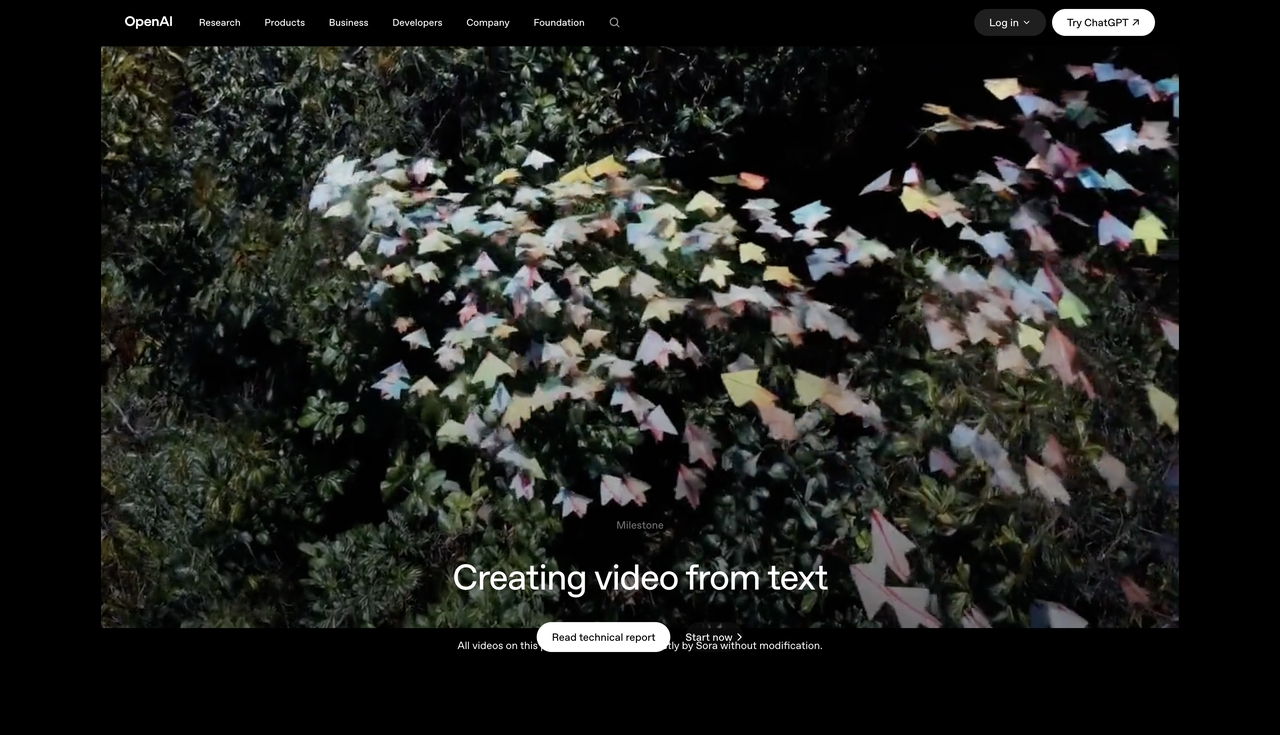
Key features:
- Hyper-realistic physics: Exceptional simulation of gravity, lighting, and natural real-world movement.
- Extended durations: Generates continuous, high-definition videos up to 60 seconds long.
- Complex scene reasoning: Accurately remembers objects even when they briefly leave the camera frame.
Pros:
- Unmatched 3D spatial consistency and absolute visual realism.
- Creates incredibly long single-pass clips compared to most competitors.
- Deep integration with the existing ChatGPT ecosystem.
Cons:
- Strictly limited to paid subscription tiers for full access.
- Lacks granular manual control tools like motion brushes or camera sliders.
- Runway Gen-4.5 — Best for Advanced Professional Control
Runway is the go-to platform for filmmakers and editors who demand absolute precision. It combines powerful generation with robust post-production tools, giving you unparalleled creative direction over how your AI clips are filmed and edited.
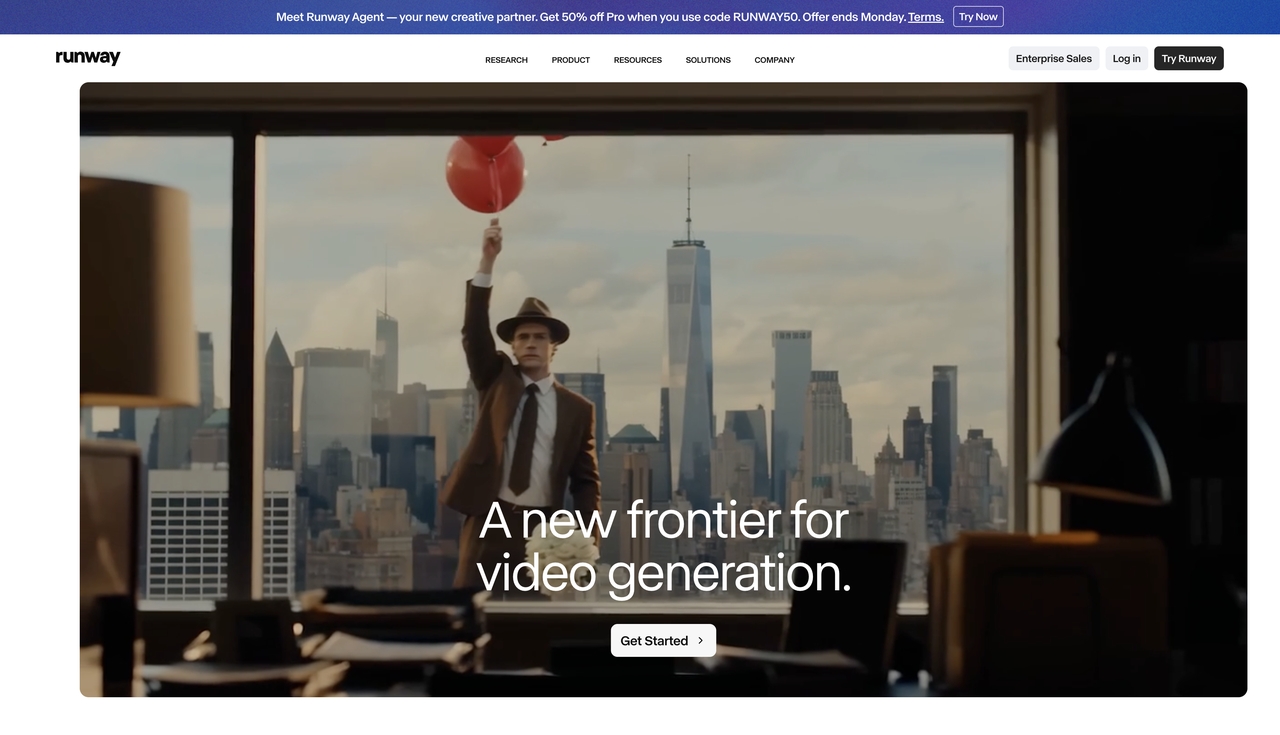
Key features:
- Director mode: Offers precise slider-based controls for camera panning, tilting, and zooming.
- Multi-motion brush: Allows you to animate up to five different areas of an image independently.
- Advanced inpainting: Seamlessly remove or replace unwanted objects in your video with temporal stability.
Pros:
- Industry-leading control over camera movement and subject tracking.
- Trusted by professional filmmakers and top creative agencies worldwide.
- Highly consistent cinematic lighting and atmospheric effects.
Cons:
- The complex user interface can be intimidating for casual social media creators.
- Credit-based pricing gets expensive quickly for high-volume video editors.
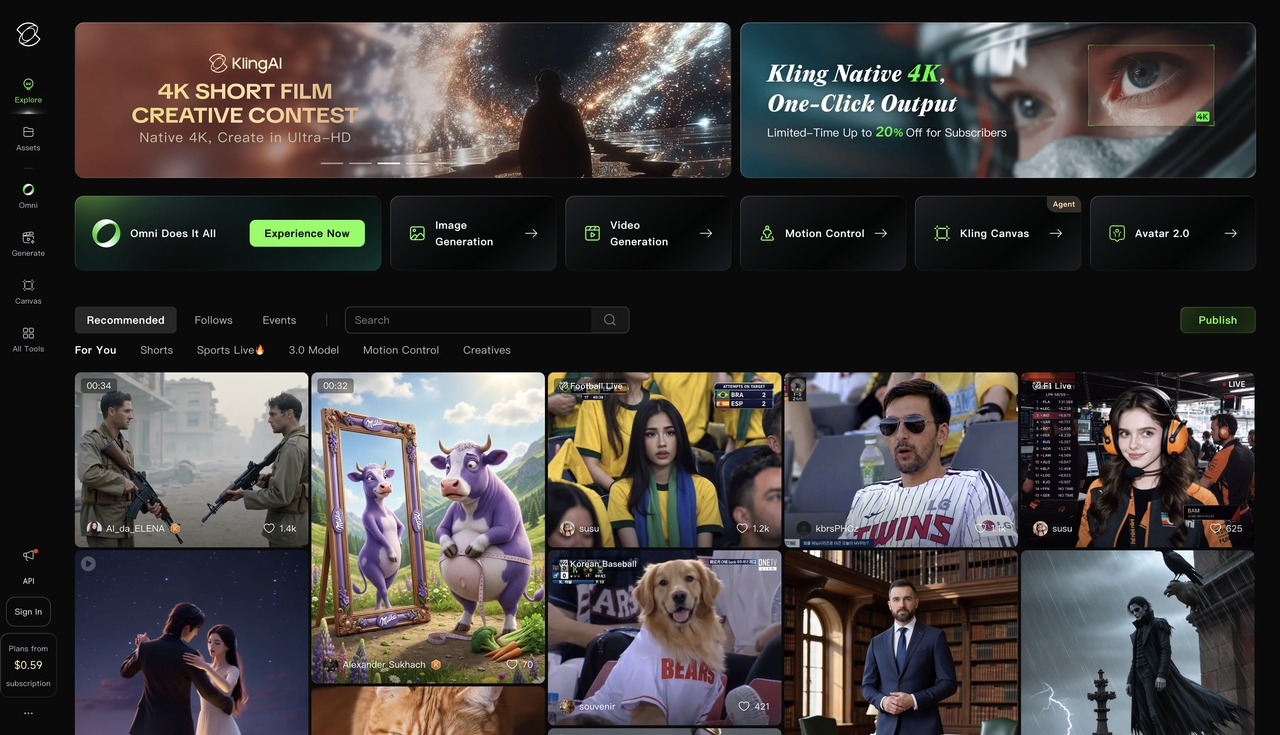
- Kling AI — Best for Realistic Human Motion
If your video script features human characters, Kling AI is an absolute powerhouse. It is widely renowned for its unique ability to simulate lifelike facial expressions, smooth body mechanics, and extended action sequences without typical visual glitching.
Key features:
- Subject binding: Keeps character faces and clothing identical across multiple diverse clips.
- Long-form action: Supports highly dynamic, continuous videos up to two minutes long.
- Native lip-sync: Generates high-fidelity audio synchronized perfectly with the character's visuals.
Pros:
- Best-in-class for realistic human movement and emotional expressions.
- Produces much longer seamless videos than most standard competitors.
- High-definition 1080p output requires far less post-upscaling.
Cons:
- Queue times can be notably long for free users during peak hours.
- The interface can occasionally feel cluttered and complex for new users.
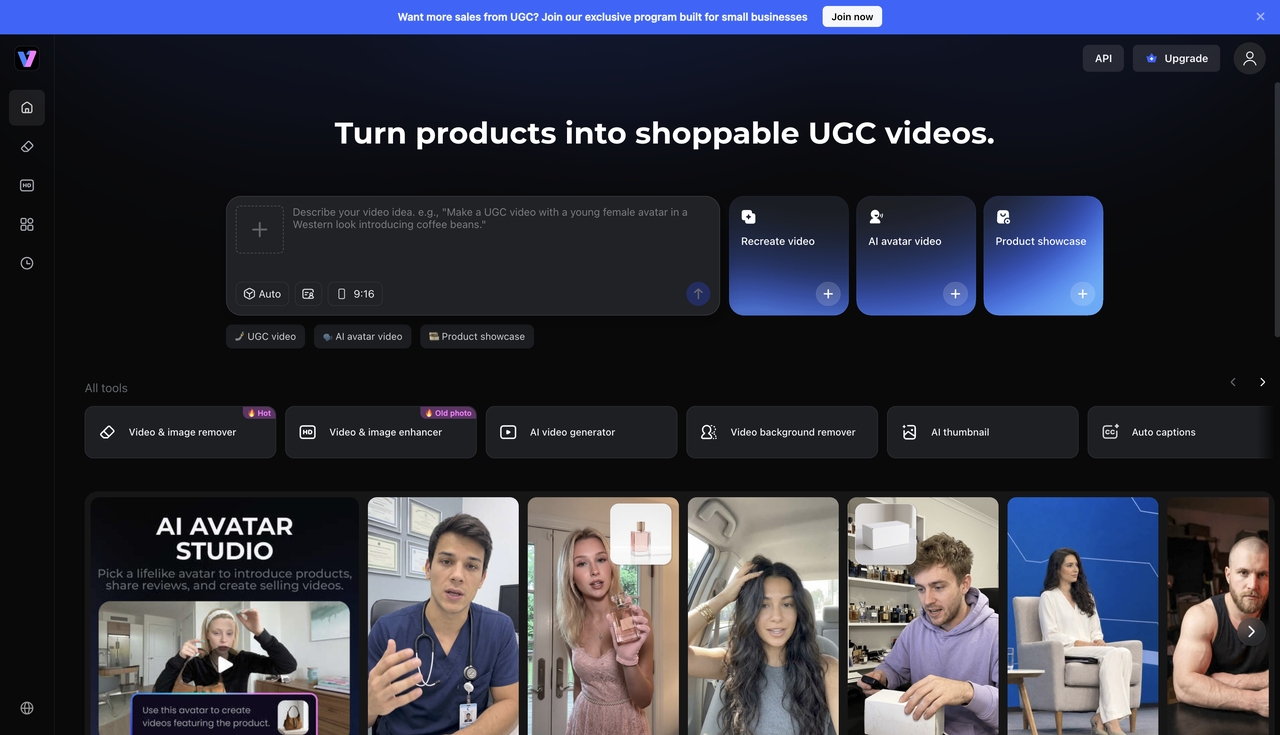
- Vmake AI — Best for E-commerce & Marketing
Perfect for digital marketers and product brands, Vmake AI specializes in clean aesthetics and commercial content. It makes crafting scroll-stopping product videos and seamless background manipulations incredibly fast and completely effortless.
Key features:
- Product video generation: Turns static product images into dynamic, high-quality promotional clips instantly.
- AI background manipulation: Instantly swap or remove backgrounds for a perfectly clean studio look.
- Video upscaling: Enhances low-resolution video clips into crisp, high-definition assets.
Pros:
- Extremely fast workflow specifically designed for e-commerce and social media marketing.
- Produces highly polished, commercial-ready visual assets consistently.
- Very intuitive and beginner-friendly user interface.
Cons:
- Not designed for complex, narrative-driven cinematic storytelling.
- Requires a monthly subscription for watermark-free digital downloads.
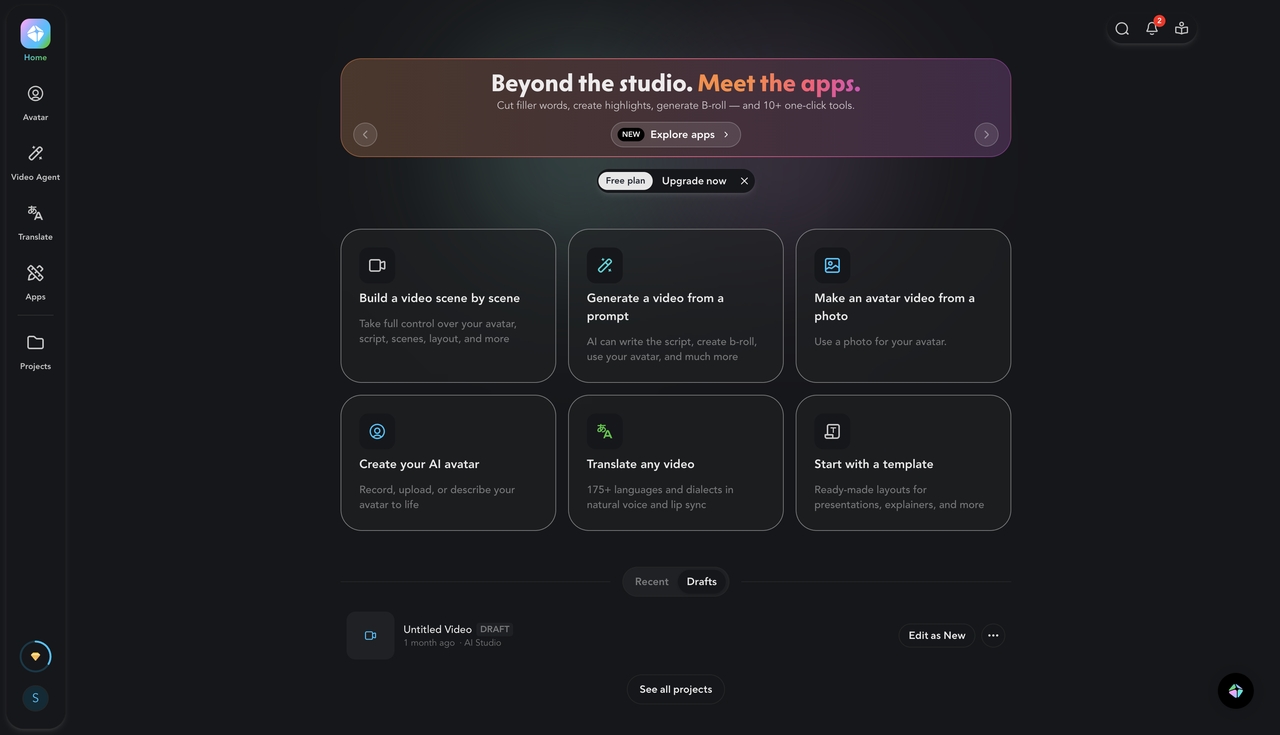
- HeyGen — Best for Talking-Head Videos
When you need a professional spokesperson but don't want to step in front of a camera, HeyGen is the ultimate answer. It generates photorealistic digital avatars with flawless lip-syncing capabilities, making it highly practical for corporate training or faceless YouTube channels.
Key features:
- Photorealistic AI avatars: Access over 100 studio-quality digital presenters representing diverse styles and ages.
- Instant voice cloning: Create a hyper-realistic replica of your own voice using just a short audio sample.
- Multilingual dubbing: Translate scripts and generate accurate voiceovers in over 130 languages seamlessly.
Pros:
- Exceptionally realistic avatars with highly accurate facial movements and expressions.
- Massive global reach through robust multi-language translation tools.
- Perfect for scaling personalized sales and marketing outreach campaigns.
Cons:
- Avatar body movements can sometimes feel slightly stiff or too stationary.
- Premium features require a fairly expensive monthly subscription tier.
Pros and Cons of Using ChatGPT for Videos
Before fully diving into an AI-driven workflow, it is important to understand the advantages and the limitations.
Pros
- Massive Time Savings: What used to take days of brainstorming and scriptwriting now takes mere seconds.
- Overcoming Writer's Block: You never have to stare at a blank screen again. ChatGPT always has an idea ready.
- Better Video Outputs: By using ChatGPT to craft highly detailed prompts, your visual outputs from tools like Runway or Kling will look significantly more professional.
- Scalability: You can easily generate scripts for a whole month's worth of content in a single afternoon.
Cons
- Requires Multiple Tools: You cannot do everything in one window. You have to jump between ChatGPT, a video generator, and an editing software.
- AI Hallucinations: Sometimes ChatGPT might suggest visual prompts that are too complex for current video generators to render accurately.
- Lack of Native Audio Sync: Stitching the generated visuals with the generated voiceover still requires manual editing skills to make the timing feel natural.
Tips to Improve Your ChatGPT Video Prompts
If you want to truly master how to make a video with Chat GPT, the secret lies in how you talk to it. Here are some advanced tips to get better results.
- Assign a Persona
Don't just ask it to write a script. Tell it who it is. "Act as an expert documentary filmmaker and YouTube strategist." This completely changes the tone and quality of the output.
- Specify the Pacing and Rhythm
Videos need rhythm. Tell ChatGPT how fast the cuts should be. "Write a script with high burstiness. Use very short, punchy sentences for the hook, followed by a slightly longer explanation. Indicate where fast visual cuts should happen."
- Ask for Revisions
Your first output is a draft. If the script feels too robotic, tell ChatGPT: "Make this sound more human, conversational, and less formal. Use 8th-grade readability." It will instantly adjust the text to sound like a natural pro-blogger or creator.
- Use the "Reverse Engineer" Technique
To reverse engineer an AI prompt for creating viral videos on YouTube, find a successful clip you love, transcribe the audio, and paste it into ChatGPT. Say: "Analyze the structure, pacing, and hook of this script. Now, write a new script about [Your Topic] following this exact same psychological framework."
The Future of AI Video Creation
We are standing at the edge of a massive shift in how media is produced. Right now, asking can I create videos with ChatGPT means learning a multi-step workflow. You use it for the script, another tool for the voice, and another tool for the pixels.
However, as models like Sora become fully integrated into the ChatGPT interface, this workflow will collapse. Soon, you will simply type, "Create a 3-minute educational video about the solar system with a calm female voiceover and cinematic space visuals," and the platform will handle the scripting, rendering, and audio syncing simultaneously.
Until that day arrives, mastering the art of using ChatGPT as your creative director is the most valuable skill you can learn. It gives you a massive unfair advantage over creators who are still doing everything manually.
Conclusion
So, can ChatGPT make videos? Not directly in the form of a downloadable MP4 file. But it is undeniably the most powerful video creation assistant on the planet. By acting as your head writer, creative director, and prompt engineer, it cuts your production time in half while elevating the quality of your ideas.
When paired with incredible visual engines like Framia, Runway, Kling, or Sora, there is virtually no limit to what you can create. Whether you are building a faceless YouTube channel, launching a marketing campaign, or just experimenting with digital storytelling, ChatGPT is the foundation of the modern video workflow.
Stop staring at a blank screen. Open up a new chat, ask for some ideas, and start building your next great video today.
FAQs
Can I create videos with ChatGPT?
Directly, no. ChatGPT is a text-based model that cannot output video files natively. However, you can use it to write your scripts, outline your scenes, and generate the highly detailed text prompts needed to feed into an actual AI video generator.
How to make a video on ChatGPT?
To make a video using ChatGPT, you must use a multi-step process. First, ask ChatGPT to write a video script. Second, ask it to generate visual descriptions for each scene. Third, copy those descriptions into a text-to-video AI tool like Runway, Kling, or Sora to generate the actual video clips.
Can Chat GPT generate videos for YouTube?
ChatGPT cannot generate the video files themselves, but it is excellent for YouTube creation. It can generate your video ideas, write full YouTube scripts, craft optimized titles, and write SEO-friendly descriptions to help your video rank higher in search results.
Is there a ChatGPT tool that makes videos?
OpenAI, the creator of ChatGPT, has developed a revolutionary text-to-video model called Sora. While it is a separate engine specifically designed for video, it is part of the same ecosystem and represents the future of direct video generation from text prompts.
How to make a video with Chat GPT for free?
You can use the free version of ChatGPT to write your script and generate your visual prompts. Then, you can take those prompts to free or freemium AI video generators like Luma Dream Machine or the free tiers of Pika and Kling AI to render your video clips without spending any money.