
Searching for a Lovart AI review that actually cuts through the noise? As the Lovart AI beta evolves into a full-scale "Design Agent," many creators are wondering if it's the ultimate workflow solution or just a credit-heavy generator. This review will take a closer look at the features, benefits, and potential drawbacks of Lovart AI, while also comparing it to Framia Pro for those looking for an alternative solution.
What is Lovart AI?
Lovart AI is the world's first "AI Design Agent," shifting the focus from simple image generation to comprehensive creative orchestration. Developed by a specialized AI team led by chief researcher Wang Haofan and CEO Melvin Chen, the platform was launched by the tech firm Liblib to act as a collaborative digital partner.
Unlike standard tools that produce isolated visuals, Lovart functions on an infinite ChatCanvas. It integrates industry-leading models like Nano Banana 2, Flux, and Kling AI, allowing users to handle complex branding, 3D mockups, and video assets in one workspace. By utilizing a "Talk, Tab, and Tune" workflow and a proprietary Mind Chain of Thought (MCoT) reasoning engine, the Lovart AI beta empowers creators to edit specific layers and maintain brand consistency through natural language, making professional-grade design accessible to everyone.
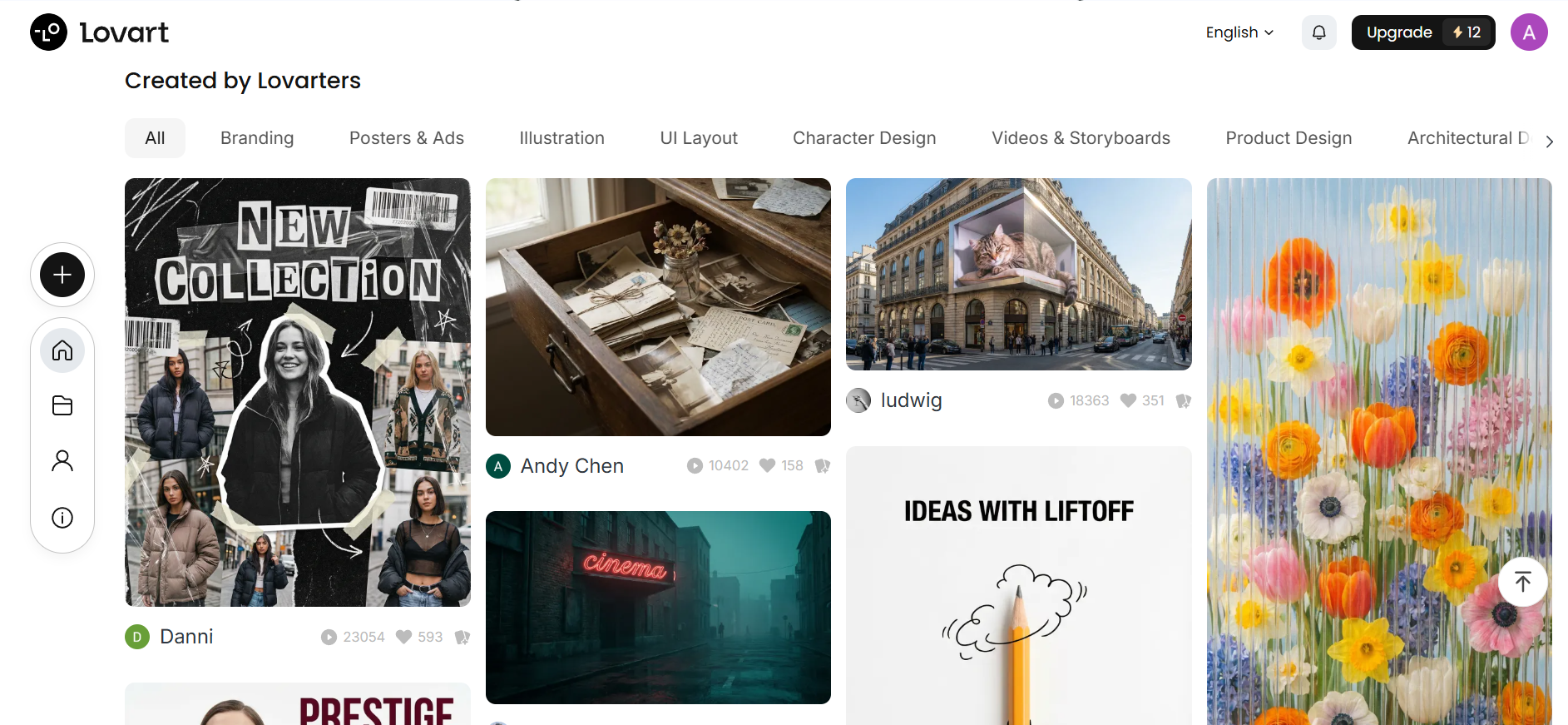
Key features of Lovart AI
- AI design agent & conversational workflow (Talk-Tab-Tune)
Lovart acts as an AI Design Agent that goes beyond generation to think, plan, and execute designs. Users interact through a "Talk, Tab, Tune" interface—describing ideas via text, tapping to edit, and tuning layers (color, fonts, layout) to refine results.
- Infinite ChatCanvas workspace
The platform provides a unified "ChatCanvas" workspace, an infinite, collaborative environment. It eliminates the need for switching apps by allowing users to upload references, brainstorm, and edit visuals in a shared, organized space with the AI agent.
- Multi-model integration
Lovart connects multiple top-tier AI engines (such as Flux.1, Stable Diffusion, GPT-4o, and Runway for video) within a single interface, offering flexibility to use the best AI model for specific tasks, from 3D generation to image-to-video.
- Surgical touch edit
Experience the end of the "re-prompt" cycle with zero-shot semantic editing. By clicking directly on any element—like a model's jacket or a UI button—the AI recognizes object boundaries without manual masking, letting you swap textures or change colors via simple natural language commands.
- Full-chain automated design (Batch generation)
Generates up to 40 professional-grade assets—including product mockups, social media graphics, and ad creatives—from a single prompt, allowing for rapid campaign creation rather than just isolated image generation.
How to use Lovart AI
Getting started with Lovart AI is easy. Simply follow these 3 simple steps to create stunning designs in no time.
Step 1: Sign up and start
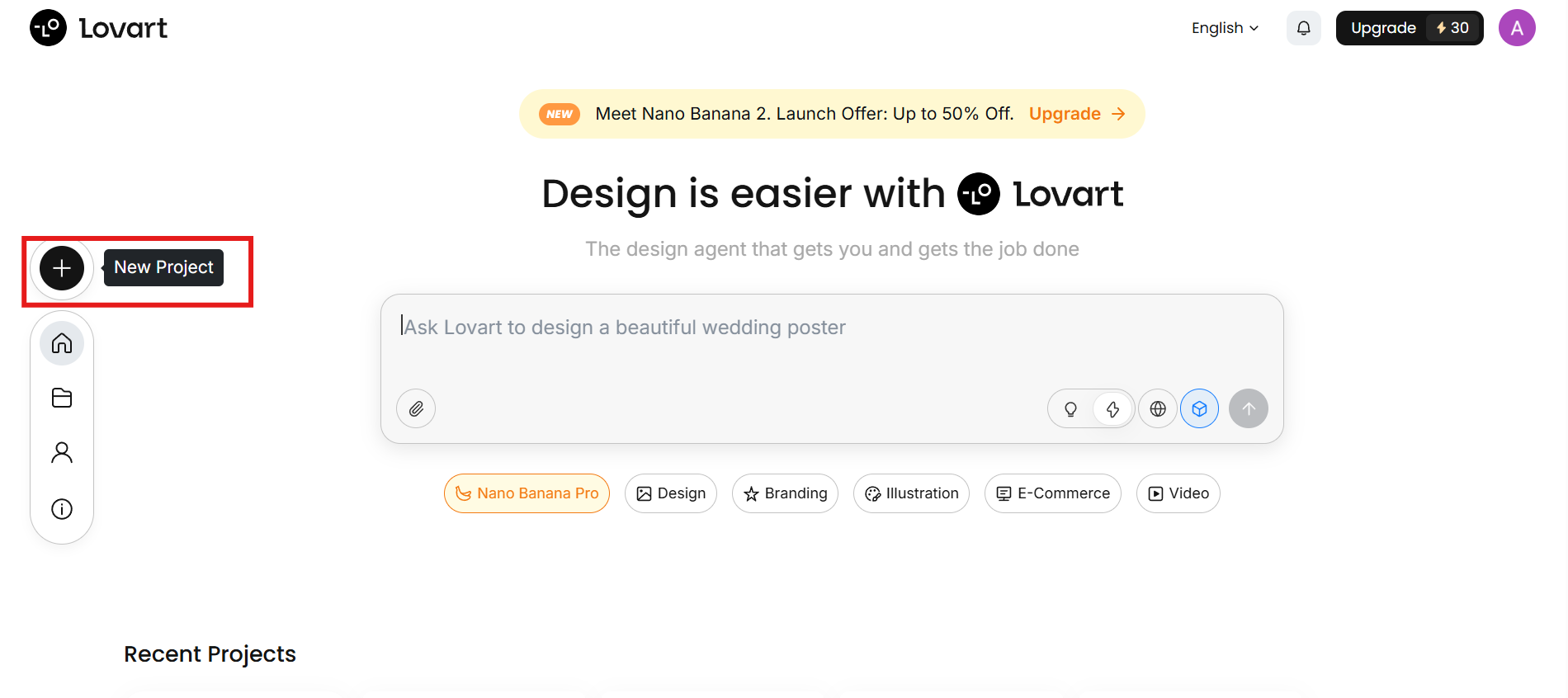
Go to the Lovart AI website and sign in to your account. Once you're logged in, you'll be directed to the dashboard. From there, click on "New Project" to open the ChatCanvas, where you can start creating your designs.
Step 2: Chat with AI and generate
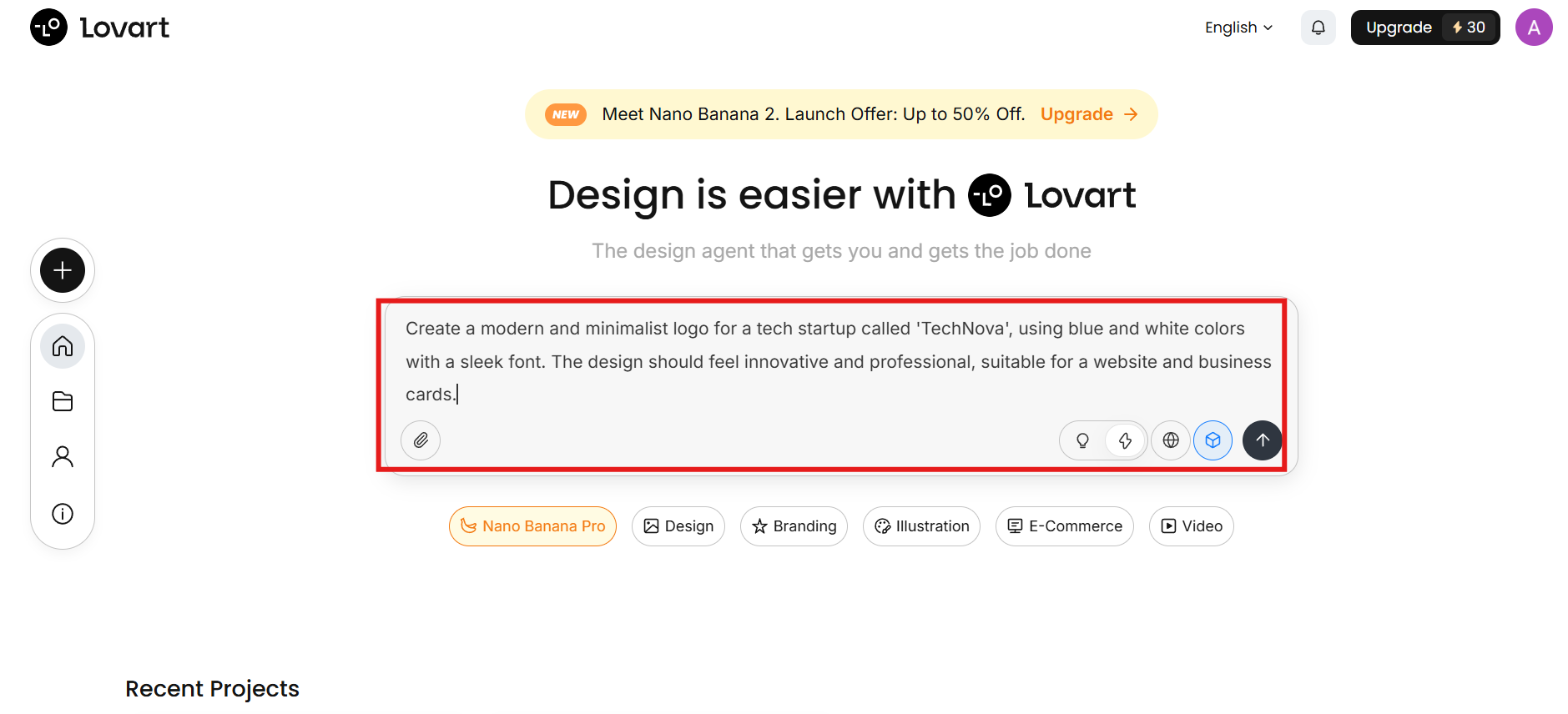
In the ChatCanvas, use the text input area to provide your design prompt. You can describe the type of design you need. If you'd like, you can also attach any relevant files by clicking the attachment icon to help guide the AI in creating your design. Then, choose model from the list, and hit "Generate."
Step 3: Refine and export
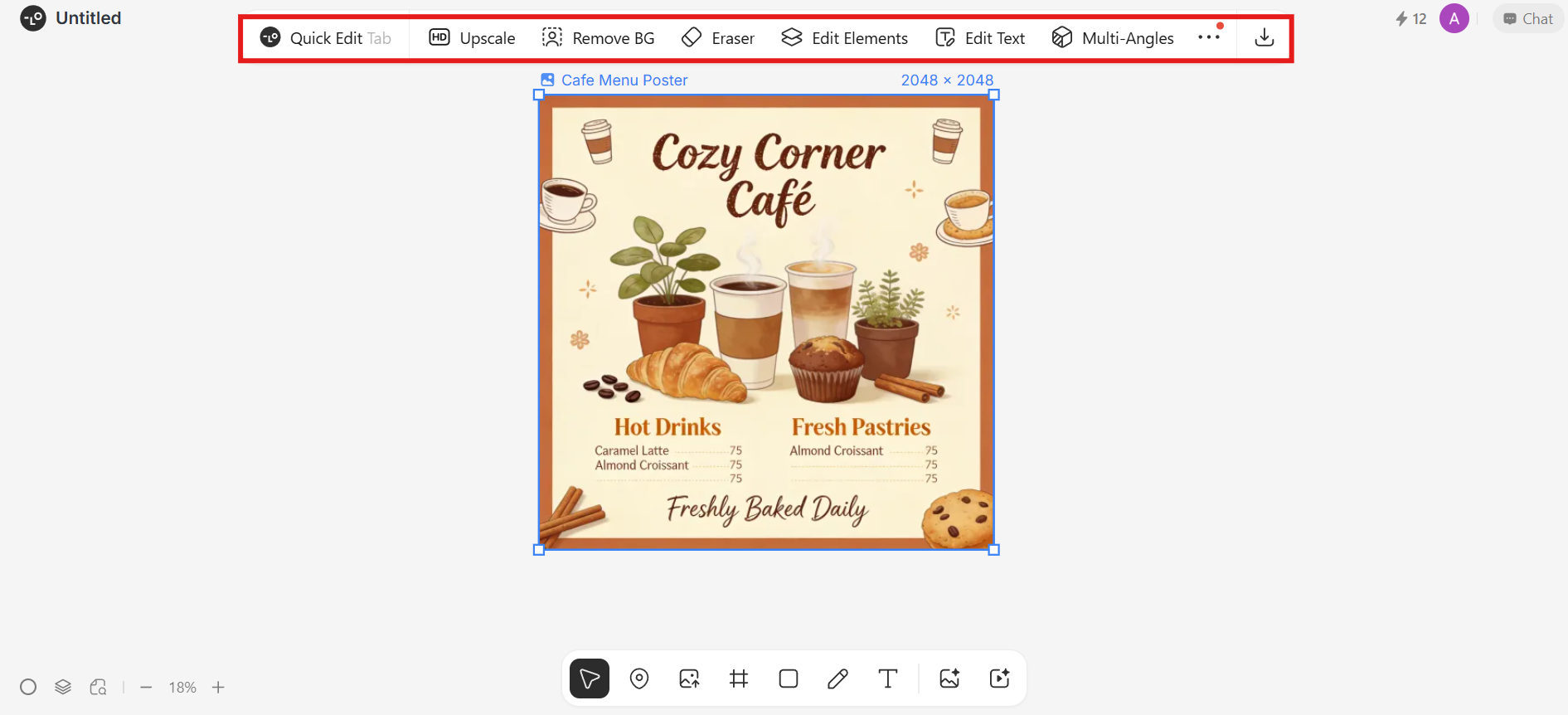
Once your design is generated, refine it using built-in tools to make adjustments. Use follow-up prompts to edit specific elements, such as "make the logo more minimalist" or "change the background to, a, gradient". After perfecting your design, click the download icon to save and use it in your projects.
Lovart AI pricing: The credit crunch
While you can start with Lovart free trial (a limited starter pool), professional use requires a subscription. As of 2026, the pricing tiers generally look like this:
| Plan | Monthly Price (Approx.) | Monthly Fast Credits | Best For |
| Free | $0 | 100 (Starter Pool) | Trialing the ChatCanvas |
| Starter | $16 | 2,000 | Students & Hobbyists |
| Basic | $27 | 3,500 | Solo Creators & Small Teams |
| Pro | $45 | 11,000 | Professional Designers & Agencies |
| Ultimate | $99 | 27,000 | High-Volume Marketing Teams |
How Lovart AI Performs: Pros and Cons
While Lovart AI offers a revolutionary approach to design through its agentic workflow, every tool has its trade-offs. Understanding these performance benchmarks is key to deciding if it fits your production needs.
Pros
- Intelligent design agent: Unlike standard generators, the MCoT engine understands complex brand logic, acting more like a junior designer than a simple image tool.
- User-friendly for non-designers: It makes creating high-quality, professional-looking visuals accessible to beginners and marketers.
- Unified multimodal suite: It eliminates "tab-switching" by integrating top-tier models like Nano Banana 2 and Kling AI for images, text, and video on one canvas.
- Professional typography: Lovart handles text significantly better than older AI models, making it actually viable for creating posters, menus, and UI assets.
Cons
- Steep learning curve: The infinite ChatCanvas and "Agent" workflow can be overwhelming for users who are used to simple "one-click" generation tools.
- Cost & credit system: As a high-end tool, it is heavily reliant on a credit-based system, which can become expensive for heavy, high-resolution use.
- Waitlist access: Due to its growing popularity, Lovart AI has a waitlist for new users. High demand can result in delays before you can access the platform's full features.
Top 5 Lovart alternatives for 2026
While Lovart AI delivers powerful agent-based design capabilities, its complexity, waitlist access, and credit-heavy pricing may not suit every creator. For a smoother, more accessible experience, exploring dedicated alternatives like Framia Pro, Canva AI, RunwayML, or Leonardo AI offers instant usability, specialized creative tools, and more predictable workflows—making them ideal choices for consistent, high-quality production across diverse design needs.
| Platform | Primary AI Focus | Core Technology & Models | Key Marketing Tasks | Multi-Asset Generation |
| Framia Pro | Agentic Creative Workflow | 20+ Models (Sora 2, Veo 3.1, Gemini 3.0) | Branding, ads, social media, video, music, storytelling | Yes – High-velocity variations |
| Canva AI | Design Automation | Magic Design & Proprietary Layout Engines | Social posts, presentations, documents | No – Single output per prompt |
| RunwayML | Cinematic Video Workflows | Gen-4 Turbo & Motion Synthesis | High-end video ads, social teasers | No – Focused on video/multimedia |
| Kittl | Vector & Branding Tools | Specialized Typography & Vector Models | Logo design, merchandise, labels | No – Focused on vector assets |
| Leonardo AI | High-Fidelity Artistry | Aggregated Image & Video Models | Game assets, photography, brand art | Yes – Multiple image variations |
Framia Pro: The ultimate Lovart alternative
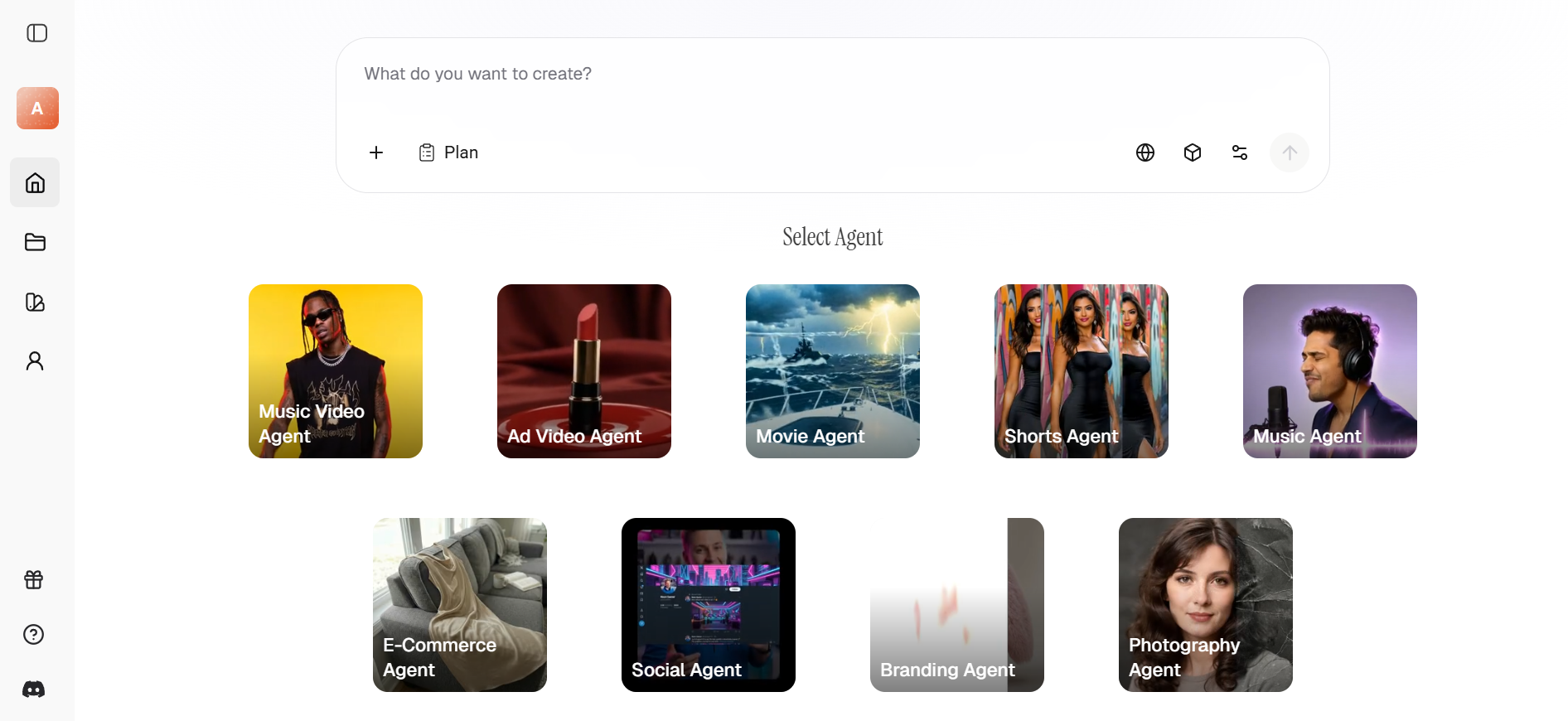
Framia Pro stands out as the premier Lovart alternative for creators who need an all-in-one powerhouse. It offers immediate access to AI‑driven creative tools without long waitlists, letting you generate visuals, logos, and graphics from text prompts instantly. With advanced customization options and built‑in editing tools, Framia Pro helps you refine and export high‑quality designs fast. While Lovart excels in design, Framia Pro offers a specialized multi-agent system, including Shorts, Music Video, and Ad Agents. It aggregates over 20 elite models like Sora 2, Veo 3.1, and Gemini 3.0 on a single interactive canvas. Whether you need social assets, branding visuals, or professional layouts, Framia Pro delivers flexible, easy‑to‑use AI creativity for both beginners and professionals alike.
Key features of Framia Pro
- Multi-agent creative ecosystem: Unlike generic tools, Framia Pro offers specialized AI agents tailored for specific tasks, including Music Video, Shorts, Ad, and Branding Agents. These agents understand the nuances of different formats, ensuring your output is optimized for its intended platform from the start.
- All-in-one model aggregator: Framia Pro provides a single subscription access point to over 20 world-class AI models. From cinematic video with Sora 2 and Veo 3.1 to high-fidelity images via Nano Banana 2 and Midjourney v7, you have the industry's most advanced technology in one dashboard.
- Character-consistent video generation: One of Framia's most powerful capabilities is maintaining character consistency across different clips. This makes it a superior Lovart alternative for storytelling, allowing creators to produce cohesive movies and social media series without visual drifting.
- Intelligent interactive canvas: The platform features a spatial editing interface where you can generate images, videos, and music simultaneously. Much like an automated studio, you can point to specific areas of a design to request changes, making the editing process feel like a natural conversation.
- Advanced layer-based editing: Framia Pro transforms flat AI-generated designs into fully editable, independent layers. This allows you to move, resize, and customize individual elements—like typography, foreground subjects, or background environments—offering surgical control typically reserved for professional software like Photoshop.
- High-fidelity typography synthesis: Utilizing the Seedream 4.5 model, Framia Pro excels at generating images with accurate, high-resolution text. This makes it ideal for creating posters, social media graphics, and marketing materials where legible and stylish typography is a critical requirement.
How to generate stunning designs with Framai Pro
Follow these quick steps to start creating eye-catching designs with Framia Pro:
Step 1: Log in and enter prompt
Log in to your Framia Pro account. Enter a clear, detailed text prompt describing your design (e.g., logos, social media posts). Upload reference images using the "+" button for specific style or character consistency.
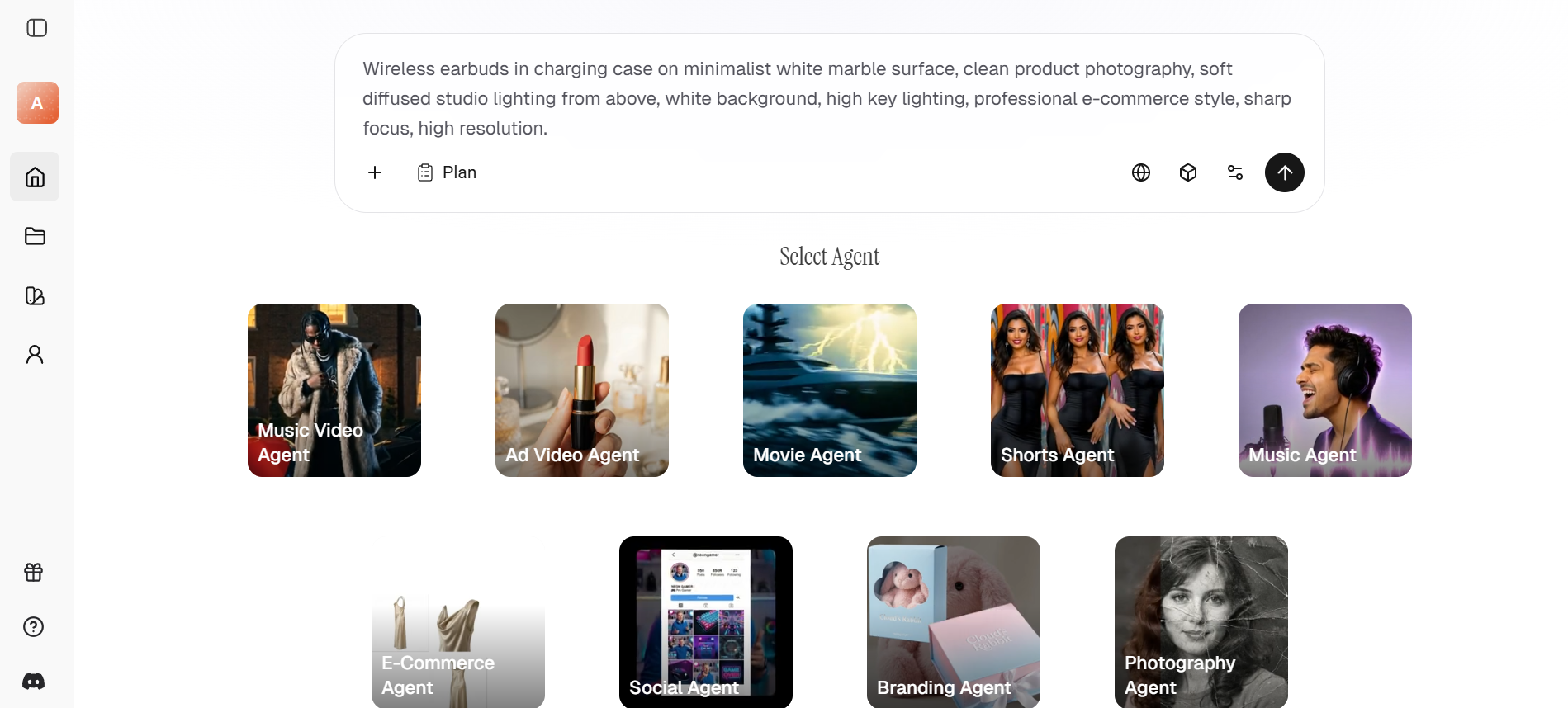
Step 2: Adjust settings and generate
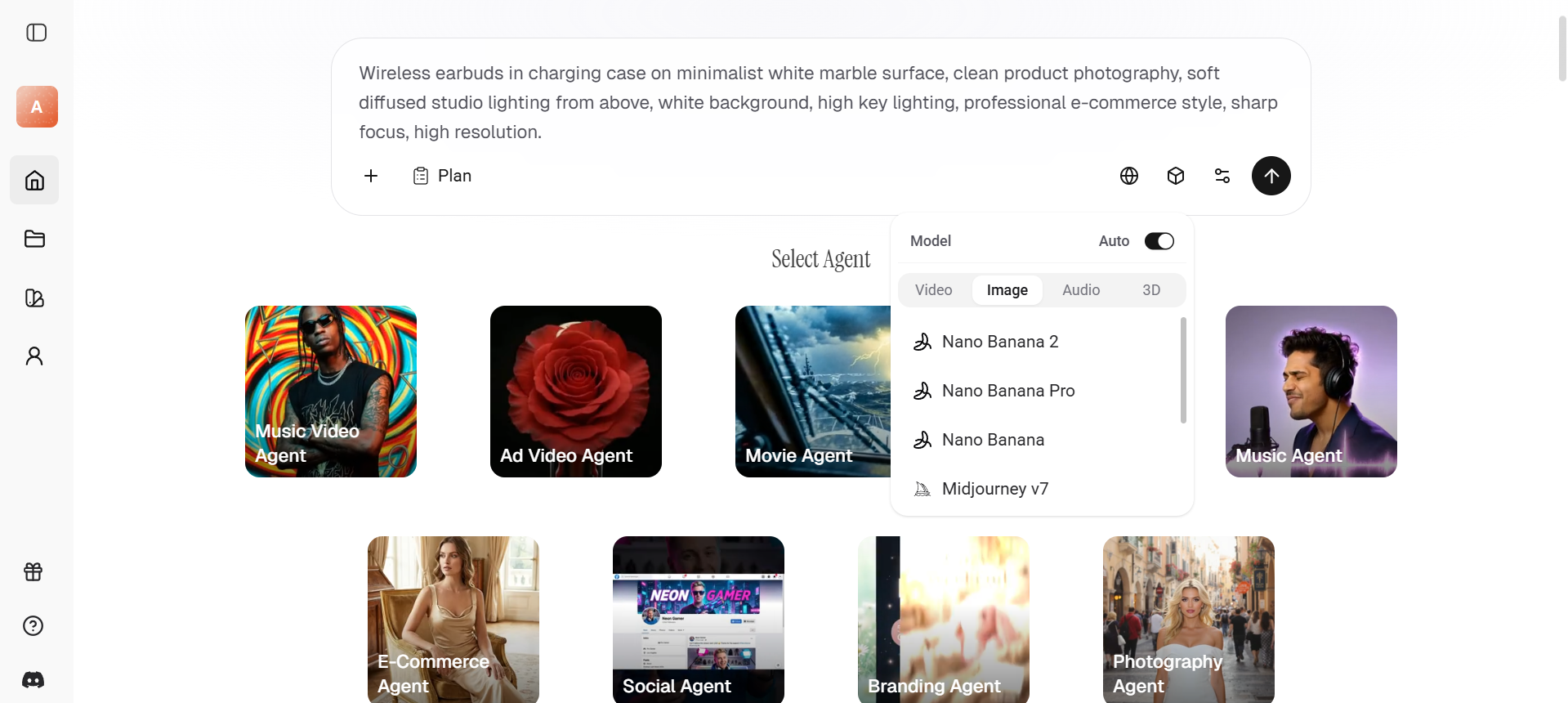
Next, choose models from elite models like Nano Banana 2, Seedream 4.5 or Flux Max. Adjust the aspect ratio, and hit "Generate." The agent will then brainstorm and present multiple high-fidelity variations side-by-side for your review.
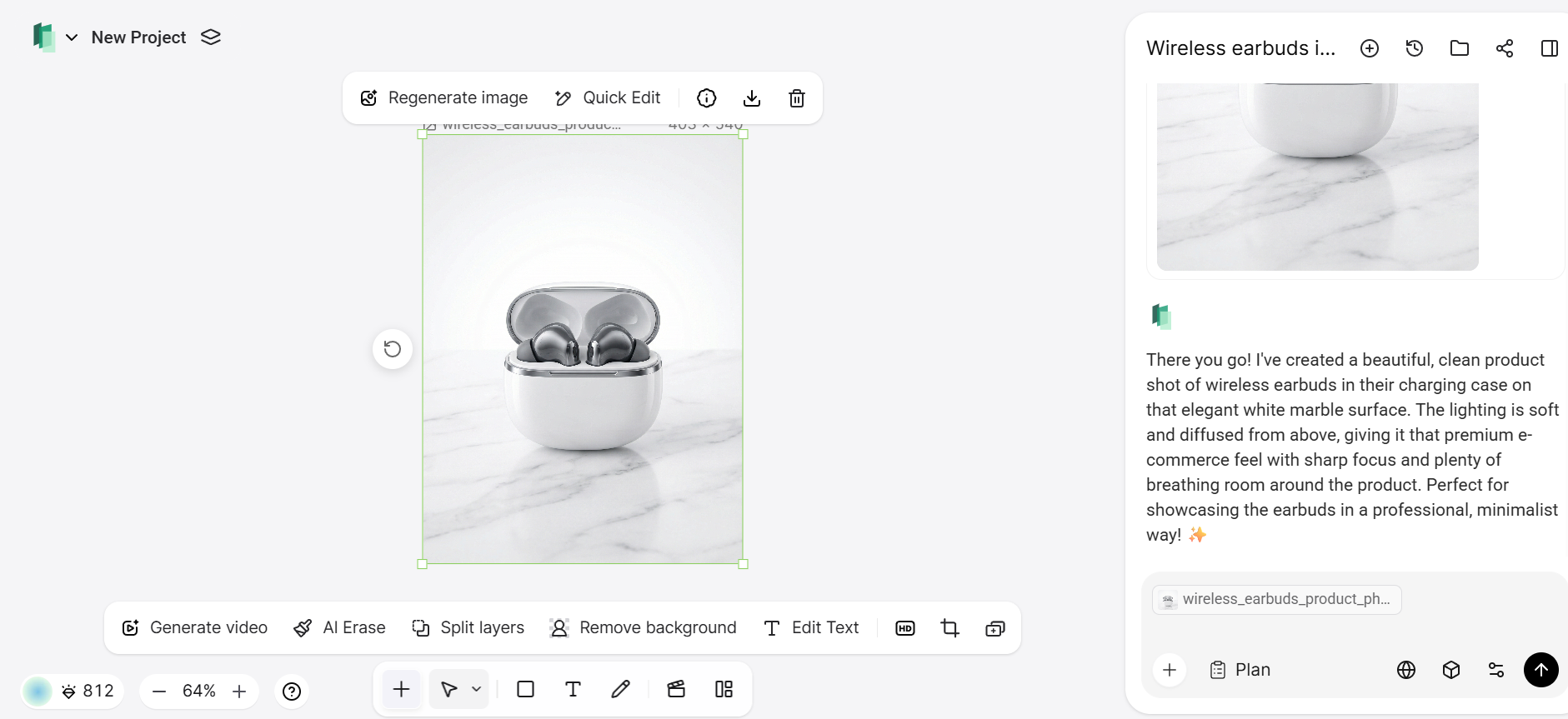
Step 3: Refine and download
Once the design is generated, refine it by adjusting any elements that need improvement. Use the editing tools to finalize your design. When satisfied, click the download button to save your creation to use for print or digital media.
Canva AI
Canva remains the gold standard for user-friendly design. While it doesn't offer deep reasoning, its "Magic Design" features allow non-designers to generate complete presentations and social posts in seconds. It is the best choice for teams that need to stay on-brand across thousands of templates without a steep learning curve. The platform is perfect for quickly turning around marketing collateral and internal documents with consistent visual styles.
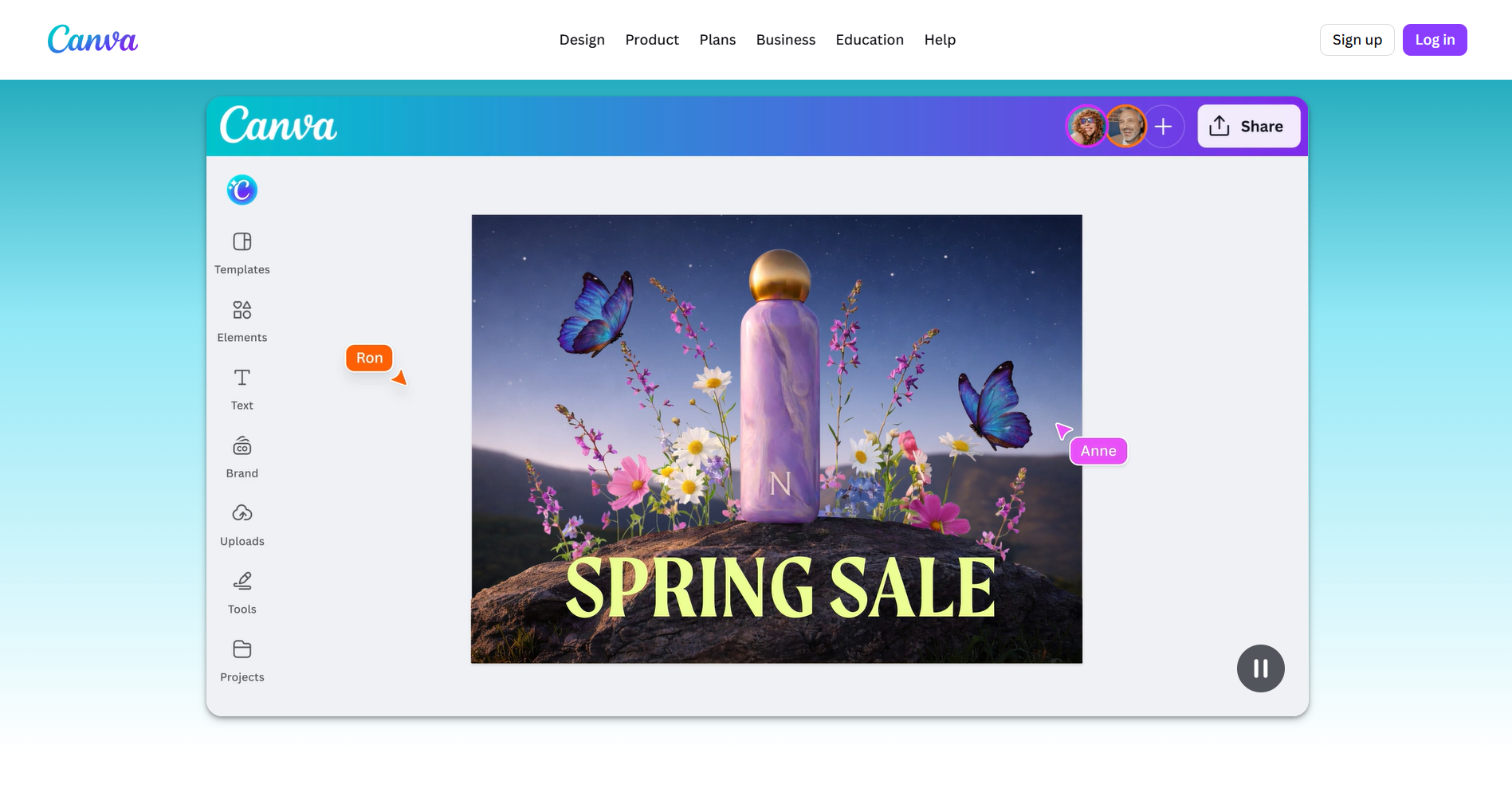
Key features
- Magic design: Generate complete presentations and social media posts in seconds.
- Template library: Access thousands of pre-designed templates for quick, easy customization.
- Brand kits: Centralized storage for logos, fonts, and colors to ensure team-wide consistency.
- Easy-to-use interface: No design experience necessary, making it accessible to everyone.
Pros
- Extremely beginner-friendly.
- Fast content creation for marketing teams.
- Strong brand consistency tools.
- Huge template and asset library.
Cons
- Limited advanced customization compared to pro design tools.
RunwayML
For those focused on professional-grade motion, RunwayML is a specialized competitor. Its advanced models and motion transfer features provide director-level control over characters and environments. While many systems are great for generalists, Runway is built for filmmakers and animators who need precise control over every frame. It is particularly effective for generating cinematic video ads and social media teasers that require high-end, realistic movement.
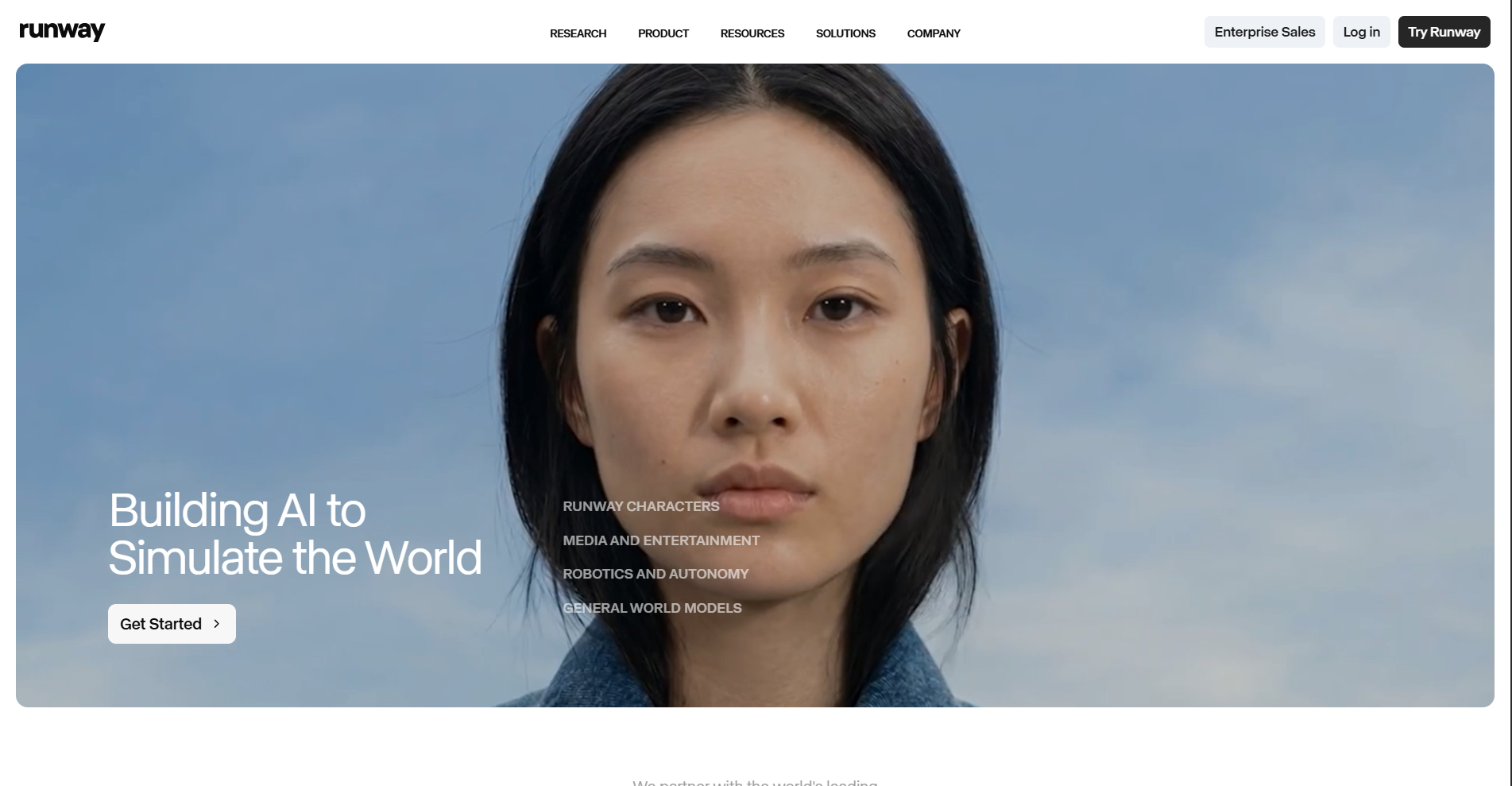
Key features
- Gen-4 turbo & motion synthesis: High-end models designed for cinematic video creation.
- Advanced motion control: Offers director-level control over characters and environments.
- Video ads creation: Generates realistic motion sequences ideal for social media and video ads.
- Customizable AI models: Use specialized models for various creative workflows like animation and video production.
Pros
- Perfect for professional-grade cinematic videos and high-end ad creation.
- Offers detailed control over video frames and character movements.
- Designed with filmmakers in mind, allowing for intricate storytelling.
- Supports varied video formats, ideal for social media content.
Cons
- High cost and rapid credit consumption, especially for 4K exports and advanced cinematic models.
Kittl
Kittl is an AI-powered design platform focused on logo creation and brand identity. It provides intuitive tools for typography, layouts, and decorative elements, allowing users to create professional branding assets quickly. The platform is especially useful for entrepreneurs and small businesses. However, Kittl is more specialized and does not support broader creative workflows like video generation or multi-format content production found in more advanced AI platforms.
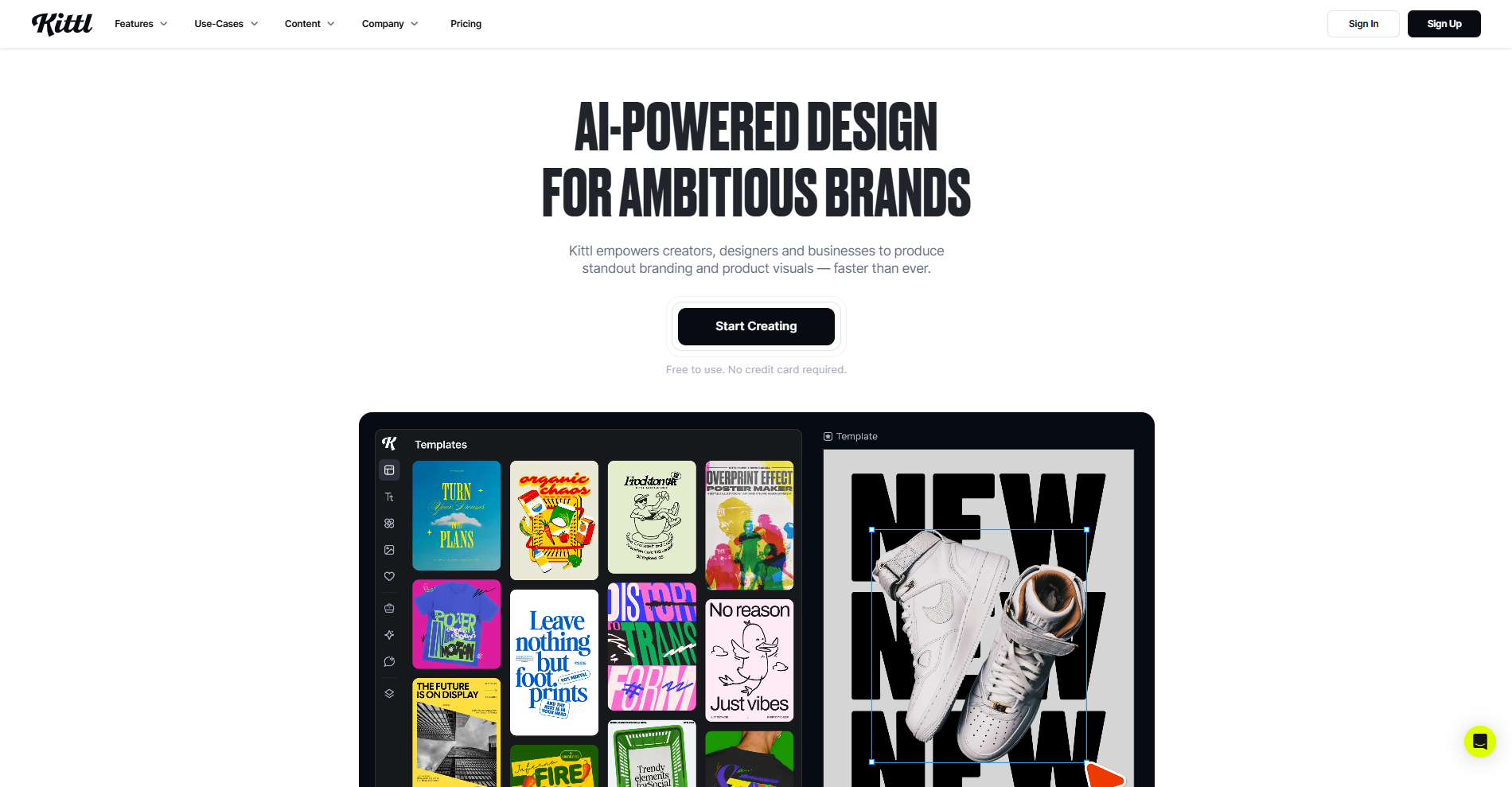
Key features
- Advanced typography: Over 1,400+ fonts with one-click transformations, shading, and decorations.
- Smartboards: Modular, editable steps that evolve with your design prompts.
- Vector & branding: Tools for designing vector assets, such as labels, merchandise, and packaging.
- Magic recoloring: Instantly swaps entire design color palettes to match brand standards.
Pros
- Superior handling of complex typography and text effects compared to general tools.
- Fast and intuitive for logo/brand identity creation.
- Great for entrepreneurs/small businesses needing standout visuals quickly.
- Cutting-edge AI features enhance design without complexity.
Cons
- Limited beyond branding (no video or multi-format workflows)
Leonardo AI
Leonardo AI is a high-quality image generation platform designed for artists, designers, and developers. It uses advanced diffusion models to create detailed visuals, concept art, and game assets. The platform offers strong customization and style control, making it ideal for creative professionals. However, it focuses mainly on image generation and lacks integrated tools for video, branding, or full creative workflows available in more comprehensive platforms.
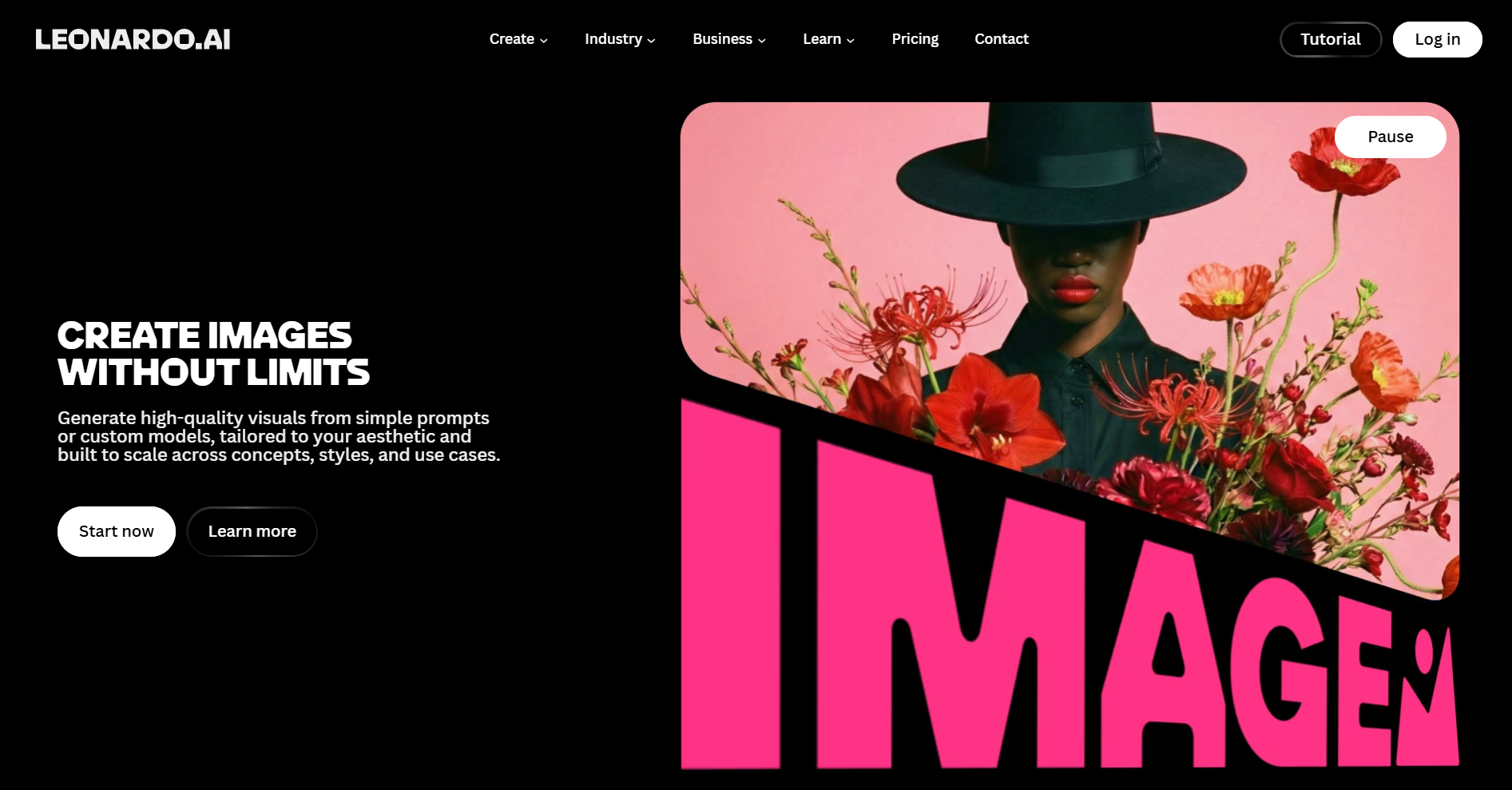
Key features
- Advanced diffusion models: Uses cutting-edge models for high-fidelity image and concept art generation.
- Customizable styles: Allows for deep customization of generated images to suit specific artistic needs.
- Game & art asset creation: Ideal for generating images for game design, concept art, and branding.
- Style control: Provides robust control over the artistic style of generated visuals.
Pros
- Fast generation speeds with high-fidelity output for concept art and game assets.
- Generous free tier with daily credit refreshes for hobbyists.
- Strong community ecosystem for sharing and discovering fine-tuned models.
- Excellent for generating 3D textures and stylized character designs.
Con
- Slight learning curve due to advanced controls and token-based system complexity.
Conclusion
In this Lovart review, we explored its features, highlighting both its potential and limitations. While Lovart AI offers quick and creative design solutions, Framia Pro stands out as a robust alternative with immediate access, advanced customization, and powerful editing tools. Whether you need logos, social media content, or professional visuals, Framia Pro's AI-powered design platform helps you create stunning results effortlessly. Ready to enhance your creative workflow? Visit Framia Pro today.
FAQs
- Is Lovart AI free to use?
There is a Lovart free tier that provides a small starter pool of 30 credits. However, for professional projects, you will likely need a paid subscription to access higher credit limits and advanced agent features. For creators seeking a sustainable, Framia Pro is superior, offering daily refresh credits and a "Relaxed Generation" mode that allows you to keep designing even after your fast credits run out.
- Does Lovart AI support video generation?
Yes, it integrates models like Kling AI and Veo to turn your designs into short cinematic clips, though high-resolution video can consume a significant amount of your monthly credits. For superior experience, Framia Pro is offering a dedicated Shorts and Music Video Agent with character-consistent generation across 20+ elite models.
- How does the Lovart prompt system work?
The Lovart prompt system is conversational. You can talk to the agent like a human creative director, asking it to "tweak the lighting" or "add a minimalist vibe," and it will adjust the canvas accordingly.
- Can I use it for commercial projects?
Yes, users on paid plans receive full commercial licensing for all generated content. This makes logos and marketing assets suitable for client work, merchandise, and global advertising campaigns, provided you comply with the platform's terms of service.
- Can Lovart AI be used for team collaboration?
Yes, Lovart AI supports collaborative workflows through its ChatCanvas environment. Teams can brainstorm, edit, and refine projects in a shared space. This makes it useful for agencies and marketing teams working on branding or campaigns