
Creative workflows are changing overnight, and Freepik—once known strictly as a stock photo library—is positioning itself at the center of this revolution. With the launch of its AI Studio, the platform has evolved into a powerhouse of generative tools. But does it actually deliver quality, or is it just another "slick" interface? In this Freepik review, we will explore its features, pricing, strengths, and limitations. This will help you decide if it fits your workflow.
What is Freepik AI?
Freepik AI is an all-in-one creative platform developed by Freepik that uses artificial intelligence to generate and edit digital content. It combines tools like AI image, video, and voice generation with a massive stock library of over 200 million assets, including photos, vectors, icons, and templates. The platform allows users to create visuals from simple text prompts, enhance images, and customize designs quickly. The platform is built for marketers, designers, and content creators who want fast results without complex software. With its AI Studio, Freepik aims to simplify the entire creative process, making it easy to design, customize, and export content for social media, websites, and marketing projects.
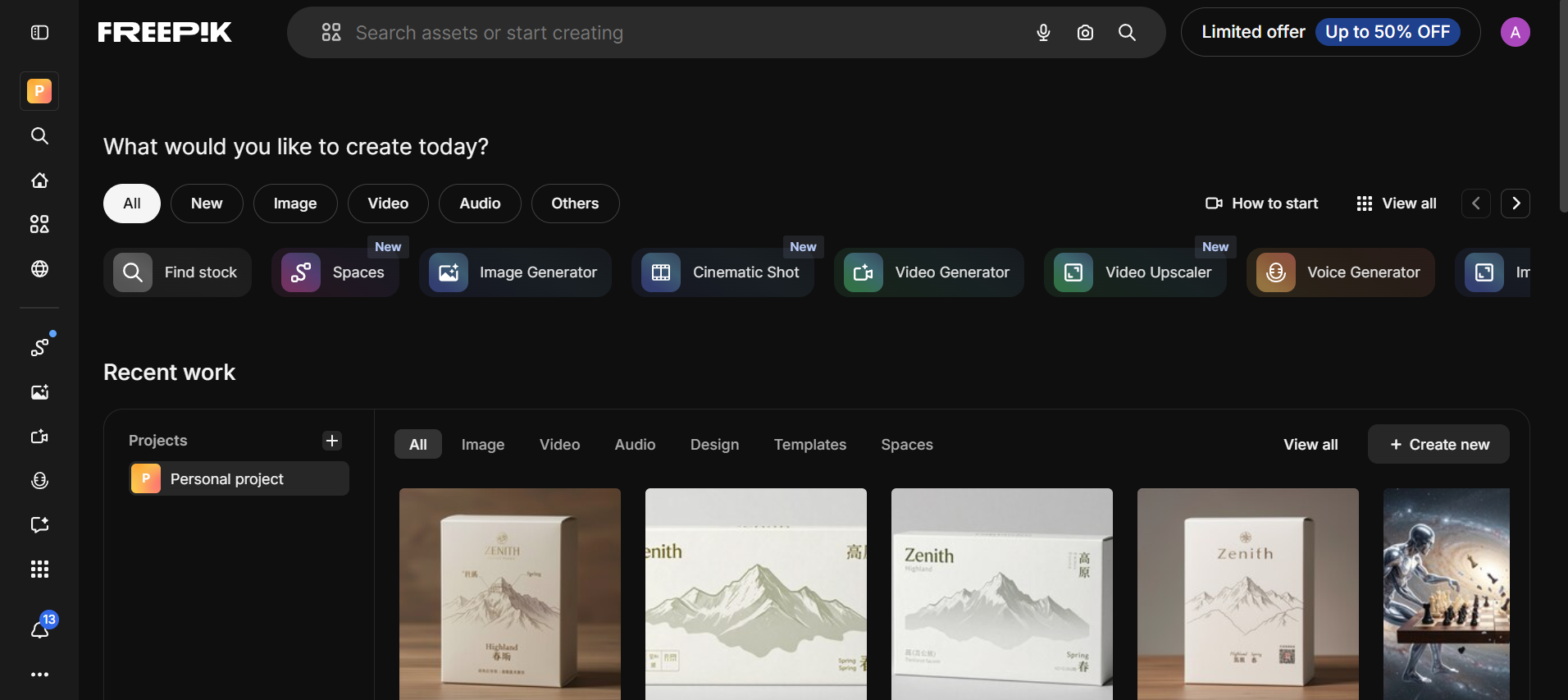
Freepik AI overview: Key features
The Freepik AI Studio is no longer just a companion to a stock library; it is a full-scale production hub. By aggregating world-class models, it allows creators to handle everything from initial sketches to final video exports within a single browser tab.
- AI image generator: This flagship tool allows you to access a massive variety of top-tier engines, including Flux 1.1, Google Nano Banana Pro, and Freepik's own Mystic model. It's built for commercial-grade outputs, offering precise control over style, lighting, and camera perspectives for high-end marketing.
- AI video generator: Turn text or static images into cinematic clips using advanced models like Sora 2, Kling 2.5, and Veo 3. The tool provides professional features like start/end frame control and motion transfer, making it easy to create consistent character animations for social media and ads.
- AI voice generator: This tool eliminates the need for external voice talent by generating lifelike narrations in multiple languages and accents. It features emotional modulation and "Lip Sync" technology, allowing you to sync AI-generated voices perfectly with your video characters in seconds.
- Spaces (Collaborative canvas): This is a node-based, infinite workspace where teams can link different AI tasks together. For example, you can connect a "Sketch-to-Image" node directly to an upscaler and then to a video node, creating an automated, visual pipeline that the entire team can edit.
- Premium stock assets integration: Access a curated library of over 200 million professional assets, including high-quality vectors, PSD templates, and 4K stock footage. This feature allows you to seamlessly blend AI-generated content with real-world photography and pre-made design elements for a polished, professional look.
Freepik AI pricing explained
Freepik AI offers tiered pricing plans starting from budget-friendly monthly subscriptions to premium options with higher AI credits and unlimited generation features for advanced users.
Freepik pricing plans (Billed annually)
| Plan | Price/Month | Annual Credits | Key Benefits & Features | Best For |
| Free | $0 | Limited (e.g., 20 images/day on basic models) | Basic AI access, watermarked outputs, attribution required, 10 stock downloads/day. Ideal for testing. | Beginners testing AI tools |
| Essential | $7.50 | 96,000/year | Access to all AI models (image/video/audio), Magnific upscalers, Spaces workflow, commercial AI license, music/voice/SFX, train AI styles/characters/products, 200M+ assets (limited downloads), credit-free on 30+ models, top-up option. Best for hobbyists starting with AI. | Light AI users |
| Premium | $9.57 | 240,000/year | Everything in Essential + unlimited Premium stock downloads (200M+ exclusive assets, no attribution), full hybrid workflows. Great for creators needing both AI and premium stock. | Designers & marketers |
| Premium+ | $33.75 | 600,000/year | Everything in Premium + unlimited generations on selected models (fast up to 1,000 images/30-day rolling period, then relaxed queue), Topaz upscalers, full music rights. Suited for heavy creative users. | Heavy AI creators |
| Pro | $210 | 4,000,000/year | Everything in Premium+ + highest credit volume, unlimited generations (fast up to 5,000 images/30 days), merchandising license for non-AI Premium assets (up to 100,000 units/asset), best value per credit. Ideal for professionals/agencies scaling production. | Agencies & large teams |
Note: Freepik AI offers tiered plans from affordable monthly options to premium tiers; pricing may vary, so check the official website for the latest details and updates.
Performance and quality: Strengths and limitations
Before committing to Freepik AI Studio as your primary design tool, it is important to know its distinct advantages against a few notable limitations.
Pros
- All-in-one platform: Combines AI image generation, video creation, editing tools, and a vast stock asset library into a single, easy-to-use interface.
- Fast generation speed: Creates images and short videos quickly, making it ideal for rapid content production and tight deadlines.
- Model variety: Unlike closed systems, Freepik lets you toggle between top-tier models like Flux 1.1, Google Nano Banana Pro, and Sora 2 for specialized tasks.
- High-resolution output: With integrated Magnific and Topaz upscalers, creators can boost images to 10K resolution, adding intricate details that standard AI generators miss.
Cons
- Credit consumption: High-end features like 4K Video or 10K Upscaling can deplete your annual credit balance quickly if you aren't on a Premium+ or Pro plan.
- Inconsistent output quality: Results can vary based on prompts, with some outputs needing retries or manual adjustments.
- Learning curve for "Spaces": The node-based collaborative canvas is powerful but may feel overwhelming for beginners used to simple text-to-image prompts.
Top Freepik AI alternatives for 2026
While Freepik AI Studio is a powerhouse for combining stock assets with generative tech, other tools excel in specialized areas like conversational editing or cinematic storytelling. Depending on whether you prioritize video automation, professional design software integration, or extreme ease of use, these five alternatives are the top contenders in 2026.
| Tool | Best For | Core Strengths | Pricing (approx., starting) | Free Tier? | Key Differentiator vs. Freepik |
| Freepik AI | All-in-one stock + AI suite | Model variety, editing, 200M+ stock | $10/mo (Essential) | Yes (limited) | Massive asset library integration |
| Framia Pro | Agent-driven full campaigns | AI agents for end-to-end (design → video → music → voice) | ~$12.8/mo (Basic) | Yes (trial/credits) | One-prompt campaigns, character consistency |
| LTX Studio | Cinematic video pipelines | Script-to-video, storyboarding, keyframes, character consistency | Free tier + paid (~$12–$30/mo est.) | Yes | Professional filmmaking controls, timeline editing |
| Adobe Firefly | Pro workflows & commercial safety | Integrated in Photoshop/Premiere, ethical training | Included in Creative Cloud (~$20–$60/mo) | Limited | Legal indemnity, seamless Adobe editing |
| Leonardo AI | Detailed images & characters | Custom training, realtime canvas, asset consistency | Free (150+ credits/day) + ~$12/mo | Yes (generous) | Superior for game/character assets |
| Canva | Quick drag-and-drop designs | Templates, AI Magic Studio, ease of use | Free + Pro ~$15/mo | Yes (robust) | Beginner-friendly, fast social content |
Framia Pro
Framia Pro stands out as a next-gen creative AI agents platform in 2026, where you direct specialized AI agents (e.g., Video Agent, Design Agent) instead of manual prompting across tools. It excels at turning one prompt into complete campaigns: generating character-consistent ads, music videos, animations, posters, voiceovers, and music—all in a seamless loop. Features include an intelligent canvas for conversational edits, 20+ models (Veo 3.1, Sora 2, Seedance 2.0, etc.), image-to-video, and high-res exports with controllable lighting. It's ideal for marketers and creators wanting automated, cohesive outputs without tool-switching.
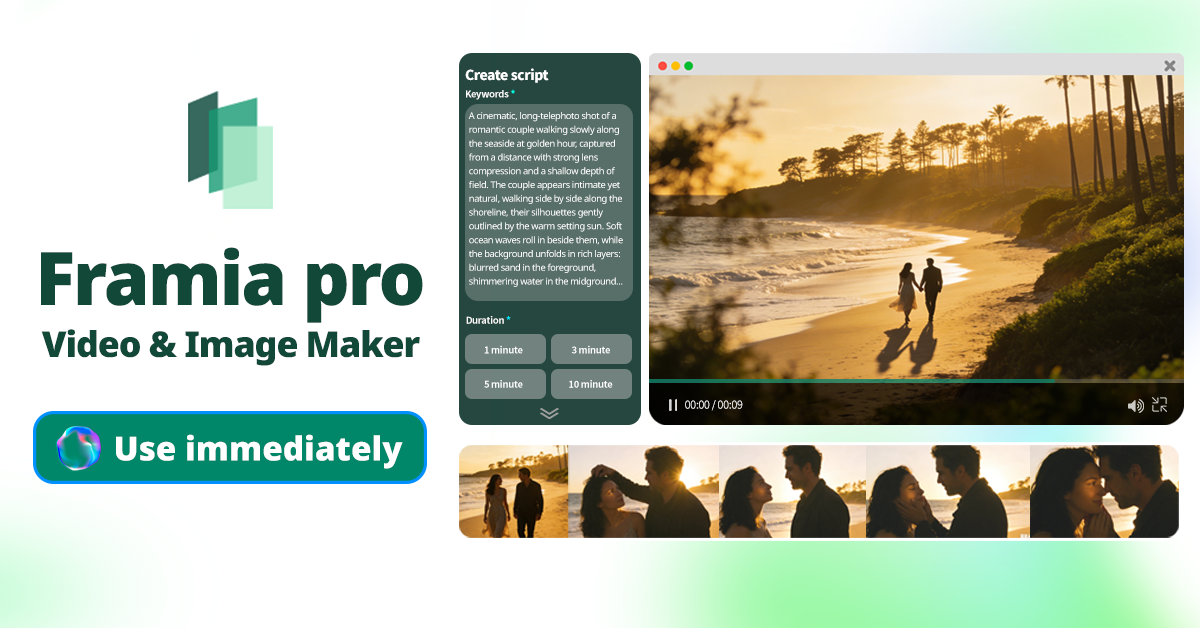
Key Features
- AI agents for end-to-end workflows: Direct specialized agents to create complete projects: from concept to design, video generation, music, voiceovers, and editing in one continuous loop.
- Character-consistent video & animation: Generate ads, music videos, animations, or films with strong consistency across scenes, using models like Veo 3.1, Sora 2, Kling 2.6, Seedance, and more.
- Intelligent canvas & real-time refinement: Conversational editing interface (point-and-change commands) for storyboarding, pacing, lighting control, multilingual text, and high-res exports (up to 4K cinematic).
- Multi-modal creation: Produce images (Nano Banana Pro series), voiceovers, music/SFX, and full brand campaigns from a single prompt, with automated storyboarding and controllable outputs.
Pros
- Streamlines disjointed workflows into one agent-driven platform—no more switching tools.
- Excellent character consistency and cinematic quality for professional videos/ads.
- Fast, seamless refinements via natural language or visual commands.
- Access to frontier models (Veo, Sora, Kling) with priority rendering on Pro plans.
Cons
- Credit-based system can limit heavy video usage.
- Newer platform with occasional learning curve for agents.
LTX Studio
LTX Studio is a comprehensive, end-to-end production platform designed for filmmakers and storytelling professionals. It moves beyond simple generation by offering a full-loop workspace—from AI-generated scripts and storyboards to final 4K video renders with synchronized audio. By maintaining character and environmental consistency across different shots, it acts as a virtual film studio, significantly reducing pre-visualization time and production costs for independent creators and small production houses looking for cinematic results.
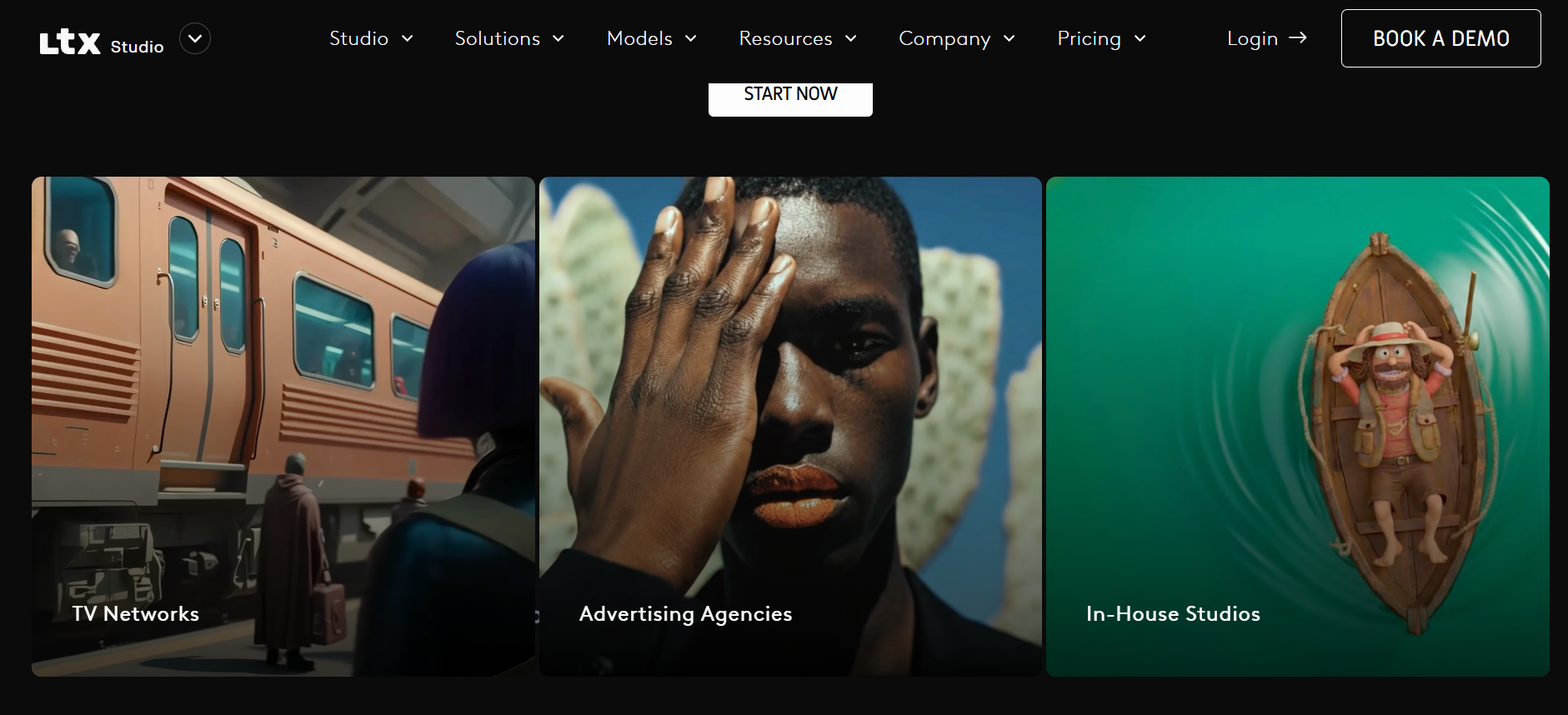
Key Features
- Storyboard generator: Automatically converts scripts into structured scenes, helping users plan and visualize complete video stories easily.
- Audio-to-video creation: Turns voice or script inputs into video sequences with synced visuals, making content creation faster.
- Scene-level control: Edit and refine each shot individually, giving more control over transitions, pacing, and storytelling flow.
- Project workflow tools: Manage entire video projects with structured timelines, improving collaboration and production efficiency.
Pros
- End-to-end filmmaking in one workspace—reduces tool-switching.
- Excellent character consistency and cinematic direction.
- Fast iteration with retake/refine tools for specific shots.
- Great for teams with collaboration and pitch deck generation.
Cons
- Occasional AI artifacts or inconsistencies in complex scenes.
- Heavy reliance on high-speed internet for rendering.
Adobe Firefly
Adobe Firefly is a professional AI design platform integrated into Adobe Creative Cloud. It supports image, video, audio, and vector generation in one ecosystem. Firefly stands out for its commercial-safe AI and seamless integration with tools like Photoshop and Illustrator. It is built for designers, brands, and businesses that need reliable, high-quality outputs with strong editing control and professional workflows.
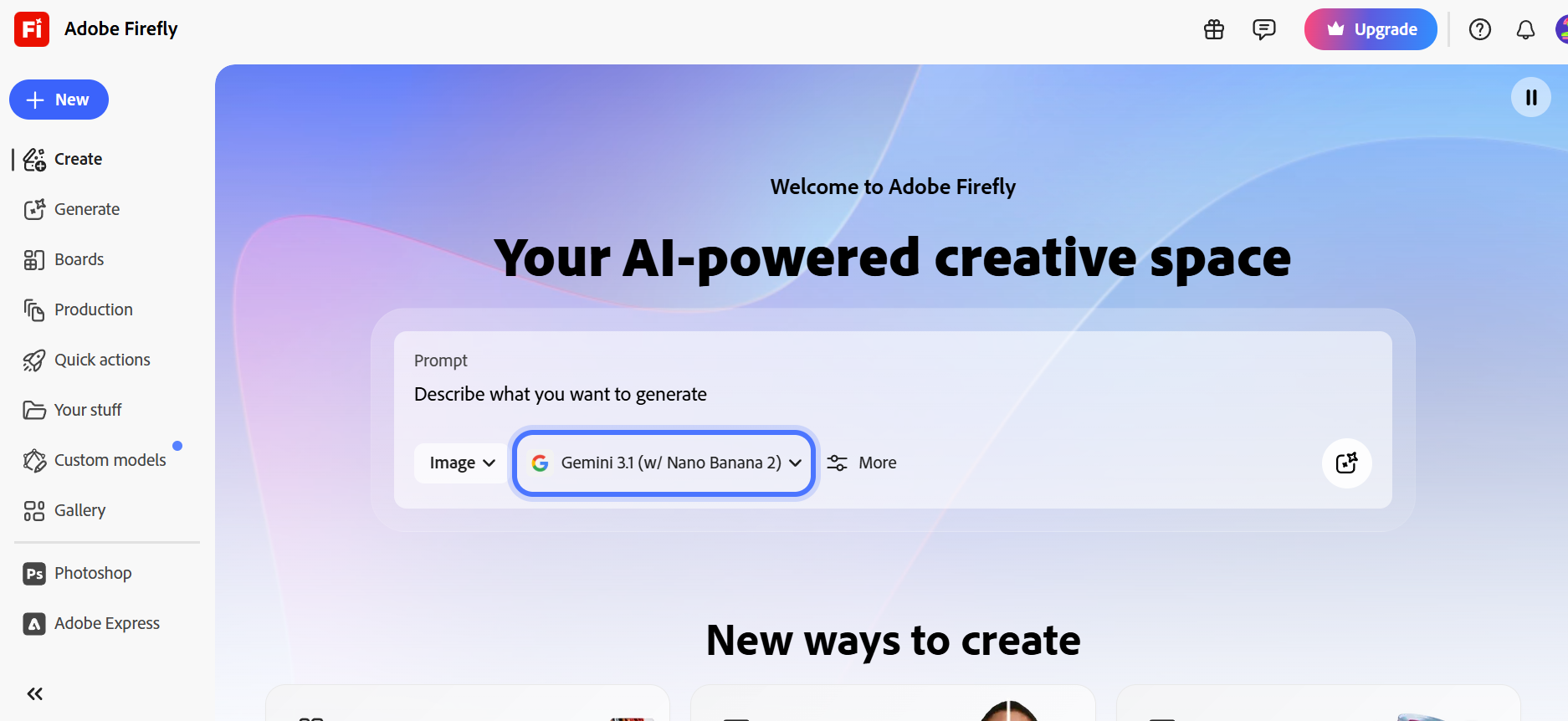
Key Features
- Text-to-image generation: Create high-quality images from prompts with consistent styles, making it useful for marketing and design projects.
- Creative Cloud integration: Works directly with Photoshop and Illustrator, allowing seamless editing and workflow continuity.
- Generative fill tools: Add, remove, or replace objects in images using AI, enabling precise and professional-level editing.
- Commercial-safe AI models: Built on licensed data, ensuring safer use for brands and businesses in commercial projects.
Pros
- Deepest integration with professional design software.
- No copyright risks for high-level commercial work.
- Exceptional precision in "Generative Fill" tasks.
- Access to the vast Adobe Stock library.
Cons
- Requires an Adobe Creative Cloud subscription for best value.
- AI image generation can sometimes feel more conservative/safe.
Leonardo AI
Leonardo AI is a favorite among concept artists and game developers who demand granular control over the "aesthetic" and training of their AI models. It offers a powerful "AI Canvas" that enables advanced in-painting and out-painting, allowing users to expand or modify images with surgical accuracy. By allowing users to train their own specialized models (LoRAs), Leonardo provides a level of artistic consistency and customization that general-purpose tools struggle to match in 2026.
Key Features
- Advanced image generation: Produces highly detailed visuals with strong control over style, lighting, and composition with 95% accuracy.
- Custom model training: Users can train their own specialized AI models by uploading 10–20 reference images. This is ideal for maintaining a consistent character, specific art style, or unique brand aesthetic.
- Motion & video generation: Transform static images into dynamic short cinematic clips. You can control the strength of motion to create everything from subtle environmental shifts to full-scale character movement.
- Real-time canvas editing: Convert sketches into images instantly, allowing quick experimentation and creative iteration.
Pros
- Superior detail and consistency for characters/assets.
- Generous free tier (150+ daily credits) for testing.
- Granular controls and upscaling for professional outputs.
- Community models hub for endless style variety.
Cons
- Token/credit system adds complexity for heavy use.
- Steeper learning curve for advanced features.
Canva
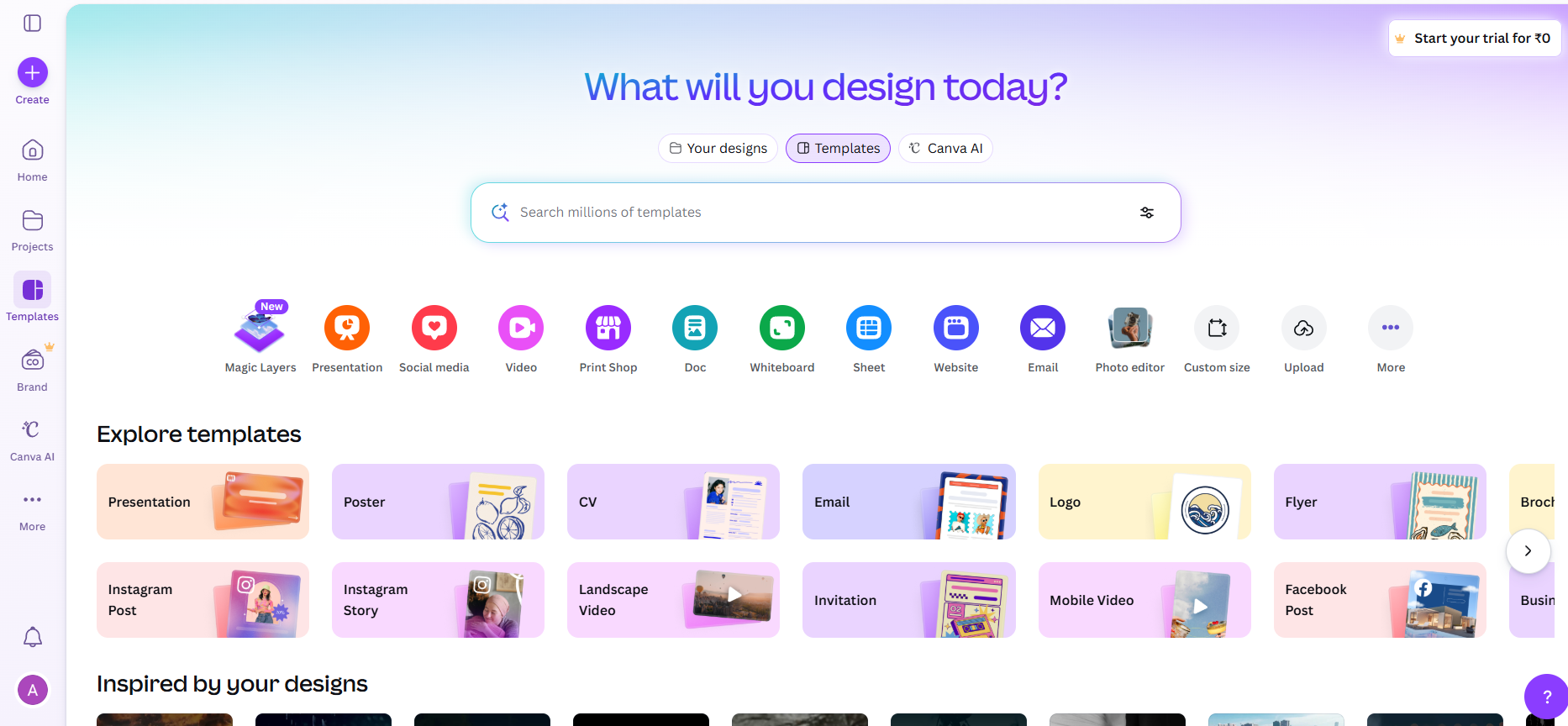
Canva AI is a simple and beginner-friendly design platform that combines templates with AI tools. It allows users to create social media graphics, presentations, and marketing content quickly. With its drag-and-drop interface and smart AI features, Canva is ideal for users who want fast, professional-looking designs without technical skills.
Key Features
- Magic Design tool: Automatically generates layouts from prompts, helping users create complete designs quickly.
- Drag-and-drop editor: Simple interface that allows easy customization of designs without needing professional skills.
- AI editing tools: Includes background removal, resizing, and enhancements to quickly refine images and visuals.
- Template library access: Offers thousands of ready-made templates for social media, ads, and presentations.
Pros
- Extremely beginner-friendly—no steep learning curve.
- Fast workflow for social posts, presentations, marketing.
- Robust free tier; Pro affordable for unlimited AI.
- Built-in brand consistency and team collaboration.
Cons
- Quality ceiling—great for drafts, less for high-end creative.
- Can feel template-heavy or less original for advanced users.
Final verdict: Is Freepik AI worth it in 2026?
Freepik AI has successfully transformed from a traditional stock platform into a powerful all-in-one creative suite. Its biggest strength lies in combining AI generation tools with a massive stock asset library, making it highly efficient for marketers, designers, and content creators who want everything in one place. However, it may not be perfect for everyone. While the platform offers impressive features like multi-model access, high-resolution outputs, and collaborative workflows, credit limitations and occasional inconsistencies in results can be drawbacks—especially for heavy users. Overall, Freepik AI is a strong choice if you want speed, versatility, and convenience. But if you need deeper control, cinematic storytelling, or fully automated workflows, exploring alternatives like Framia Pro can be a smarter move depending on your needs.
FAQs
- Is Freepik AI free to use?
Freepik offers a free tier with a limited number of daily "credits" for AI tools and 10 stock downloads. However, for high-resolution outputs, advanced models like Sora 2, and access to the full 200M+ premium asset library, a paid Essential, Premium, or Pro subscription is required. Framia Pro alongside Freepik to access more models under one plan.
- Can I use Freepik AI images for commercial projects?
Yes, all paid plans include a commercial license for AI-generated content. This allows you to use the assets in marketing, social media, and web design. However, only the "Pro" plan includes a specific Merchandise License for using non-AI assets on physical products for sale.
- Does Freepik have an AI video generator?
Yes, Freepik includes a text-to-video feature that creates short clips for social media. It's easy to use but limited in control. If you need advanced video workflows or multiple AI engines, platforms like Framia Pro offer more powerful video generation options.
- Is Freepik good for beginners?
Freepik is excellent for beginners, offering an intuitive interface that blends AI tools with a massive library of ready-made templates. However, those focused purely on video might find the timeline complex. For a simpler experience, Framia Pro is a top alternative, using a conversational AI agent to edit videos through easy chat commands.
- Can I upscale my AI images to print quality?
Absolutely. Freepik features a professional AI Upscaler powered by Magnific and Topaz technology. it can boost resolution up to 10K, intelligently adding realistic textures and details, making them perfectly suitable for large-scale physical printing and high-end marketing.





