
Google has accelerated its AI image roadmap. Just months after introducing Nano Banana Pro in late 2025, the company launched Nano Banana 2 in February 2026, marking the official Nano Banana 2 release date. Built on Gemini 3.1 Flash, the promise is clear: professional-grade image quality with Flash-level speed, plus native 4K output and dramatically improved text accuracy. In this guide, we'll cover what Nano Banana 2 is, how to use it, its key features and use cases, how to use it on Framia Pro, and how it compares to other leading AI image models.
What is Nano Banana 2?
Nano Banana 2 is Google's latest AI image generation and editing model, released on February 26, 2026. Built on Gemini 3.1 Flash, it combines high-end visual quality with ultra-fast generation speeds. The model supports native 4K resolution, accurate text rendering inside images, strong character consistency across multiple outputs, and advanced reasoning grounded in real-world knowledge. Designed for creators, marketers, and designers, Nano Banana 2.0 enables rapid iteration without sacrificing detail or coherence, making it suitable for professional creative workflows, branding assets, product visuals, and content production. It's now the default model in the Gemini app for fast, thinking, and pro modes.
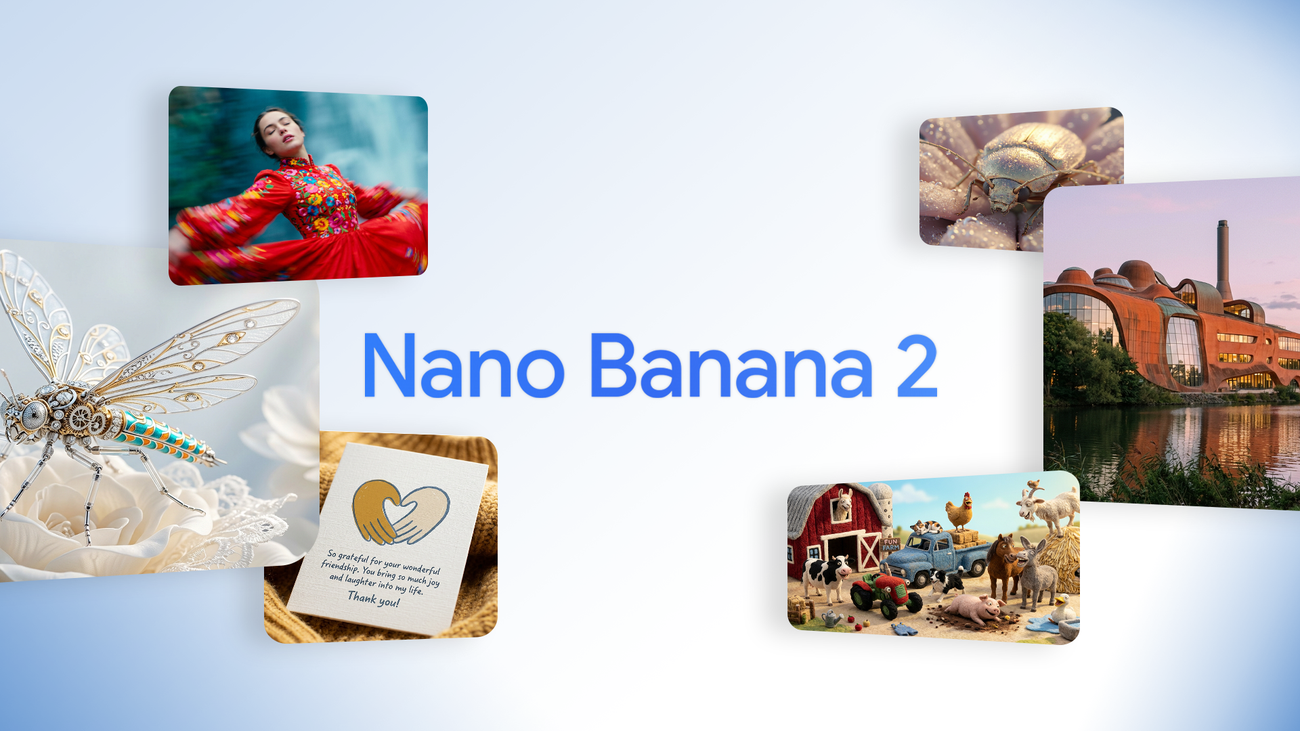
Key capabilities of Google's Nano Banana 2
- Advanced real-world knowledge
Draws from Gemini's extensive real-world knowledge base, using real-time information and web images to deliver highly accurate and context-aware visuals. This enables the creation of detailed infographics, diagrams, and data visualizations effortlessly.
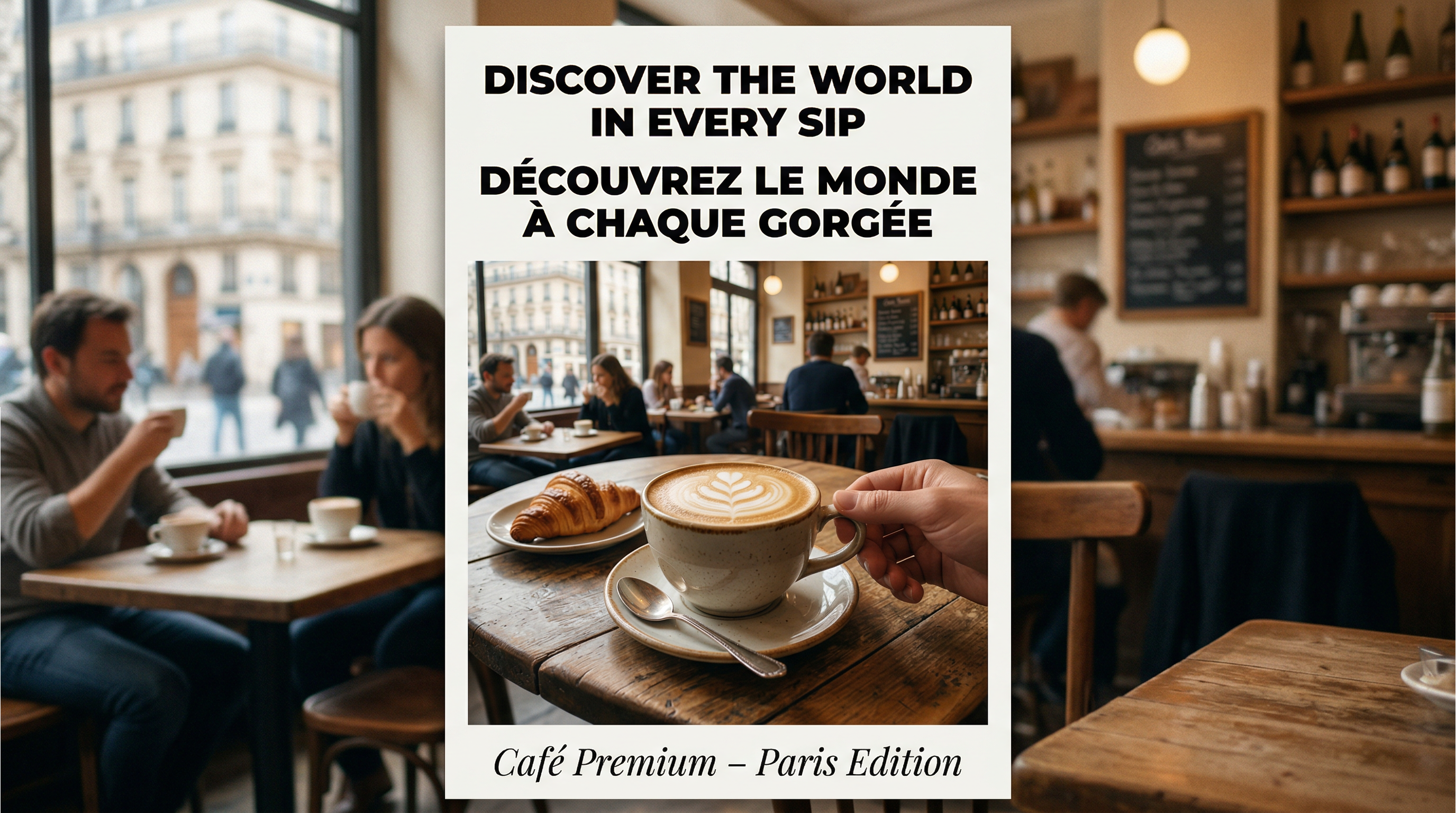
- Precise text rendering & translation
Gemini's Nano Banana 2 generates accurate, legible text for marketing mockups or professional assets. It also features the ability to translate and localize text directly within an image to help share ideas globally.
- Production-ready specifications
Users have full control over various aspect ratios and output resolutions ranging from 512px to 4K, ensuring visuals remain sharp for everything from vertical social posts to wide-screen backdrops.
- Subject consistency
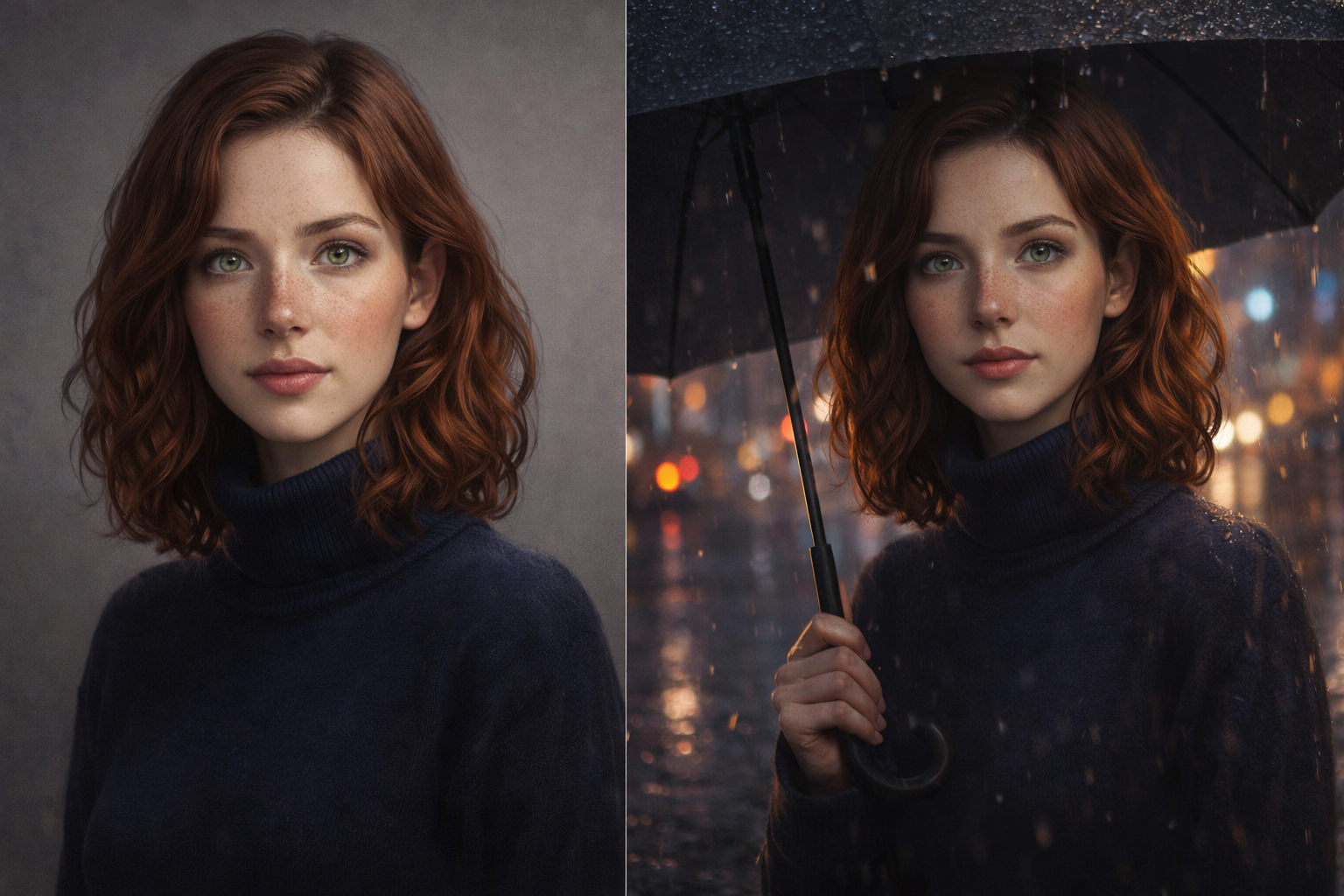
The model can maintain character resemblance for up to five characters and preserve the fidelity of up to 14 objects within a single workflow. This allows for the creation of complex storyboards and narratives without altering the appearance of core inputs.
- Visual fidelity upgrade
Even at the high speeds expected from Flash, Nano Banana 2 delivers vibrant lighting, richer textures, and sharper details, maintaining high-quality aesthetics throughout the generation process.
- Superior instruction following
The model adheres strictly to complex requests and captures specific nuances, ensuring the final image accurately reflects the user's initial vision.
Nano Banana 2 vs other major AI image models
Here's a comparison table showing how Nano Banana 2 AI model stacks up against other major AI image models on key capabilities:
| Feature / Model | Nano Banana 2 | Nano Banana Pro | DALL·E | Midjourney | Stable Diffusion |
| Base Architecture | Gemini 3.1 Flash Image | Gemini 3 Pro Image | OpenAI proprietary | Proprietary | Open-source diffusion |
| Speed | Very fast (3–6s) | Moderate (10–20s) | Moderate | Moderate | Varies / slower |
| Image Quality | ~95% of Pro | Highest fidelity | Good | Strong artistic | Customizable |
| Text Rendering & Localization | Strong | Excellent | Moderate | Poor–moderate | Poor |
| Character & Object Consistency | Up to 5 characters, 14 objects | Strong consistency | Basic | Optional flags | Requires tuning |
| Native 4K Output | Yes | Yes | Limited | Limited | Yes (with setups) |
| Cost | Significantly lower | ~$0.08–$0.15/image | Subscription-based | Subscription-based | Free/local |
| Complex scenes | Good (less precise) | Strongest | Strong | Moderate | Variable (strong with fine-tuning/ControlNet) |
| Best For | Fast iteration & cost‑sensitive workflows | Maximum fidelity & brand assets | General creative use | Stylized visuals | Flexible experimentation |
How to try Nano Banana 2 across Google products?
Nano Banana 2 (Gemini 3.1 Flash Image), launched February 26, 2026, is now the default high-speed, high-quality image model integrated across several Google products. Free users get limited daily generations (often low-res or capped), while paid tiers (Google AI Pro/Ultra) unlock higher limits, priority, and full features like advanced editing.
- Google Search: Access the model via AI Mode and Lens on both mobile and desktop browsers. It is currently available across 141 countries and supports eight additional languages.
- Gemini App: Nano Banana 2 now replaces the Pro version across the Fast, Thinking, and Pro model tiers. This update provides immediate access to high-speed visual generation for all app users.
- AI Studio + Gemini API: Developers and enterprise users can access the model in preview via AI Studio and the Gemini API. It also features integration with Google Antigravity for specialized technical workflows.
- Google Flow: This is now the default image generation engine for all Flow users at zero credit cost. It allows for seamless, high-velocity creative iteration within the Flow ecosystem.
- Google Ads: The model powers intelligent suggestions for creators to streamline the building of marketing campaigns. It ensures that ad visuals are both high-fidelity and contextually relevant to the target audience.
While Google's official tools offer a strong starting point for Nano Banana 2, many creators, e-commerce sellers, course creators, educators, and ad agencies choose specialized browser-based platforms for smoother, more efficient workflows without juggling subscriptions or APIs.
Framia Pro excels as an all-in-one creative AI agents platform, aggregating 20+ top models (Nano Banana 2, Nano Banana Pro, Midjourney, Flux, Kling, Qwen, Sora, Veo, and more) into one affordable subscription. It eliminates the "generate and pray" frustration—wasting hours on regenerations—by using intelligent agents that understand creative intent. Generate once, then fine-tune 70% faster with chat editing, layers, brushes, or quick fixes. Video workflows achieve 80–90% time savings via full-SOP automation to upload-ready content in 30 minutes. Natural language controls remove skill gaps—no need for professional training—while delivering pro outputs. Fully browser-based, with trial credits and watermark-free exports, Framia Pro lets creators focus on ideas, not tools.
How to use Nano Banana 2 in Framia Pro?
Getting started with Nano Banana 2 free AI image generator in Framia Pro is straightforward. Follow these simple steps to create high-resolution images quickly and efficiently.
Step 1: Craft your prompt or upload reference
- Sign up for Framia Pro using your email address and navigate to your dashboard to begin a new project.
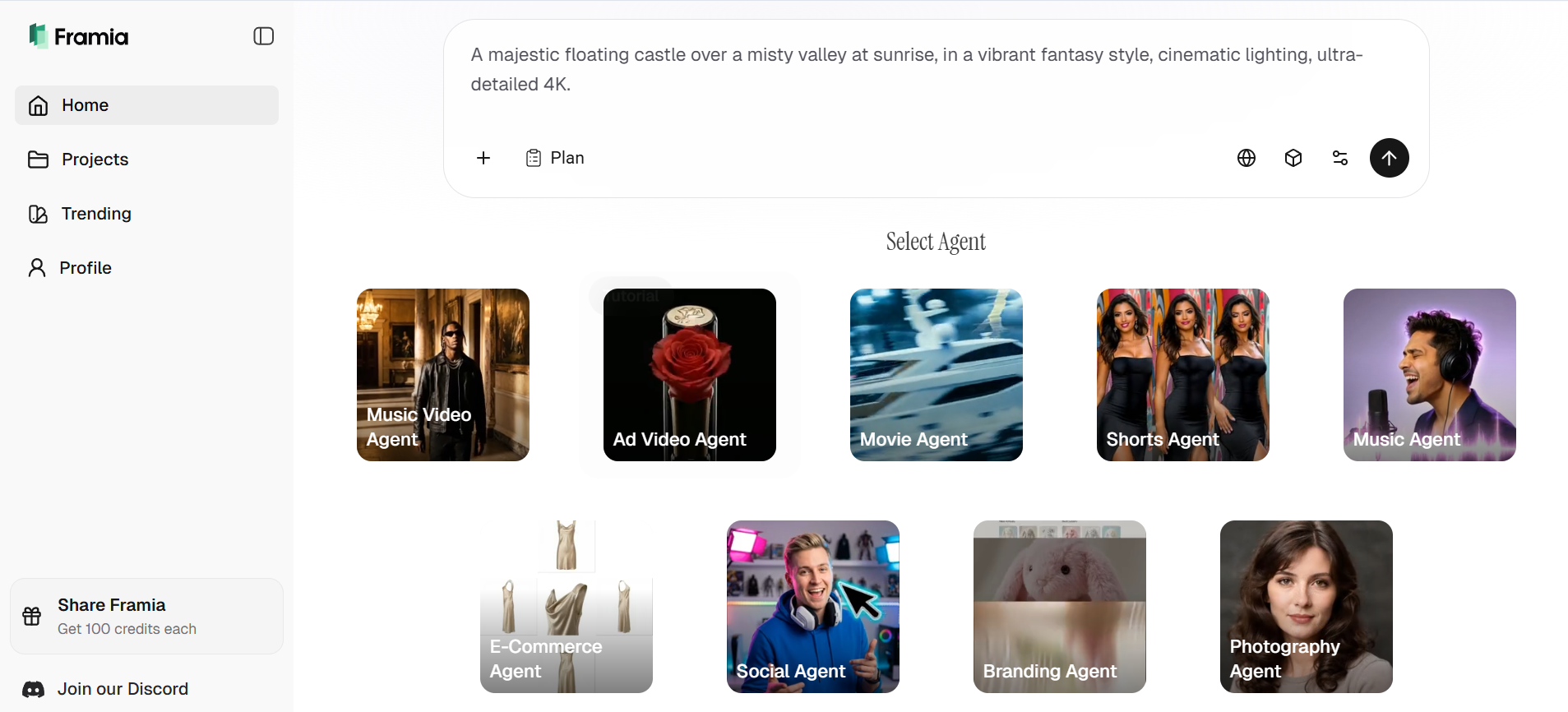
- Enter a detailed text prompt describing your desired image, including subject, style, mood, and composition.
- Additionally, click the "+" button to upload reference images to guide style, character, or overall composition.
Step 2: Select Nano Banana 2 model
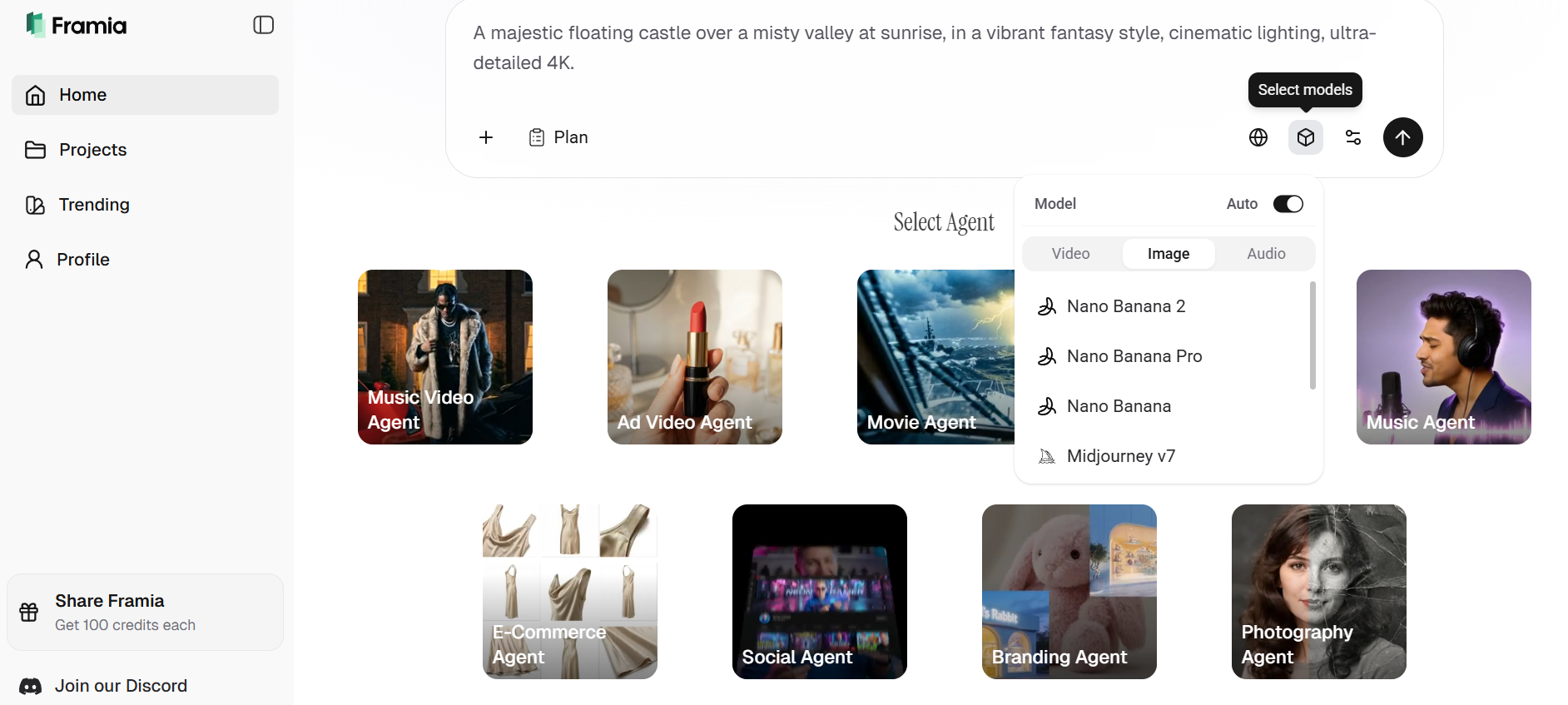
- Click on the "Select models" icon (represented by a 3D cube) located on the right side of the prompt bar.
- Select Nano Banana 2 from the list to enable the high-speed Flash architecture for your project.
Step 3: Customize settings, and generate
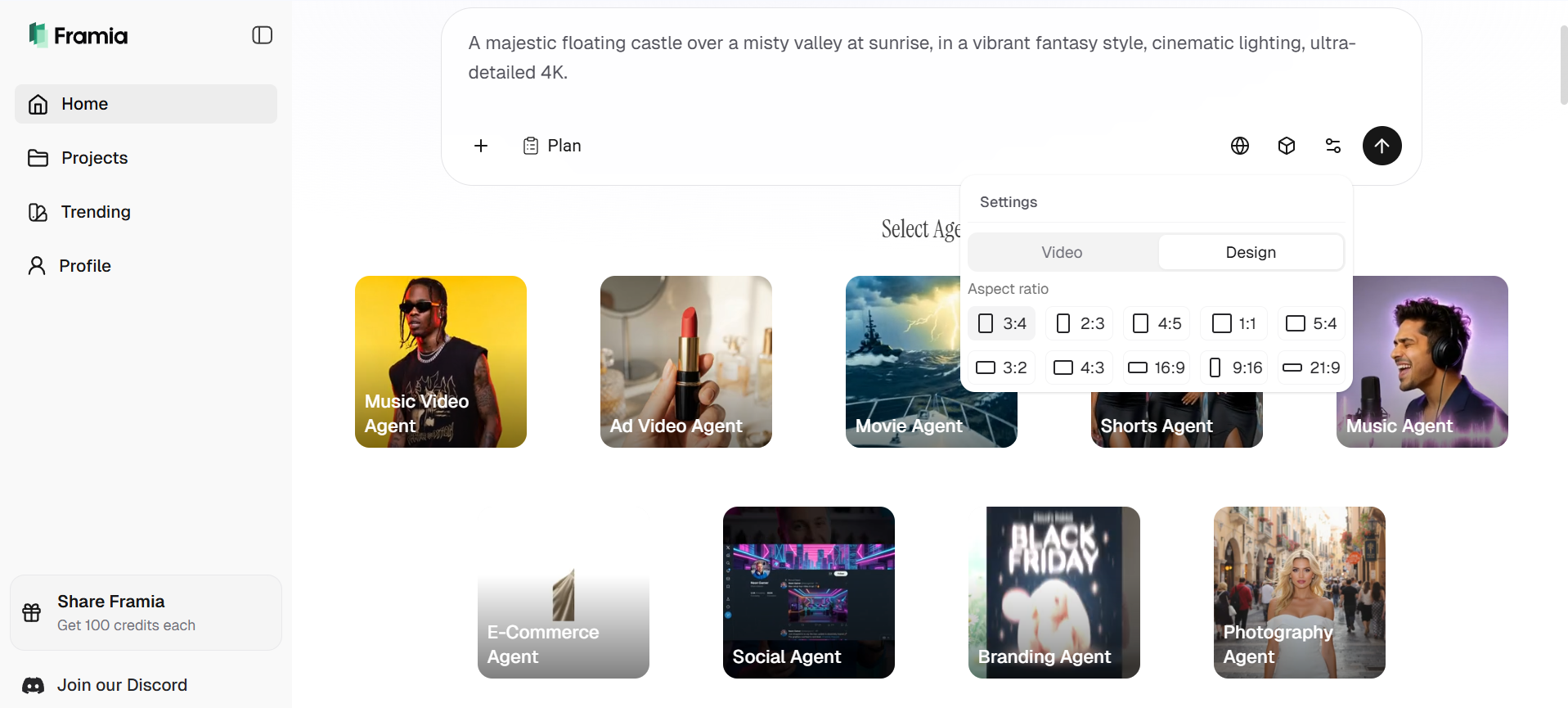
- Adjust aspect ratio (Choose from the 9 available aspect ratios, such as 1:1, 3:4: 4:5, and more).
- Review your prompt and references, then hit "Generate" to receive high-fidelity visuals in 5–15 seconds.
Step 4: Refine and download
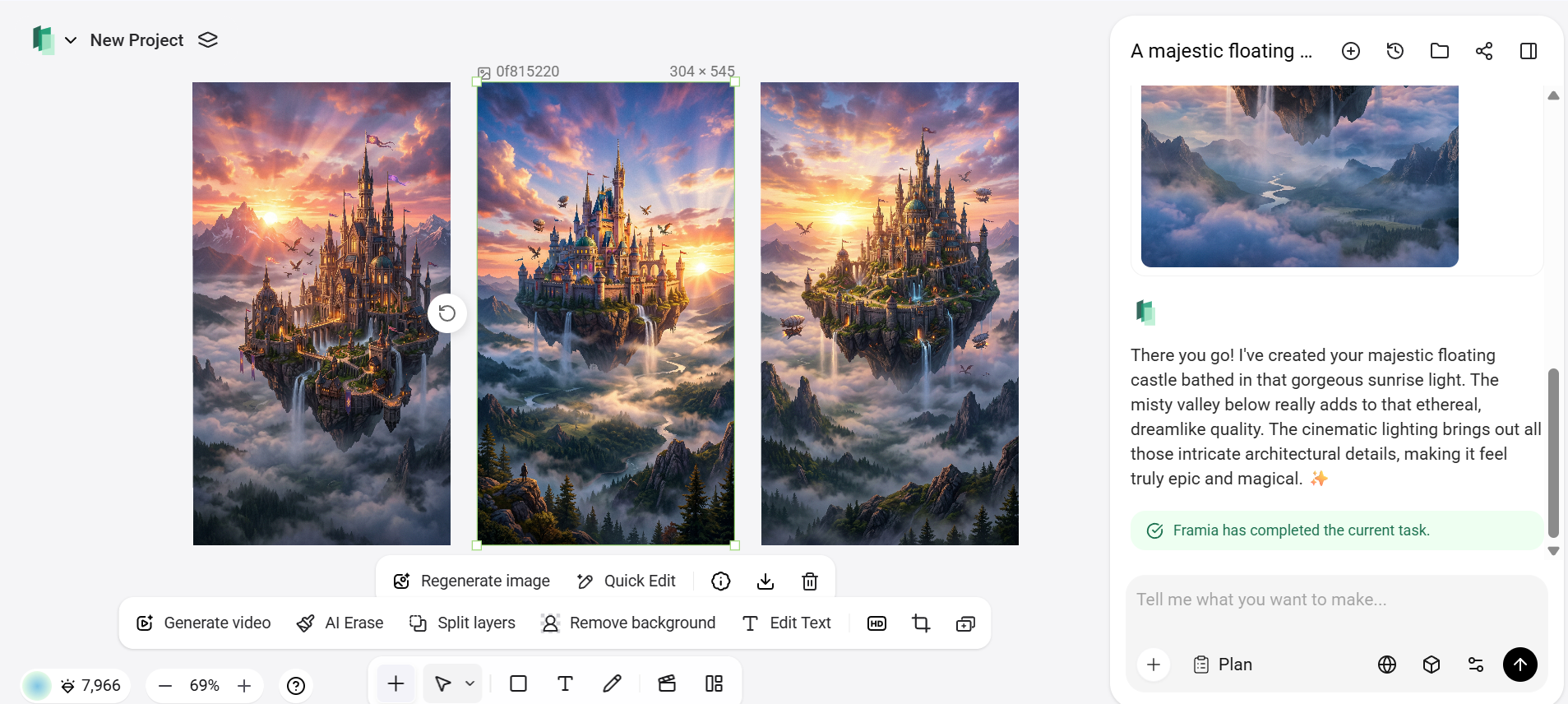
- Review the generated images and select the one that best matches your vision.
- Use "Quick edit" with simple prompts for fast refinements (e.g., "make the lighting warmer" or "add more detail to the text").
- Chain outputs into Framia Pro’s creative agents for advanced workflows like storyboards.
- Download the final image in native 4K quality for commercial or personal use.
Creative use cases for Nano Banana 2
With its powerful features in mind, let's explore the creative use cases where Nano Banana 2 can elevate your projects and streamline your workflow.
- Marketing & advertising visuals: Create eye-catching social media posts, banners, and promotional ads with native 4K resolution. Precise text rendering ensures readability in all designs. Rapid iteration allows testing multiple concepts quickly.
- UI/UX and product design: Generate app screens, website mockups, and product concepts in high fidelity. Maintain consistency across multiple screens or versions. Speeds up prototyping and client presentations.
- Social media & content creation: Produce thumbnails, blog images, and multimedia visuals tailored to audience engagement. Supports multilingual text for global campaigns. Streamlines content production for creators.
- Character design & storyboarding: Maintain consistent character appearance across poses, scenes, and iterations. Ideal for animation, comics, and cinematic storyboards. Enables quick visualization of complex narratives.
- Educational & informational graphics: Design infographics, labeled diagrams, and visual aids with clear, readable text. Supports translation and localization for diverse audiences. Enhances learning materials with professional visuals.
- E-commerce & product photography: Generate realistic product images for online catalogs or lifestyle scenes. Ensures consistent lighting, style, and composition across items. Reduces costs and speeds up visual content creation.
Mastering the prompt: Pro tips for Nano Banana 2
To get the best results from Nano Banana 2.0, use these prompting strategies to leverage its Gemini 3.1 Flash architecture:
- Be specific and detailed: Include clear descriptions of your subject, specifying who or what should appear in the image. Add details about style, mood, and lighting to shape the overall look and feel. Mention composition elements, such as perspective or layout, to help the AI generate more accurate and visually appealing results.
- Be specific with text rendering and placement: Enclose exact text in double quotes, specify font style, position, and integration (e.g., "floating holographic text 'Future Tech 2026' in sleek sans-serif font above the robot"). Add localization or multilingual needs directly: "Localize all text to Spanish with vibrant Mexican cultural elements."
- Incorporate camera/lighting details for control: Include realistic photography terms like lens (35mm, 85mm), aperture (f/1.8 for bokeh), angle (low-angle dramatic shot), or lighting (volumetric god rays, soft diffused morning light). This guides spatial logic, depth, and mood precisely — especially useful for avoiding misplaced objects in busy scenes.
- Leverage real-time grounding for factual accuracy: For real-world subjects (landmarks, events, products), phrase prompts to activate search knowledge: "Create a realistic image of the current Eiffel Tower at night during the 2026 Olympics, accurate lighting and flags based on latest details." This grounds outputs up-to-date info for infographics, diagrams, or contextual visuals.
Nano Banana 2 in action: Creative prompts & performance
To push the boundaries of Nano Banana 2, we tested its limits across physics, typography, and real-world accuracy. These prompts highlight how the model's Gemini 3.1 Flash architecture handles complex logic and high-fidelity rendering.
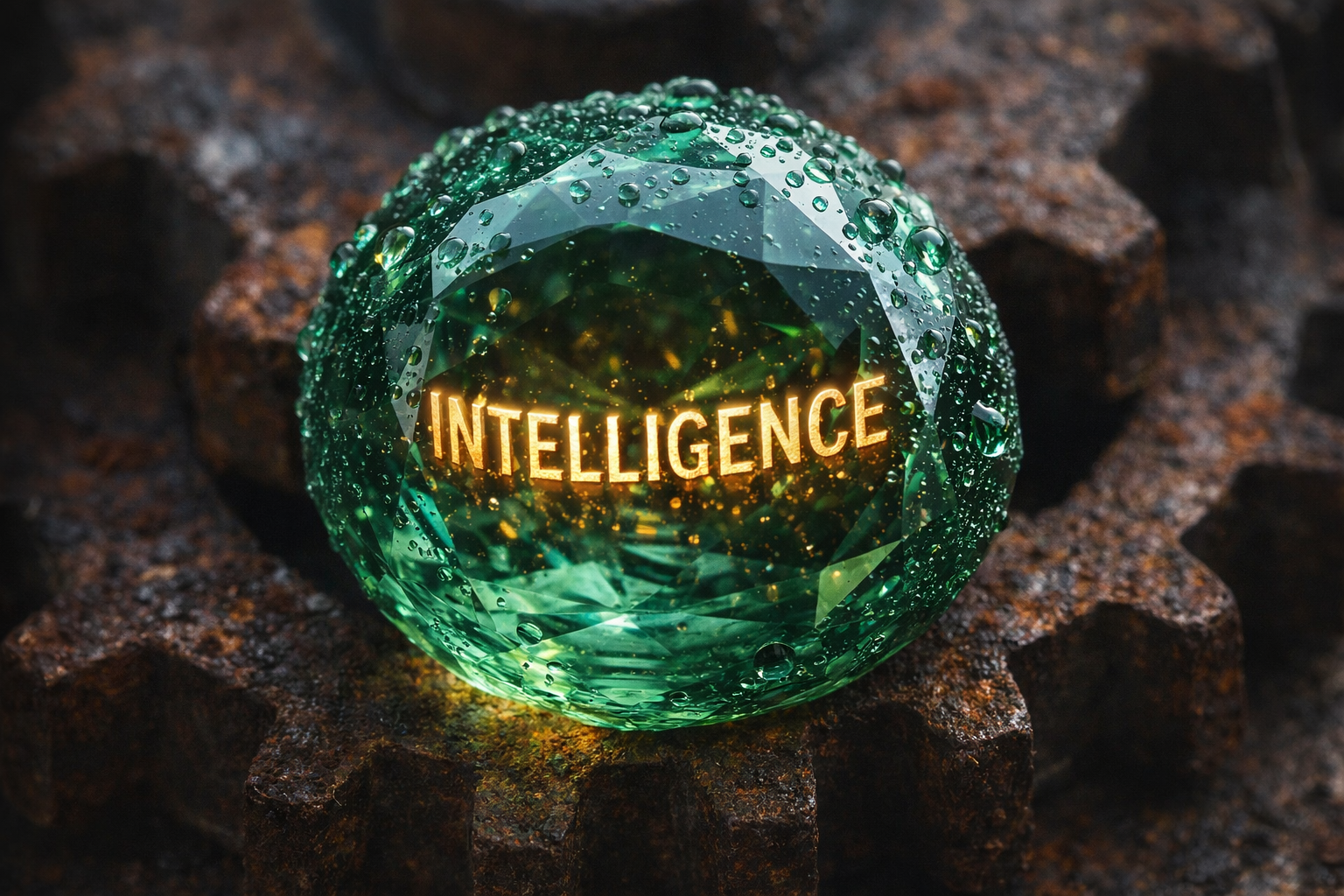
- Macro refraction & 3D typography
"A hyper-detailed macro photo of a single, dew-covered emerald gemstone resting on a rusted iron gear. Inside the emerald, the word 'INTELLIGENCE' is etched in glowing gold 3D letters, realistically distorted by the stone's facets."
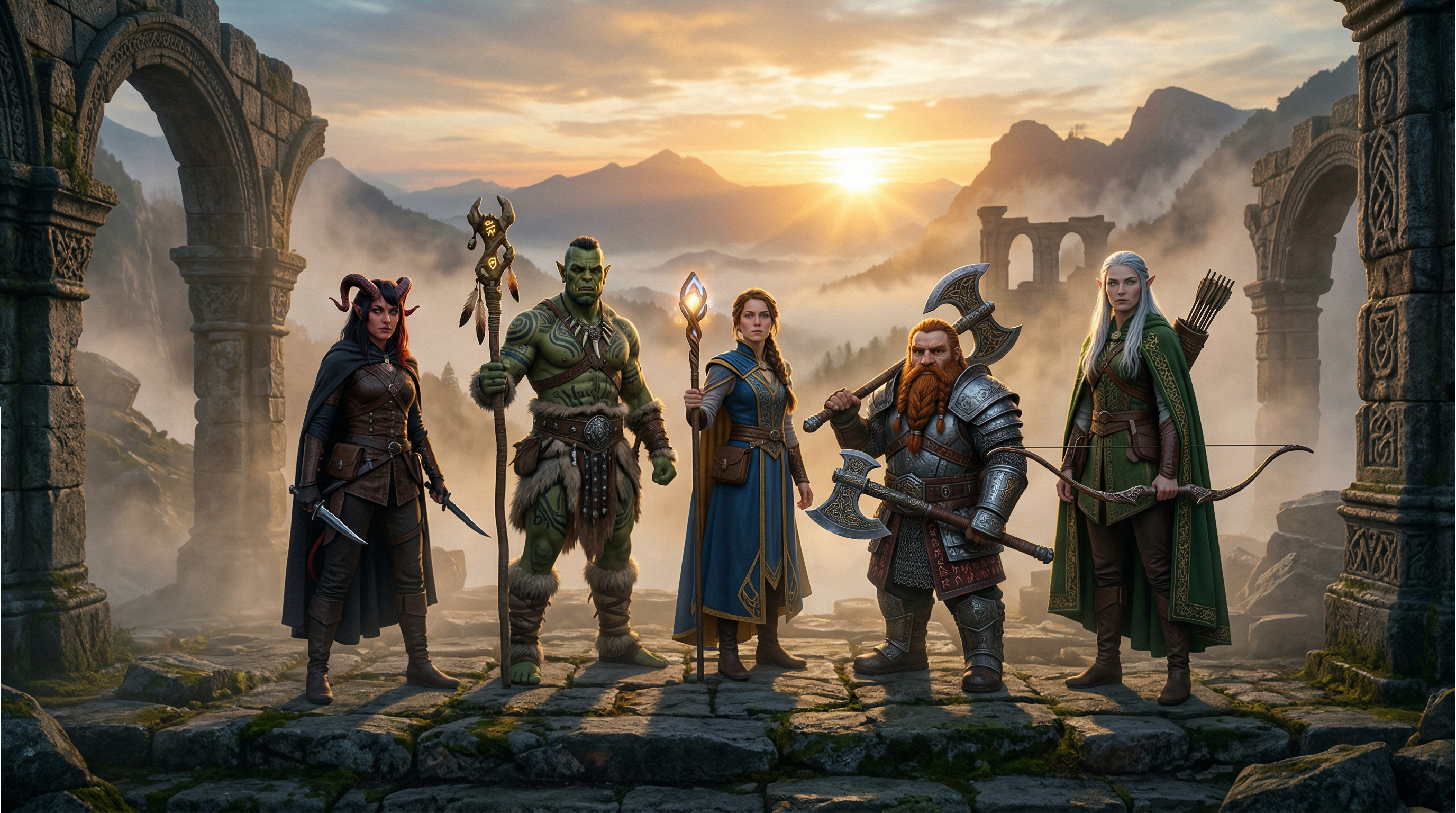
- Multi-character fantasy scene with consistency
"Epic fantasy group portrait of five consistent adventurers standing on a misty ancient ruin at dawn: a tall elf archer with silver hair and green cloak, a dwarf warrior with braided beard and rune-etched axe, a human mage holding a glowing staff, a tiefling rogue with red horns, and an orc shaman with tribal tattoos—dramatic golden sunrise lighting, volumetric fog, detailed armor textures, cinematic wide shot, 4K."
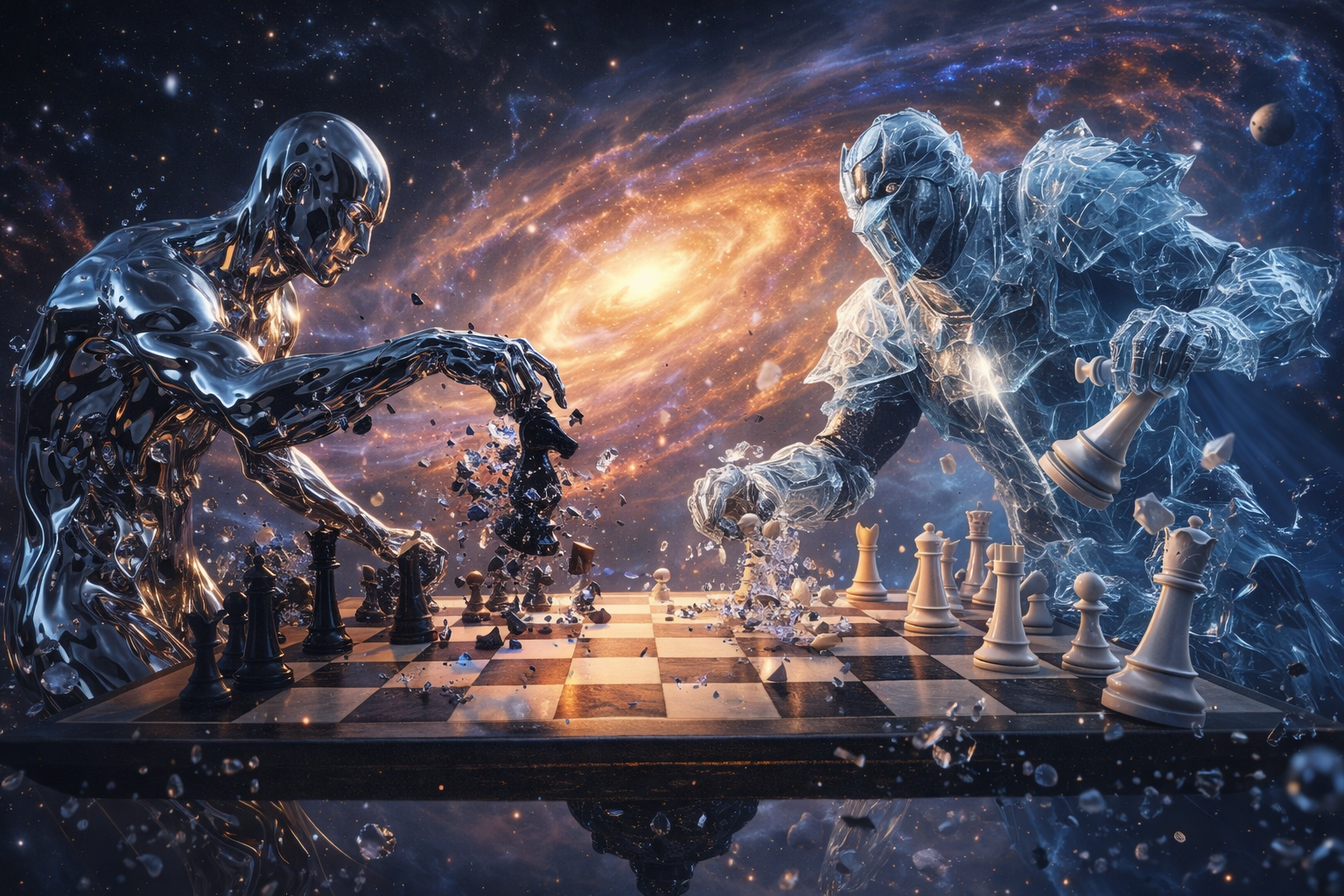
- Surreal physics & motion reasoning
"An action shot of a high-stakes chess match between a liquid-mercury humanoid and a knight in translucent ice armor. They are playing on a floating board in the center of a swirling galaxy, with chess pieces realistically shattering upon impact."
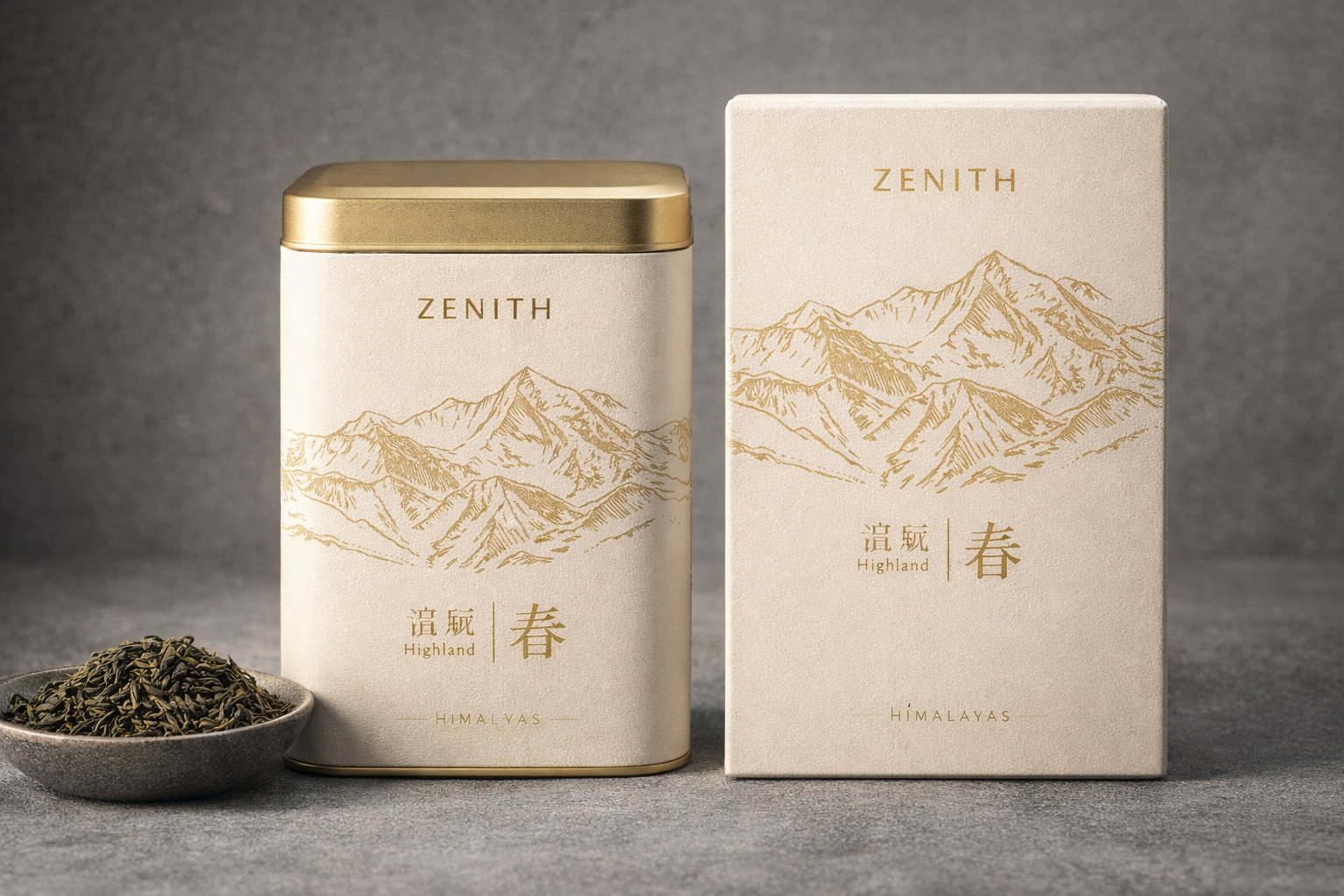
- Localized design & web-grounded accuracy
A professional 4K product mock-up for a luxury tea brand called 'Zenith.' The packaging features a minimalist map of the Himalayas with a legend using localized, elegant fonts to label 'Highland' (高原) and 'Spring' (春) in Chinese characters.
Conclusion
Nano Banana 2 is a powerful AI image generator that combines 4K resolution, precise text rendering, character consistency, and advanced reasoning. From marketing visuals and social media content to storyboards and educational graphics, it offers versatile creative applications. For seamless access and efficient workflows, Framia Pro stands out, providing browser-based, high-resolution generation, multi-image tools, and generous trial credits. Whether for professional projects or personal creativity, Nano Banana 2 on Framia Pro delivers fast, reliable, and scalable results for modern creators.
FAQs
- Is Nano Banana 2 free to use?
Nano Banana 2 is free in the Gemini app with daily limits across Fast, Thinking, and Pro modes. While priority access requires an AI Pro/Ultra subscription, Framia Pro offers a free trial with credits for high-res 4K outputs without needing a separate Google subscription.
- Can I use Nano Banana 2 for commercial purposes?
Yes, Nano Banana 2 outputs can be used commercially, including ads, products, or client work (subject to Google's terms). All images include an invisible SynthID watermark for AI identification. Framia Pro offers watermark-free downloads cleared for commercial and personal use with paid plans.
- What is the main difference between Nano Banana 2 and Nano Banana Pro?
The main difference is architecture: Nano Banana 2 uses Gemini 3.1 Flash for ultra-fast generation (5–15s), while Pro uses "Deep Inference" for maximum precision. Nano 2 is optimized for rapid marketing iteration, whereas Pro is best for factual hero assets.
- Does Nano Banana 2 support text rendering well?
Yes, Nano Banana 2 excels at text rendering, producing clear, legible, and accurately spelled text within images. It supports multiple fonts, styles, and even localization or translation, making it ideal for ads, mockups, posters, and other projects requiring precise in-image typography.





