
What is Pollo AI?
Pollo AI is a versatile, all-in-one artificial intelligence platform designed to democratize high-quality video and image creation.
By serving as a centralized creative hub, it seamlessly integrates industry-leading AI models like Kling, Runway, Luma, and Google Veo into a single, user-friendly interface. Rather than juggling multiple costly subscriptions, creators can easily generate videos from text prompts, animate static images, or apply viral visual effects within one workspace.
Available via web and mobile apps, Pollo AI caters to marketers, educators, and influencers by making professional-grade motion design completely accessible without requiring advanced technical skills or any prior video editing experience whatsoever.
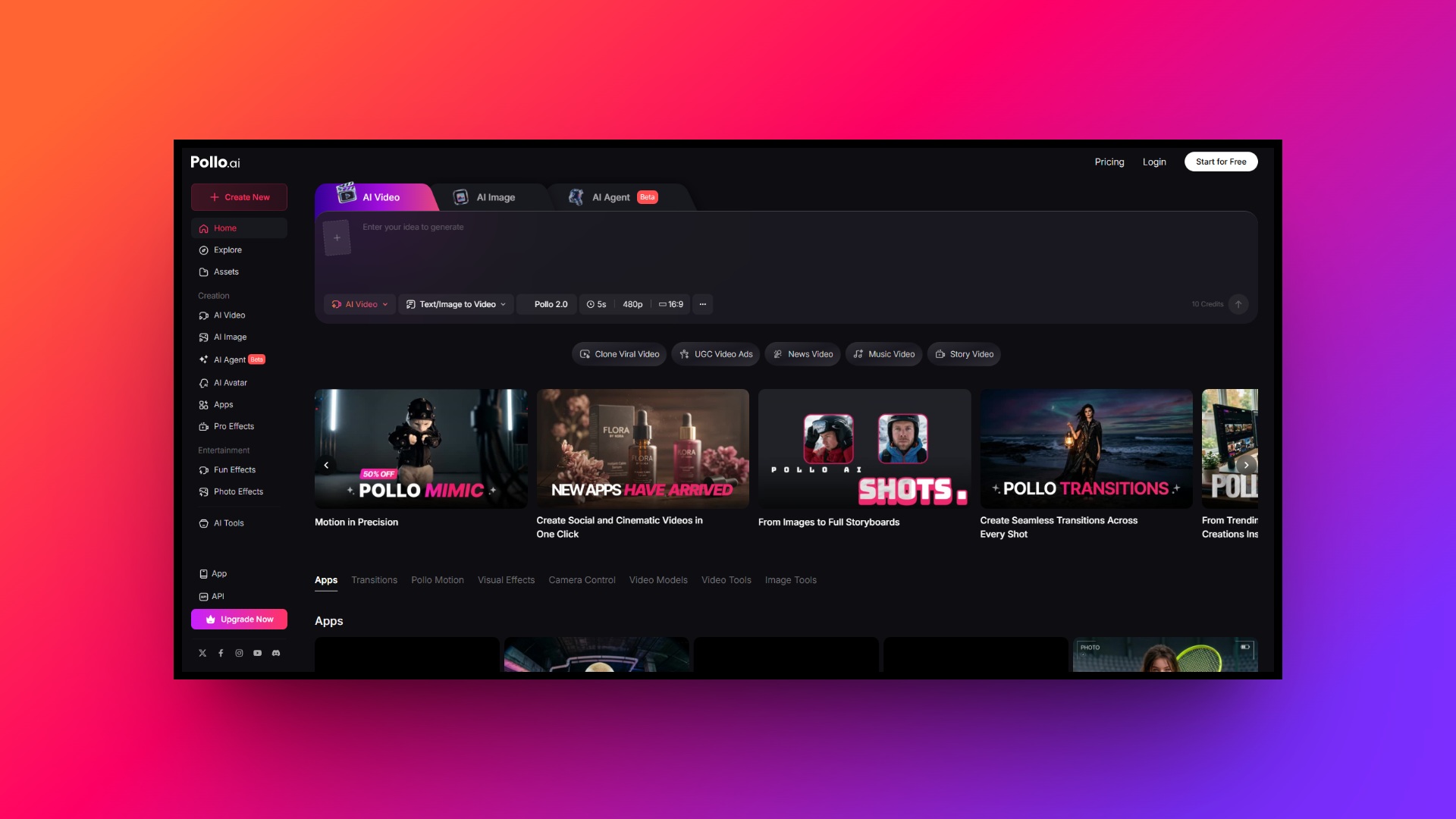
Deep dive: major features of Pollo AI
Pollo AI offers a robust suite of creative tools. Here are its four major features:
- Text to video generation
This feature allows users to transform written prompts into highly detailed, dynamic videos in minutes. By simply typing a descriptive scene, creators can easily generate cinematic sequences. Pollo AI supports multiple aspect ratios and 4K resolution, making it incredibly simple to produce high quality visual narratives.
- Image to video animation
Breathing life into static photos, this tool animates images with realistic camera panning, subtle character movements, and environmental dynamics. Whether animating a product shot for commercials or bringing a vintage family portrait to life, it delivers smooth motion interpolation, transforming ordinary visuals into engaging video clips.
- Consistent character video
A major advantage for storytelling, this feature ensures characters maintain visual consistency across multiple generated scenes. By using a reference image, creators can place the same character in completely different environments without losing distinct facial features, making it an essential tool for narrative filmmakers and mascot creation.
- AI visual effects library
Pollo AI includes a vast library of viral visual effects and stylization filters. Users can apply popular social media templates like hugging animations or character dances to their media. Furthermore, it easily transforms real-life footage into unique artistic styles like anime, claymation, or Pixar animations.
Pollo AI pricing model and credit system
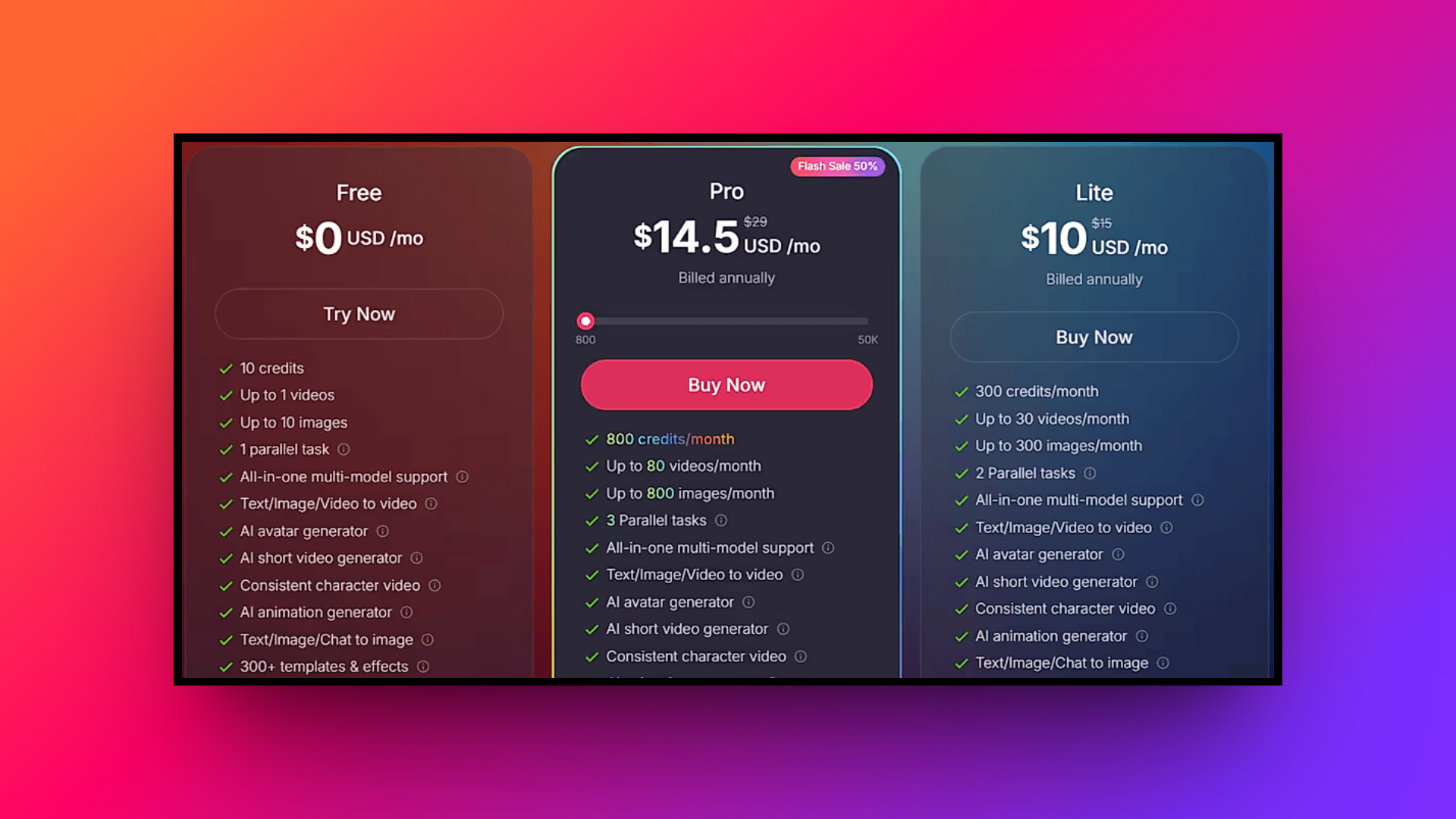
Pollo AI operates on a flexible credit system where each video or image generation deducts a specific number of tokens based on the chosen AI model and output length.
Premium models like Sora 2 or Kling O1 consume more credits than basic engines. New users receive limited free credits to test the platform.
For regular use, the "Lite" plan costs $10 monthly for 300 credits without watermarks, allowing up to 30 videos. Meanwhile, the "Pro" plan starts at $14.50 monthly for 800 credits, offering faster generation speeds and priority customer support. Enterprise API pricing scales affordably for heavy-volume users.
Quality analysis of Pollo AI video and image models
Pollo AI's true value lies in the performance and versatility of its integrated AI models. Here is a breakdown of how the platform handles both dynamic video and static image generation tasks:
Video quality
Pollo AI excels in video generation by integrating premium models like Kling 3.0 and Google Veo 3.1, delivering smooth cinematic realism and precise prompt adherence. While flagship engines handle complex sequences with fluid motion, basic models may struggle with temporal consistency, occasionally warping fine details during rapid movements.
Image quality
For static visuals, Pollo AI leverages top-tier integrations such as Flux 1.1 Pro and Midjourney to ensure exceptional output. These advanced engines consistently produce images with photorealistic textures, flawless human anatomy, and crisp clarity, giving users unmatched versatility to balance rendering speed and stylistic fidelity effortlessly.
How to use Pollo AI: step-by-step workflow
Step 1: Choose your tool
Select your desired feature from the intuitive dashboard, whether it's text-to-video, image animation, or an AI visual effect.
Step 2: Input your prompt
Enter a detailed text description or upload a reference image, then select your preferred AI model and aspect ratio.
Step 3: Generate and download
Click generate to process the media. Once rendering is complete, seamlessly download the high-resolution file directly to your device.
Pollo AI review: use cases, privacy, pros, and cons
Beyond basic media generation, understanding how Pollo AI fits into real-world professional workflows is crucial. Let's explore its practical applications, privacy features, as well as its advantages and limitations.
Versatile use cases
Pollo AI serves as a powerful creative hub tailored for diverse professional applications. It is perfect for digital marketers crafting compelling promotional content, educators designing engaging visual aids for classrooms, and social media influencers producing viral, high-quality shorts that captivate their growing online audiences seamlessly.
Data security and privacy
Pollo AI strongly emphasizes user privacy by encrypting inputs and safeguarding sensitive reference images or proprietary prompts. This commitment ensures that generated content remains strictly private and protected from public feeds, creating a highly secure environment ideal for enterprise businesses managing confidential commercial projects.
Pros and cons
| Pros | Cons |
| Diverse Model Hub: It integrates top AI engines like Kling, granting users immense creative flexibility without requiring subscriptions. Accessible Clean Interface: The clean, intuitive dashboard makes video and image generation accessible for novices lacking prior experience. High Quality Output: Supporting stunning 4K resolution and smooth cinematic motion, the platform consistently produces visually breathtaking content. Extensive Style Library: Users can rapidly apply hundreds of viral templates, artistic filters, and fun visual effects effortlessly. | High Token Costs: Generating videos using premium advanced AI models consumes credits rapidly, becoming quite expensive for users. Inconsistent Complex Motion: Basic models sometimes struggle with rapid movements, occasionally causing minor temporal warping or visual artifacts. |
The need for Pollo AI alternatives: top 3 options
While Pollo AI offers an impressive, centralized hub for various top-tier AI models, it might not be the perfect fit for every creator or enterprise.
The platform's credit-based pricing system can quickly become cost-prohibitive for heavy users who generate complex, high-resolution videos daily. Furthermore, depending heavily on third-party integrations sometimes leads to inconsistent performance and minor visual artifacts during rapid movements.
Additionally, some professionals may prefer dedicated, standalone tools that offer more granular control over timeline editing, superior layer management, or specialized collaborative features. Exploring alternatives ensures you find a workflow specifically tailored to your unique creative demands and budget constraints.
| Feature/Platform | Pollo AI | Framia Pro | Runway | Pika |
| Best For | General Creators & Novices | Agencies & Pro Workflows | Filmmakers & Studios | Social Media & Beginners |
| Core Strength | Diverse AI Model Hub | Full-SOP Automation | Cinematic Camera Control | Viral Visual Effects |
| Editing Control | Prompt-based generation | Chat-to-Edit & Split Layers | Motion Brush & Director Mode | Region Modify & Canvas Expand |
| Primary Drawback | High token costs | Steeper learning curve | Rapid credit burn | Limited complex physics |
Framia Pro
Framia Pro is an advanced, agent-driven platform offering complete SOP automation for video and design generation. Designed for efficiency, it combines specialized video and design agents to automate everything from scriptwriting to pixel-level editing, saving users significant time compared to traditional AI generation methods while supporting models like Veo and Kling.
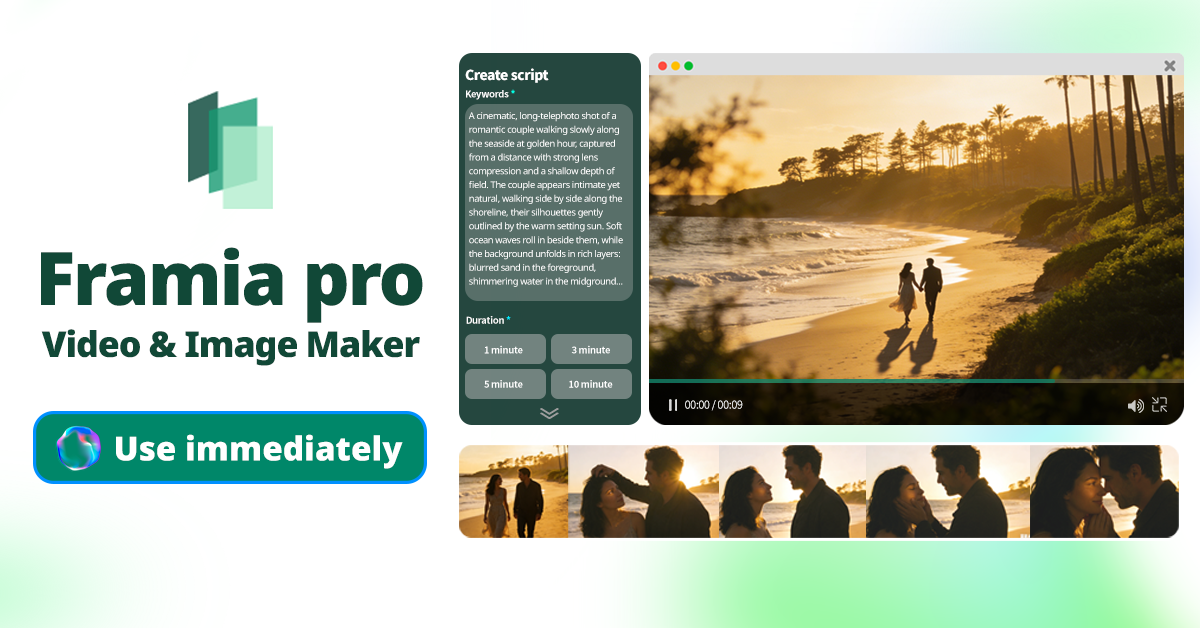
Key features:
- Full-SOP automation: Automates the entire creative pipeline, effortlessly handling script generation, automatic storyboarding, intelligent B-roll context creation, and background music synchronization.
- Chat-to-edit functionality: Allows users to select specific video segments or design elements and describe fixes using natural language without regenerating entirely.
- Storyboard timeline editor: Provides a visual timeline to arrange clips, sync audio, and regenerate individual shots with agent-assisted editing tools seamlessly.
- Split layers design: Transforms AI designs into fully editable separate layers for text, images, and backgrounds, offering true professional software flexibility.
Pros:
- Massive time savings through complete end-to-end creative workflow automation processes.
- Targeted chat-to-edit eliminates the frustrating need for full video regenerations.
- Specialized agents ensure cinematic emotional dialogue and digestible short formats.
- Split layers provide pixel-level precision and professional-grade digital design control.
Cons:
- Complex agent-driven workflows might present a steeper initial learning curve.
Runway
Runway is a powerhouse for AI-generated video and special effects, targeting professional filmmakers and creative agencies. Offering models like Gen-3 Alpha, it provides unmatched control over camera movements, character consistency, and stylistic choices, making it a staple for high-end digital storytelling and advanced post-production workflows. It is incredibly powerful.
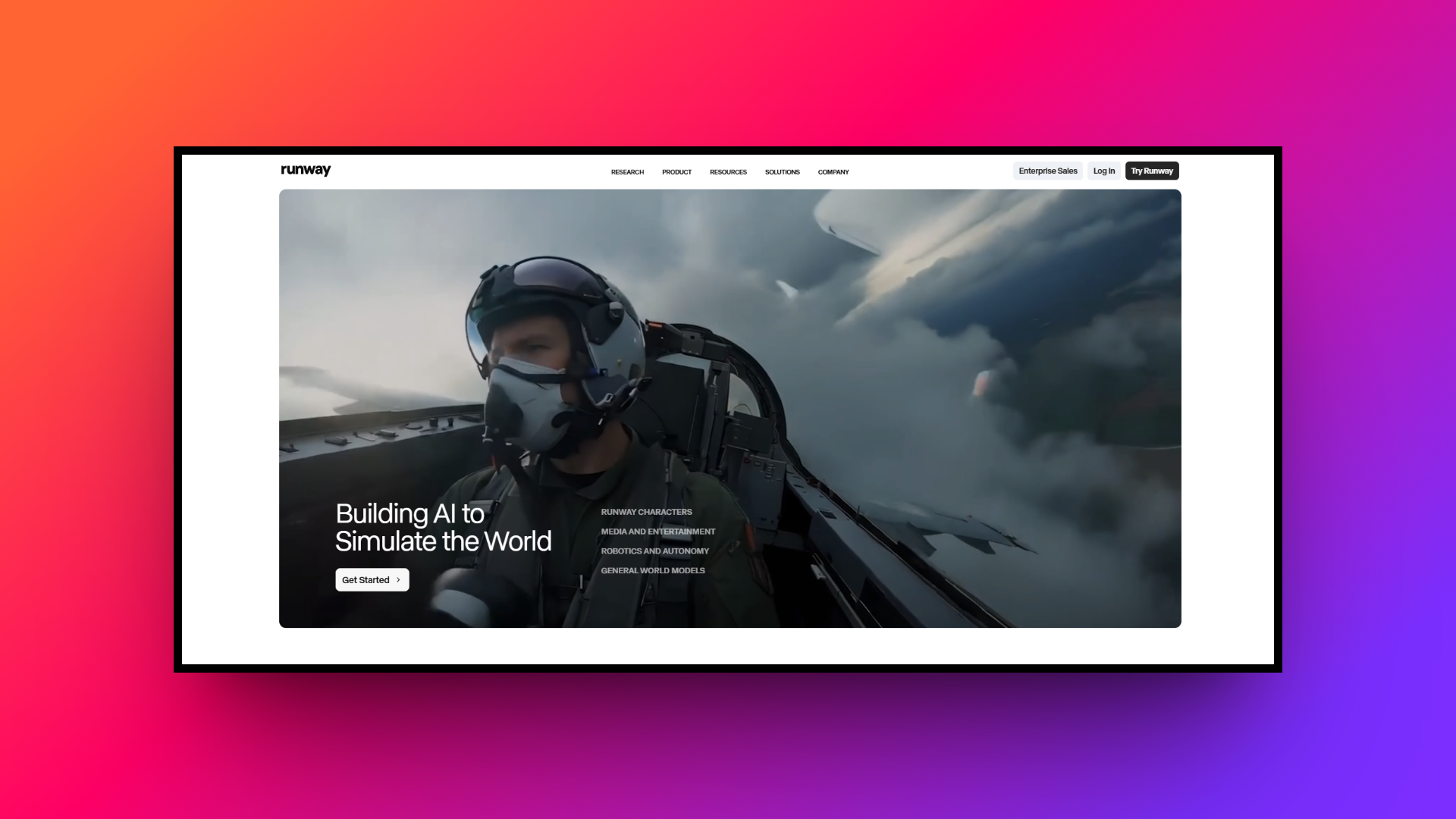
Key features:
- Advanced camera controls: Users can direct precise camera movements like pan, tilt, zoom, and dolly without manipulating a traditional editing timeline.
- Motion brush control: This innovative tool allows creators to paint motion directly onto specific areas of a static frame for targeted animation.
- Director mode settings: Combines scene-level text instructions with specific camera controls to generate more cinematic, professionally framed, and dynamic video results.
- Video-to-video stylization: Feeds existing footage into the platform and restyles it completely using text prompts, maintaining the original underlying motion structure.
Pros:
- Exceptional precision over camera movements and highly specific subject motion.
- High-end generative models offer vastly improved temporal video frame consistency.
- Comprehensive post-production suite including background removal and smooth frame interpolation.
- Industry-leading capabilities perfectly suited for advanced professional digital filmmaking workflows.
Cons:
- The expensive credit system burns through your monthly budget very rapidly.
Pika
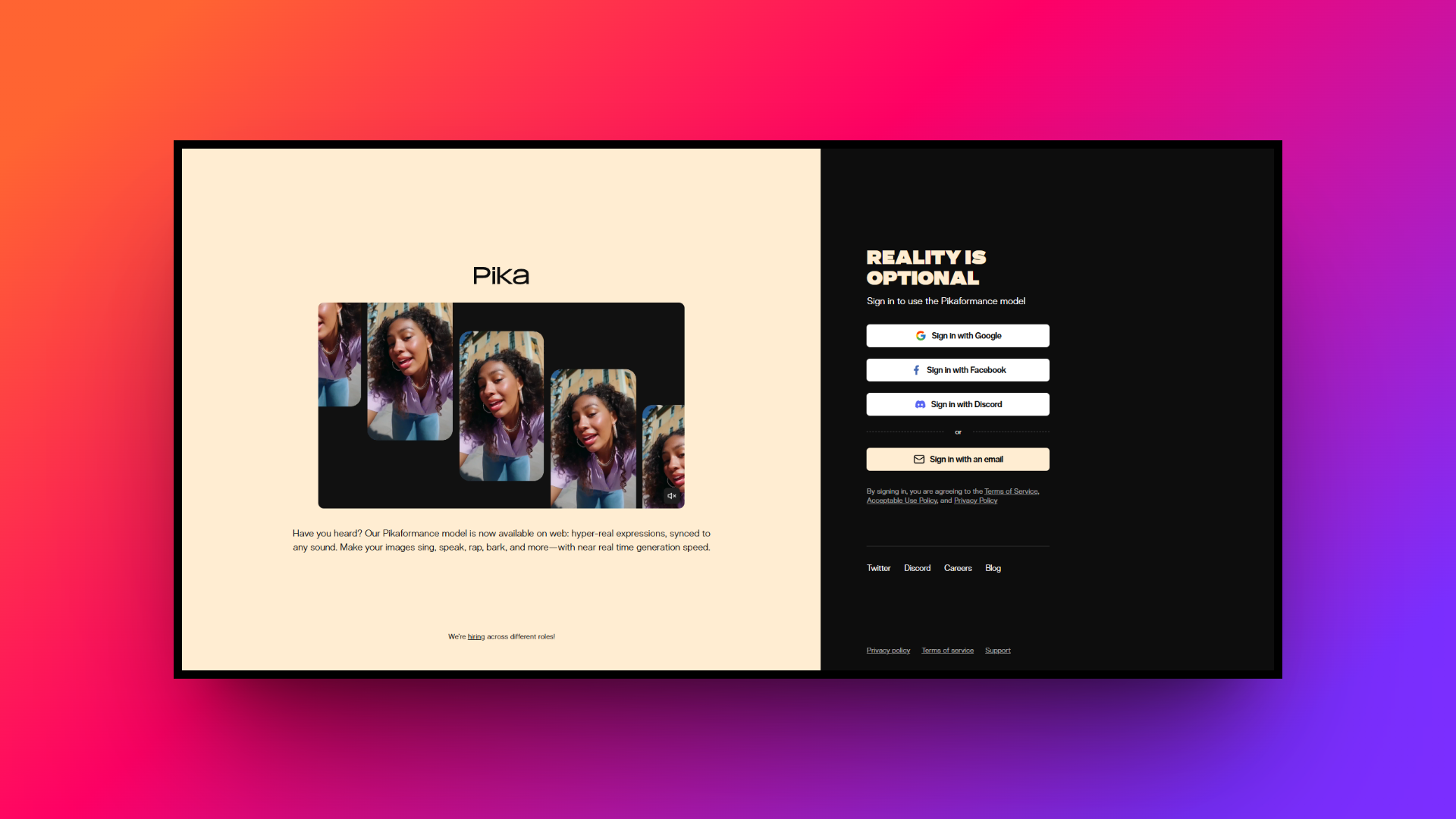
Pika is a highly accessible, fast-paced AI video generator perfect for social media creators and digital marketers. Known for its playful interface and viral visual effects, it excels at transforming simple text prompts or static images into dynamic, shareable short clips without requiring any prior video editing experience whatsoever.
Key features:
- Pikaffects transformations: Users can apply impossible physics and fun effects to images, making subjects inflate, melt, explode, or gracefully squash instantly.
- Modify region editing: Allows users to select specific areas of a frame to replace outfits or backgrounds seamlessly without altering entire videos.
- Expand canvas tool: Intelligently extends the borders of a video, perfectly converting a vertical phone screen clip into a wide horizontal format.
- Audio lip syncing: Animates a character's mouth to match uploaded audio files, easily turning static portraits into engaging, talking social media avatars.
Pros:
- Incredibly user-friendly interface designed specifically for absolute beginners and marketers.
- Entertaining visual effects perfect for crafting viral social media content.
- Exceptionally fast rendering speeds compared to most other video generators.
- Robust tools for expanding canvases and modifying specific video regions.
Cons:
- Struggles significantly with realistic physics and complex video generation tasks.
Things to look for in a Pollo AI alternative
When exploring alternatives to Pollo AI, identifying the right platform depends entirely on your specific creative needs. Here are five crucial factors you should strongly consider before switching:
- Workflow automation: Look for platforms offering comprehensive end-to-end automation. Advanced agent-driven tools that handle scripting, storyboarding, and background music synchronization can save massive amounts of time compared to manual generation methods.
- Targeted editing: Avoid platforms requiring full regenerations for minor mistakes. Seek out targeted chat-to-edit functionalities that let you isolate specific video segments or design layers to make fast, precise, effortless corrections.
- Design flexibility: Ensure the platform provides professional-grade design flexibility. Features like split layers and pixel-level brush tools allow you to separate text, images, and backgrounds, granting complete control over digital artwork.
- Character consistency: For effective brand storytelling, maintaining visual identity is vital. Prioritize AI tools that guarantee absolute character consistency across multiple generated scenes and offer seamless integration of specific brand color palettes.
- Pricing structure: Evaluate the cost-effectiveness of token systems carefully. Choose an alternative providing transparent, scalable pricing models, ensuring your daily production of high-resolution cinematic videos won't rapidly burn through your entire budget.
Wrapping up
Pollo AI undeniably offers a solid, accessible entry point into the world of AI media generation by pooling top-tier models into one convenient interface. However, as your creative demands evolve, the need for professional, highly optimized workflows becomes strikingly apparent.
In this competitive landscape, Framia Pro stands entirely unmatched as the only major alternative worth considering. By integrating specialized video and design agents, it completely transcends simple prompting to offer full-scale SOP automation, targeted chat-to-edit capabilities, and true split-layer flexibility.
For serious creators and enterprises looking to maximize efficiency and maintain absolute artistic control without prohibitive token costs, Framia Pro is the ultimate, unrivaled AI production solution.
FAQs
What is the best Pollo AI alternative for professional workflows?
Framia Pro is a top Pollo AI alternative for professionals. It offers comprehensive SOP automation, specialized agents, and chat-to-edit capabilities, significantly reducing production time for complex design and video projects.
How does the Pollo AI image-to-video feature work?
The Pollo AI image-to-video tool animates static photos by applying realistic camera panning and subtle movements. It utilizes advanced AI models to ensure smooth motion interpolation and clarity.
What do common Pollo AI reviews highlight about its platform?
Most Pollo AI reviews highlight its intuitive interface. While praised for quality outputs, users note high token costs, often leading professionals to explore fully automated alternatives like Framia Pro.
Is the Pollo AI video generator suitable for absolute beginners?
Yes, the Pollo AI video generator features a simple dashboard ideal for novices. However, advanced users typically prefer Framia Pro to leverage specialized agents and true split-layer design flexibility.
Can you maintain character consistency in a Pollo AI video?
Yes, generating a Pollo AI video allows creators to maintain character consistency. Similarly, Framia Pro perfectly maintains characters across multiple complex shots, making both platforms ideal for branded storytelling.





