
In the fast-paced world of digital marketing, the ability to produce high-quality visual content at scale is no longer a luxury—it’s a necessity. TapNow emerged as a powerhouse "AI-native creative canvas" designed to help creators, brands, and agencies move from concept to final render in record time. In this article, we explore TapNow's features, benefits, limitations, and the best alternatives to help you decide if it fits your needs.
What is TapNow AI?
TapNow AI is a next-generation AI-powered visual creation engine designed for businesses, marketers, filmmakers, and creators. It transforms text, scripts, or ideas into cinematic videos, animations, e-commerce ads, and storytelling content. Key features include script-to-video generation, image-to-video conversion, one-click ad design, a node-based Tapflow canvas for structured workflows, and integration with multiple AI models (like Midjourney and Runway).
A major advancement is TapNow Agent — an intelligent AI Executive Director within the "Agentic Canvas." It understands every node and connection, collaborates in real-time to execute ideas step-by-step from a single thought, allows instant feedback, adjustments, and refinements, turning users into directors with AI handling planning, execution, and iteration for more controlled, professional results.
It also offers professional cinematic controls, storyboarding, and TapTV, a community platform for sharing, remixing, and discovering works.
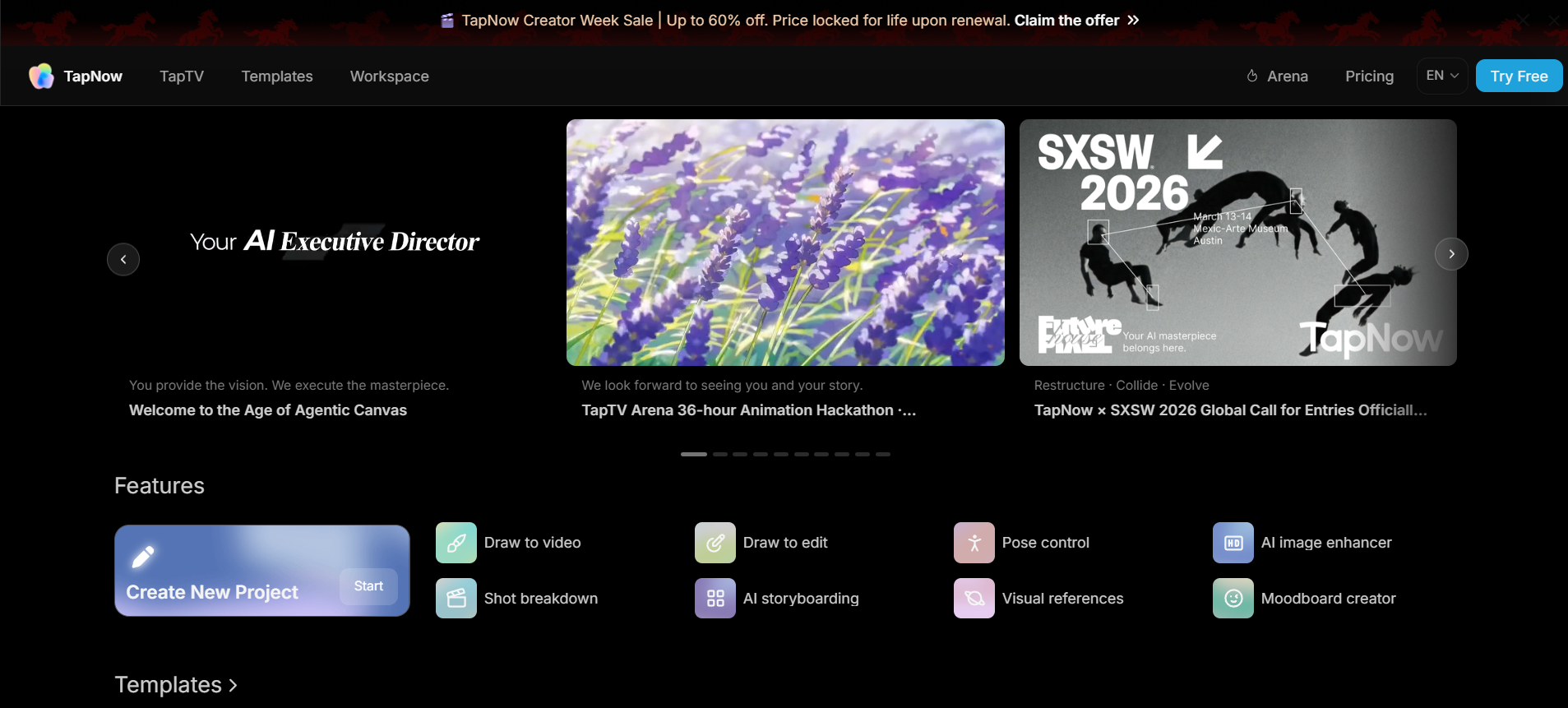
Key features of the TapNow App
The TapNow App is more than just a simple generator; it is a professional-grade "AI-native creative canvas." By combining multiple frontier models into a single workspace, it removes the friction of jumping between different tools.
- Cinema Lab (Advanced motion & lighting): Access a specialized suite of tools for 3D spatial manipulation and studio-lighting control. Fine-tune depth, perspective, and environmental lighting (from dramatic rim lights to soft ambient fills) with intuitive spatial tools.
- Draw-to-video & storyboarding tools: TapNow includes features like draw-to-video and AI storyboard generation. You can sketch ideas or input scripts, and the system converts them into structured scenes or animation.
- TapTV open-source community: A unique social ecosystem where you can share your full "node recipes." Other creators can clone, remix, and study the logic behind successful workflows, fostering a collaborative environment for rapid creative growth.
- Multi-model engine integration: Access and orchestrate top frontier AI models on one platform—including Kling, Runway, Sora, Luma, Midjourney, Flux, Veo, Hailuo, Pixverse, Grok, Gemini—for diverse high-quality image/video generation styles.
- The Tapflow Canvas (Node-based workflow): Unlike traditional linear editors, TapNow uses an infinite, node-based canvas. This allows you to build complex, structured pipelines where you can connect text, image, and video models in a visual flow.
TapNow App pricing
TapNow follows a freemium + subscription-based pricing model, making it accessible for both beginners and professional teams. While exact pricing may vary, most plans are structured around usage credits and generation limits.
| Plan | Price (Annual Billing) | Credits (Tapies) | Key Limits & Features |
| Basic | $7.5/month | 1,500 Tapies | ~250 videos, ~750 images, 8 concurrent generations, basic templates |
| Pro | $30/month | 6,000 Tapies | ~1000 videos, ~3,000 images, unlimited concurrent generations, faster speed, more templates |
| Ultimate | $180/month | 36,000 Tapies | ~6,000 videos, ~18,000 images, unlimited concurrency, priority features |
| Max | $360/month | 90,000 Tapies | ~15,000 videos, ~45,000 images, unlimited concurrency, priority queue access |
Note: Pricing is subject to change. For the most current rates and specific credit breakdowns, it is recommended to check the official TapNow Website.
Pros and cons of TapNow AI
TapNow AI excels as a professional AI visual creation engine with strong cinematic focus, but like many emerging tools, it has trade-offs. Here's a balanced look based on its features, user impressions, and comparisons:
Pros
- Intuitive cinematic control: Unlike many competitors, TapNow offers professional-grade control over camera movement, lighting, and framing, allowing for truly film-quality visuals.
- Unified AI ecosystem: It orchestrates multiple frontier models (Midjourney, Runway, Kling, etc.) within a single, node-based Tapflow canvas, eliminating the need to jump between multiple platforms.
- Automated Pre-Production: The TapNow Agent significantly speeds up the creative process by automating storyboarding and script-to-video planning, saving hours of manual work.
- Collaborative community: The TapTV platform allows users to share, clone, and remix "creative recipes" (workflows), making it easy to learn from the community and jumpstart new projects.
Cons
- Steep learning curve: While the node-based canvas is powerful, it can be intimidating for beginners who are used to simple, linear video editors.
- Credit-based limitations: The free and lower-tier plans have restrictive credit limits, which can be quickly exhausted during complex video rendering or high-res upscaling tasks.
- Server wait times: During peak usage, rendering high-fidelity cinematic videos can sometimes lead to longer processing times unless you are on a high-priority paid plan.
Best TapNow AI alternatives for 2026
While TapNow provides a robust "creative canvas" for visual storytelling, the rapidly evolving AI landscape offers several specialized tools that might better suit your specific production needs or budget. Below is a comprehensive comparison of the top contenders currently challenging the TapNow app in the professional market.
| Tool | Workflow Style | Model Integration | Video Quality & Controls | Pricing Model | Unique Edge vs TapNow | Best For |
| Framia Pro | Interactive agent canvas | Google Gemini 3.0, Sora 2, Veo 3.1 | Character-consistent ads/movies, specialized agents | Free trial / $12.8/mo | True AI "director" agents handle full workflow from one prompt | Solo creators & brand campaigns |
| Higgsfield | Cinema Studio + motion controls | Own Soul/Nano Banana + Kling 3.0, Seedream | Director-level cinematic lighting, color grading, 30s consistency | From $9/mo | Pro film-making tools with built-in VFX & upscaling | Filmmakers & studios needing Hollywood polish |
| Runway ML | Advanced editing + Gen tools | Proprietary Gen-4 + third-party | Best-in-class film editing, physics & motion | From $12/mo | Mature creative suite with storyboarding & effects | Professional editors & narrative filmmakers |
| Kling AI | Prompt + timeline controls | Proprietary Kling 3.0/2.6 | Superior realism, human motion & physics | From ~$10/mo | Fastest photorealistic generations | Marketers needing quick, lifelike ads |
| Wireflow | Node-based canvas (drag-drop) | 15+ providers (Runway, Kling, Luma, Stability, etc.) | Full pipeline automation (image → video → export) | From $24/mo | Broader models + API deployment for scale | Agencies & high-volume production teams |
Framia Pro
Framia Pro leads as the closest spiritual successor to TapNow’s agentic approach. It uses specialized AI agents (Ad Agent, Movie Agent, Shorts Agent, Music Video Agent, E-commerce Agent, etc.) on a single interactive canvas. You describe your vision once, and the agent autonomously handles scripting, character consistency, visuals, voice, music, and editing — turning ideas into complete campaigns without switching tools. It integrates top 2026 models (Sora 2, Veo 3.1, Gemini 3.0) for high-fidelity results.
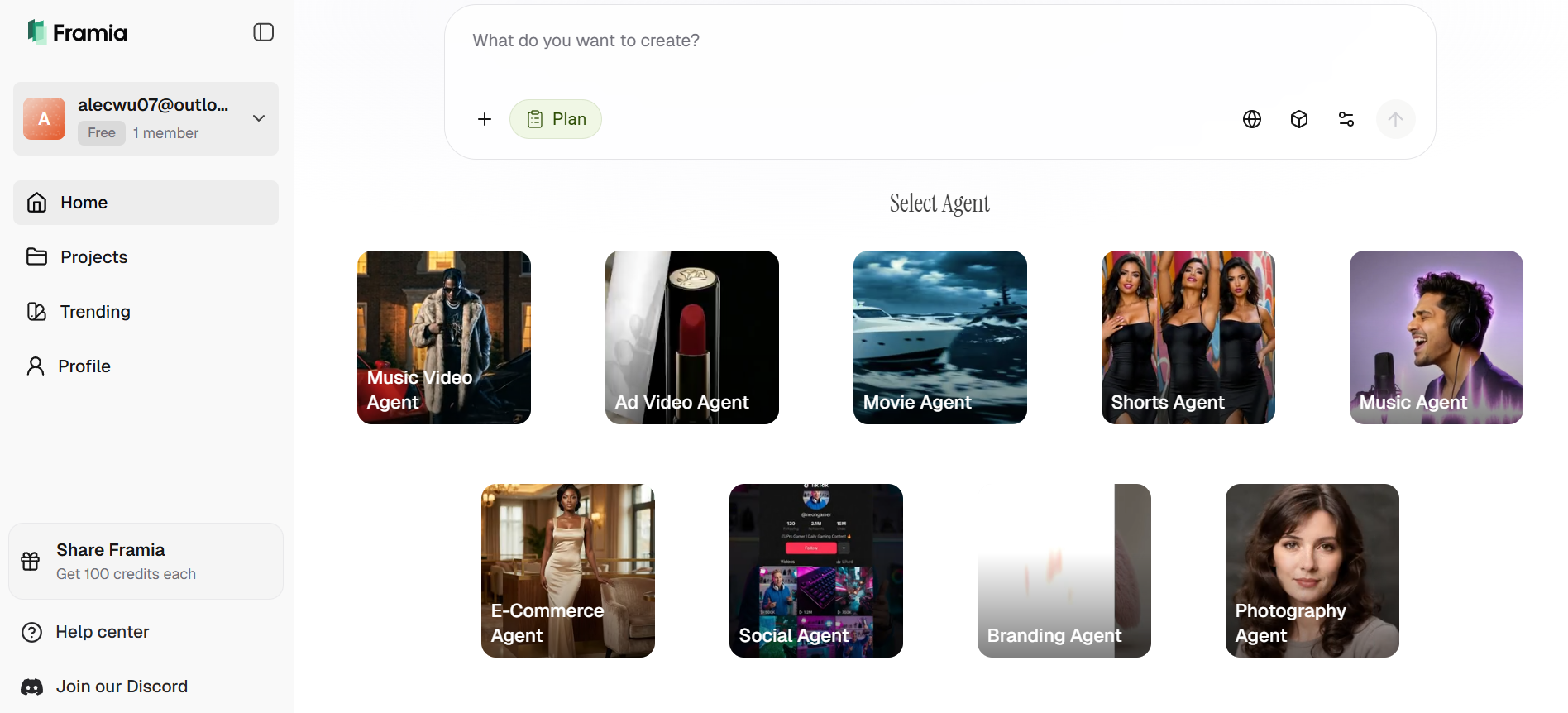
Key features:
- AI Agents for different tasksL It offers specialized agents like Ad Agent, Shorts Agent, Movie Agent, and E-commerce Agent to automate different creative workflows.
- Unified multimodal integration: Access over 20+ of the world’s leading AI models under a single subscription. This includes Google Gemini 3.0 (LLM), Sora 2 and Veo 3.1 (Video), Midjourney v7 and Flux Max (Image), and Suno v5 (Music).
- Intelligent canvas & storyboard: A conversational workspace where you can "talk" to your assets. You can point to specific areas of an image or video to make changes, rearrange clips, or regenerate shots directly on the timeline.
- Conversational editing: Edit and design video assets simply by talking to the AI editor to execute complex modifications.
Pros
- Get 20+ top AI models like Sora 2 and Midjourney under one subscription.
- Saves hundreds monthly by bundling elite tools into a single platform.
- Specialized agents keep identities stable across different video scenes.
- Achieves professional cinematic results without complex editing software.
Cons
- Requires high-speed connectivity for smooth real-time canvas editing.
Higgsfield
Higgsfield is a comprehensive AI video and image generation platform focused on cinematic quality. It offers director-level tools like Cinema Studio for precise motion, lighting, color grading, VFX, and character consistency. Aggregates models (Kling, Sora, Veo) with features like Soul Cast, Nano Banana for fast pro outputs, and brush-based editing.
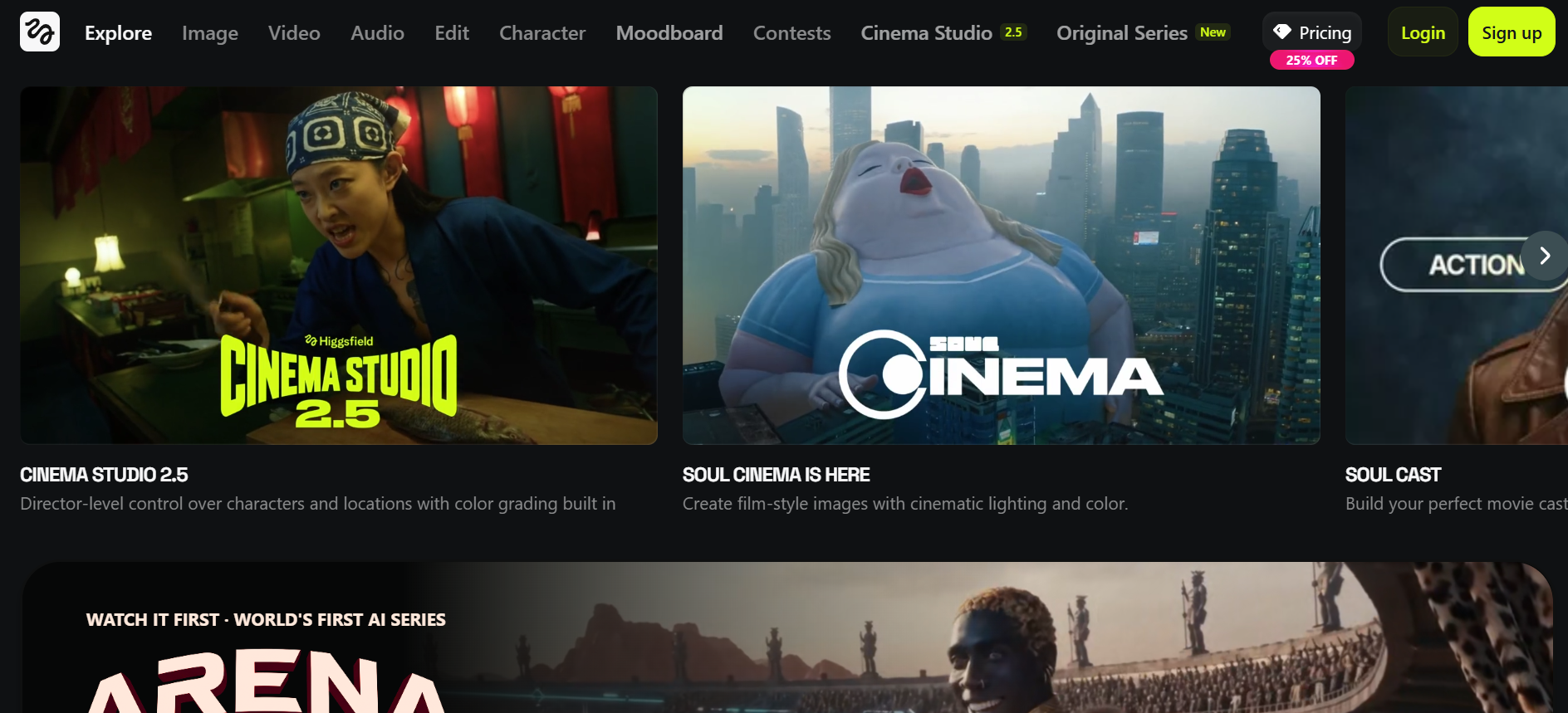
Key features
- Soul ID: Creates a consistent "identity" for characters across different scenes.
- 70+ camera presets: Instant access to crane shots, dolly zooms, and 360-degree pans.
- Multi-model dashboard: Aggregates models like Sora 2 and Veo 3.1 under one roof.
- Lipsync studio: Advanced precision for character dialogue and face swapping.
Pros
- Superior character consistency for virtual influencers and storytelling.
- Mobile-optimized via the Diffuse app for on-the-go creation.
- Excellent handling of natural lighting and skin textures.
- High rendering speeds that outperform many cloud-based rivals.
Cons
- Credit consumption can be very high when iterating on complex scenes.
Runway ML
Runway ML is a professional AI video generation and editing suite with Gen-4/Gen-4 Turbo models. It excels in text-to-video, image-to-video, and advanced editing with superior character consistency, realistic motion, physics, lip-sync, and storyboarding. Combines generative tools with post-production for narrative and cinematic work.

Key features
- Multi-motion brush: Precisely control the movement of specific objects in a frame.
- Gen-3 Alpha model: High-fidelity generation with fine-grained temporal control.
- Inpainting & outpainting: Easily remove objects or expand the canvas of any video.
- Lip-sync from video: Syncs mouth movements to any audio track with high realism.
Pros
- Deepest set of post-production tools (Green Screen, Motion Tracking, etc.).
- Exceptional at simulating realistic physical interactions and human anatomy.
- Large creative community and extensive tutorial library (Runway Academy).
- Professional-grade workspace for team collaboration and asset management.
Con
- The interface is relatively complex and has a steeper learning curve for beginners.
Kling AI
Kling AI is a next-generation video generation model designed to create highly realistic and structured video content. It focuses on delivering cinematic quality with physics-based motion, audio synchronization, and multi-shot storytelling. The platform enables users to generate complete scenes with minimal input, making it powerful for storytelling and marketing content. It is quickly becoming a strong competitor in AI video generation space.
Key features
- High-quality output: Consistently smooth, high-definition output with realistic physics.
- 3D reconstruction: Tech specifically for lifelike human expressions and body movement.
- Object-level editing: Detailed prompt-based controls to add, swap, or delete objects.
- Multi-modal input: Use a mix of text, images, and video clips to guide the AI.
Pros
- Strongest performance for realistic human motion and environment depth.
- Supports much longer video durations (up to 3 mins) than most competitors.
- Integrated sound effects that sync natively with the visual generation.
- Responsive UI with regular, cutting-edge feature updates.
Cons
- Maximum clip duration typically 10–15 seconds.
Wireflow
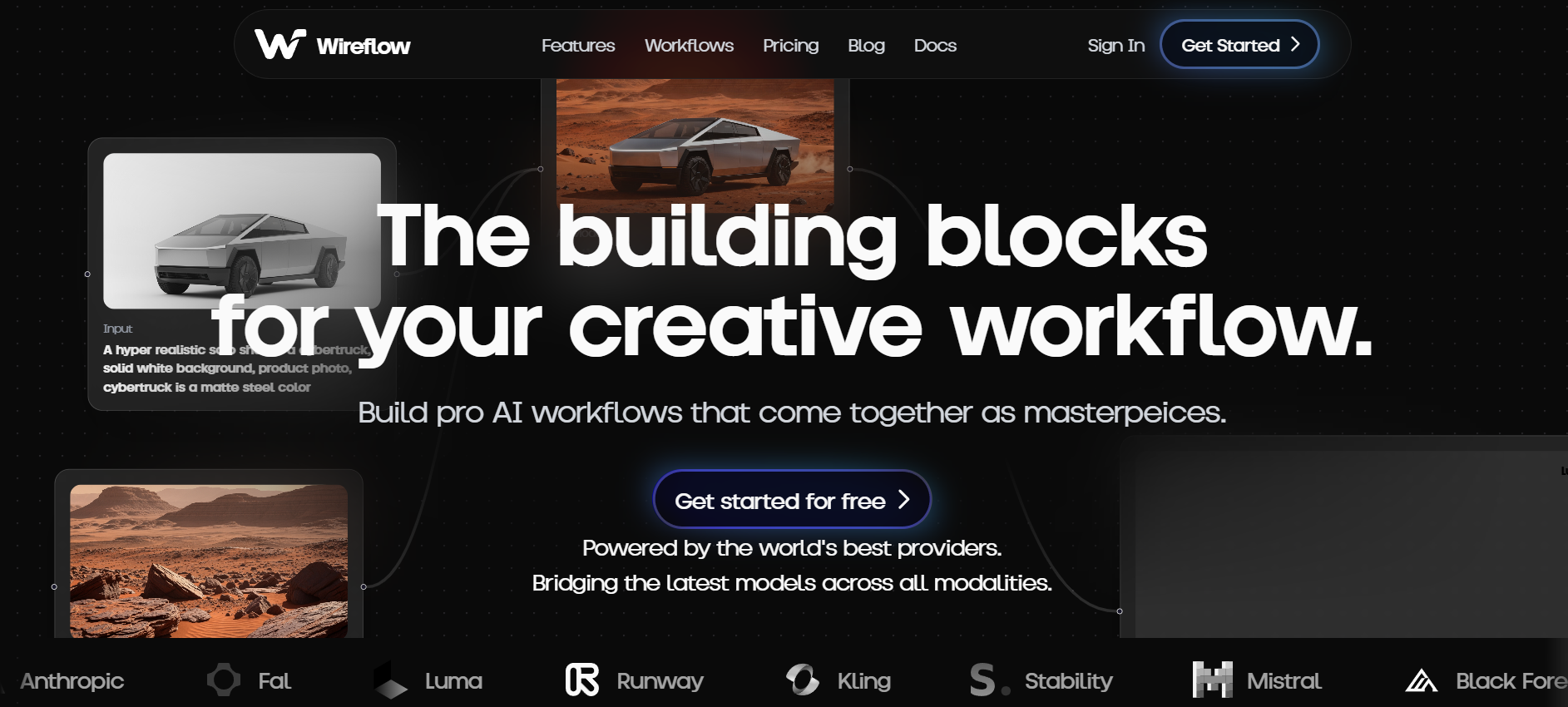
Wireflow AI is an advanced, node-based orchestration platform designed for creators who want to build complex, automated AI pipelines. Rather than just offering single-model access, it allows you to chain together various tools—such as image generators, video synthesizers, and upscalers—into a single, high-speed creative workflow.
Key features
- Visual node canvas: Drag, drop, and connect AI models (OpenAI, Runway, Kling, Luma) to build custom multi-step pipelines without any code.
- Multimodal Chaining: Seamlessly pass the output of one model to another—for example, generating an image, feeding it into a video model, and then applying an AI voiceover.
- API-first infrastructure: Every workflow you build can be deployed as a production-ready API, making it ideal for high-volume commercial scaling.
- Template library: Access a massive library of "pre-built recipes" for tasks like product environment swaps, AI face swapping, and batch video production.
Pros
- Offers the most flexibility for technical teams and power users compared to rigid platforms.
- Transparent usage-based pricing ensures you only pay for the specific AI generations you run.
- Real-time team collaboration with shared canvases and built-in approval workflows.
- High output quality through integrated AI upscalers and consistent motion handling.
Cons
- The node-based interface can be overwhelming for users who prefer simple, one-click "magic" buttons.
TapNow AI use cases
TapNow is a versatile engine designed for a wide range of visual industries, from solo content creation to large-scale enterprise marketing. Because it integrates multiple AI models into a single "creative canvas," it allows users to complete entire production cycles without switching apps.
- Social media content creation
Create short videos, reels, and posts quickly using text prompts or images. This helps creators maintain consistent posting without manual editing.
- Marketing & Ad campaigns
Generate ad creatives, promotional videos, and product visuals for campaigns. TapNow helps brands produce multiple variations for testing and scaling.
- Storyboarding & video planning
Turn ideas or scripts into structured storyboards and scenes. This is useful for planning videos, ads, or short films before production.
- E-commerce product content
Create product videos, demo visuals, and promotional creatives for online stores. It helps improve product presentation and conversions.
- Creative experimentation & prototyping
Quickly test ideas, styles, and concepts without investing time in full production. Ideal for creators exploring new content formats.
Conclusion
In 2026, the demand for rapid, high-quality visual content has made tools like TapNow essential for creators and marketers. From its advanced Tapflow canvas to the intelligent TapNow agent, the platform bridges the gap between raw AI generation and professional cinematic control. However, as our TapNow AI review shows, exploring a TapNow alternative can offer specialized advantages depending on your technical needs.
Among these, Framia Pro stands out for its exceptional competence in unified multimodal integration. By bundling over 20 elite models into one seamless workspace, it provides the ultimate balance of cost-efficiency and creative power. If you want faster, smarter, and more flexible AI content workflows, explore Framia Pro and see how it can transform your creative process.
FAQs
- How does TapNow AI work?
TapNow uses AI models to analyze user inputs like text or images and convert them into visual content. It automates workflows such as video creation and design, allowing users to produce high-quality outputs without needing advanced editing or technical skills.
- Does TapNow offer a free trial?
Yes, TapNow (the AI visual creation engine) offers a free way to start, often providing free credits (such as 100 free credits) for users to generate AI images and videos. To unlock high-priority rendering and advanced cinematic controls, a subscription to a paid plan is required.
- What is the best TapNow AI alternative?
Framia Pro is one of the best alternatives, offering more flexibility, multiple AI models, and advanced automation workflows. It allows users to create content across formats with greater control and scalability.
- Can I use TapNow for commercial projects?
Yes, paid tiers of the TapNow app include a commercial license. This allows businesses and marketers to use the generated visuals for social media ads, YouTube content, and film production without worrying about copyright or usage restrictions.
- What are Tapies?
Tapies are TapNow’s internal credits used to generate content on the platform. Each action—like creating a video, image, or asset—consumes a certain number of Tapies. Higher plans give more Tapies, and your total usage depends on how often and how heavily you generate content.





