
The rise of CapCut and why creators are exploring alternatives
CapCut has completely revolutionized the video editing landscape, emerging as one of the most popular creation tools globally.
Originally developed by ByteDance, the parent company of TikTok, this dynamic platform was designed to make professional-grade video editing accessible to absolutely everyone. Its primary uses range from crafting quick, viral TikTok dances and trendy Instagram Reels to producing detailed YouTube vlogs and educational tutorials.
The target audience is incredibly diverse, encompassing amateur creators, social media influencers, small business owners, and marketing professionals who need to produce high-quality content quickly. Because of its intuitive drag-and-drop interface, massive library of trending music, pre-made templates, and advanced features like auto-captions and background removal, CapCut appeals heavily to Gen Z and millennial creators.
However, despite its impressive functionality, many users eventually seek robust CapCut alternatives to find specialized features, better desktop stability, fewer data privacy concerns, or more advanced AI automation tools.
Essential features to look for in a CapCut alternative
When seeking a powerful CapCut alternative to enhance your video editing workflow, you must carefully evaluate several crucial capabilities to ensure smooth, professional, and highly engaging visual outputs consistently.
- Multi-track timeline editing: An ideal alternative must offer a robust, multi-layered timeline. This allows you to stack several video clips, audio tracks, and text overlays simultaneously, giving you total precision and professional control over complex pacing and intricate scene transitions.
- Advanced audio capabilities: Superior sound design is crucial for engagement. Look for software featuring comprehensive audio mixing, auto-ducking to lower music during dialogue, and noise reduction tools to ensure your final videos sound as crisp and professional as they look.
- AI-powered automation: Modern editors should drastically reduce your manual workload. Prioritize platforms offering intelligent automation, such as accurate auto-captions, instant background removal without green screens, and smart reframing to adapt horizontal footage perfectly for vertical social media platforms automatically.
- Rich asset library: Creating dynamic content requires ample resources. Your chosen software should include a massive, built-in library of royalty-free background music, cinematic sound effects, trendy text animations, and high-quality stock footage to elevate your video projects without extra costs.
- Seamless cross-platform export: Content needs to be everywhere. The best alternatives provide straightforward export options, allowing you to quickly render high-resolution videos beautifully optimized in the exact aspect ratios required for YouTube, TikTok, Instagram Reels, and various other social platforms.
Top 10 alternatives to CapCut that you should try in 2026
Navigating the crowded market of video editors can be overwhelming. To help you upgrade your creative toolkit, we have compiled an ultimate list of the best CapCut alternatives available today.
How did we pick the best CapCut alternatives?
To identify the absolute best CapCut alternatives for modern creators, we rigorously evaluated numerous software options based on specific performance criteria. The following are the main factors that we considered while making our decisions.
- Platform availability: We checked if tools operate smoothly across mobile apps, desktop clients, or web browsers.
- Ease of use: We prioritized intuitive interfaces that minimize the learning curve for beginners.
- Advanced features: We looked for high-end capabilities like multi-track editing, AI-driven automation, and motion graphics.
- Pricing value: We compared free tiers, subscription costs, and one-time purchases to ensure overall affordability.
- Export capabilities: We analyzed rendering speeds and cross-platform formatting options.
| Alternative | Platform (Desktop/App/Web) | Pricing (Free vs. Paid Features) | Best For | Standout Feature |
| Filmora | Desktop, Web, App | Free (watermarked exports); Paid (premium effects & clean exports) | Intermediate Creators & YouTubers | AI Smart Cutout & Built-in Effects |
| Framia Pro | Web | Free (limited credits); Paid (subscriptions) | Marketers & Automated Content Creators | Full-SOP Automation & AI Agents |
| DaVinci Resolve | Desktop | Free (robust core features); Paid (one-time fee for Studio version) | Dedicated Filmmakers & Colorists | Advanced Color Grading Nodes |
| Canva | Web, App | Free (basic templates); Paid (Pro version for premium assets & Brand Kits) | Marketers, Beginners & Small Businesses | Massive Template Library & Cloud Sync |
| Final Cut Pro | Desktop (Mac), App (iPad) | Paid (One-time fee for Mac, Subscription for iPad app) | Mac Enthusiasts & Professionals | Magnetic Timeline & Apple Optimization |
| InShot | App | Free (basic features with ads); Paid (removes ads/watermarks) | Mobile Social Media Creators & Vloggers | Quick Canvas Sizing & Speed Ramping |
| Veed.io | Web | Free (limited, watermarked); Paid (unlimited exports, custom brand assets) | Podcasters & Marketing Teams | Precise Auto Subtitles & Audio Cleaning |
| Adobe Premiere Pro | Desktop | Paid (Monthly Creative Cloud Subscription required) | Industry Professionals & Serious Editors | Text-Based Editing & Adobe Integration |
| Movavi | Desktop | Free (Trial version); Paid (Lifetime license or subscription for full features) | Family Vloggers & Casual YouTubers | Drag-and-Drop Effects & Intro Maker |
| Slate Teams | Web, App | Paid (Enterprise/Team-focused custom subscriptions) | Corporate Social Media Teams | Strict Brand Hub Management & Safe Zones |
- Filmora
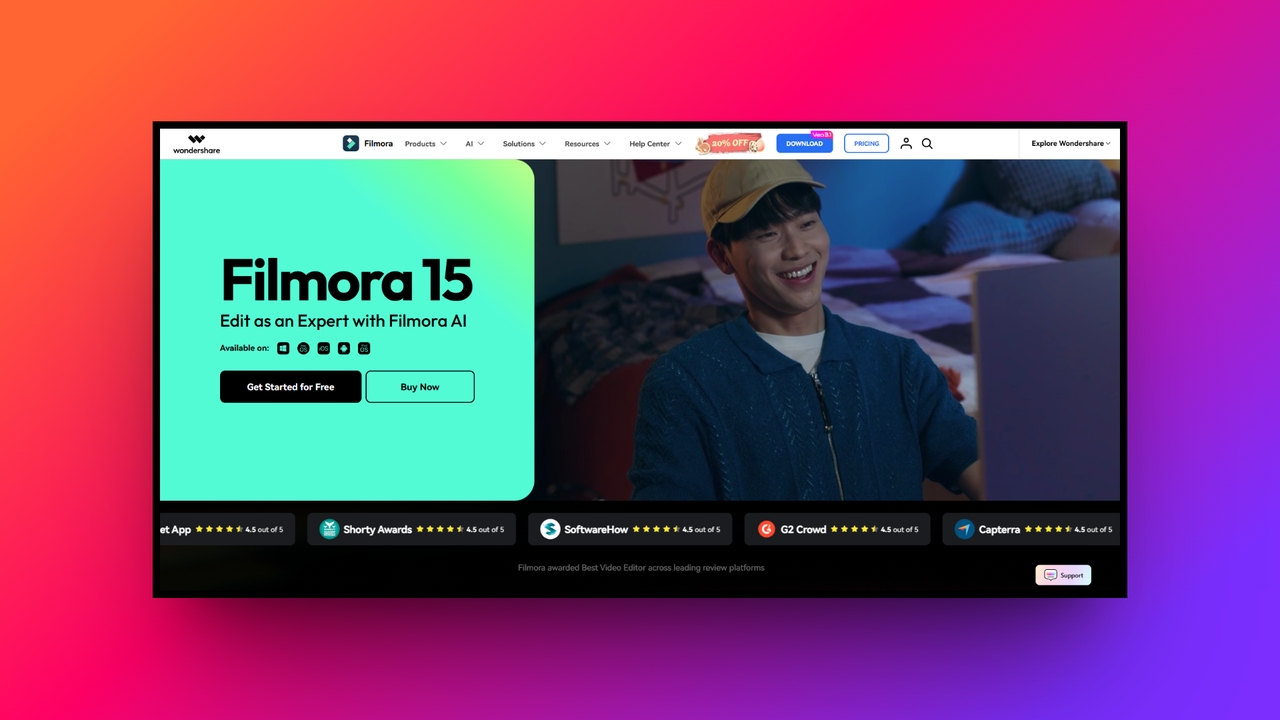
Wondershare Filmora bridges the gap between basic mobile editors and complex desktop software, available seamlessly across desktop, web, and mobile platforms. It is an exceptionally popular CapCut alternative for content creators who desire robust functionality without overwhelming complexity. Filmora provides an intuitive timeline, countless built-in effects, and an ever-expanding suite of AI-powered tools designed to supercharge your content creation.
Key features:
- AI smart cutout: Effortlessly remove unwanted objects or replace entire video backgrounds without ever needing a physical green screen or complex masking techniques.
- Instant video mode: Simply upload your raw media files, and the software automatically generates a fully edited video complete with trendy background music.
- Color match tool: Instantly apply the exact color settings from one video clip to another, ensuring a perfectly cohesive visual style throughout projects.
- Easy motion tracking: Quickly attach text, beautiful graphics, or fun visual effects to moving subjects within your dynamic video frame with one click.
Pros
- User friendly: Beautifully designed interface makes intermediate video editing incredibly accessible today.
- Rich effects: Huge built-in library filled with trendy video transitions and text.
- AI powered: Features helpful artificial intelligence tools designed for significantly faster editing.
- Cross platform: Edit your creative projects smoothly across Mac, Windows, and mobile.
Cons
- Subscription fee: Accessing the absolute best premium features requires an ongoing subscription.
- Framia Pro
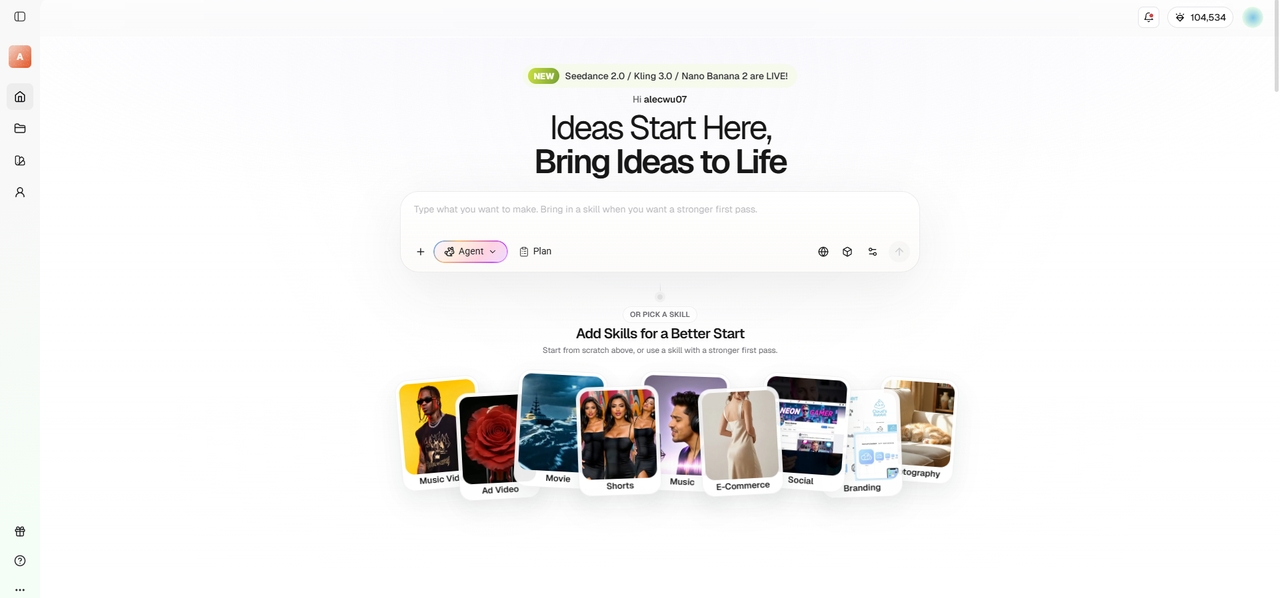
Framia Pro is a revolutionary web-based CapCut alternative that completely redefines media creation using advanced video and design agents. By integrating top-tier AI models like Seedream, Midjourney, Kling, and Claude 4.5 Opus, it offers a full-SOP automation experience. This platform drastically cuts production time by 80-90%, making it the ultimate tool for marketers demanding cinematic storytelling and perfect branding.
Key features:
- Specialized video agents: Utilize dedicated Shorts Agents for quick explainers or Movie Agents for stunning cinematic storytelling complete with deeply emotional, engaging dialogue.
- Full-SOP automation: Automatically generate refined scripts, detailed storyboards, perfect B-roll with context awareness, and perfectly synced background music without any manual effort.
- Visual storyboard timeline: Effortlessly edit with a visual timeline, utilizing agent-assisted tools to selectively regenerate individual bad shots without ever restarting the project.
- Design split layers: Transform AI-generated designs into fully editable elements, allowing you to separately move, precisely resize, and cleanly delete text or backgrounds.
Pros
- Time saver: Reduces traditional video regeneration workflows by an astonishing eighty percent.
- Consistency: Maintains identical characters seamlessly across multiple generated cinematic video shots.
- Chat editing: Simply type commands to easily fix targeted segments without regenerating.
- Omnichannel: Automatically resizes generated visual content perfectly for every social platform.
Cons
- Slight curve: The sheer volume of advanced AI tools requires brief onboarding.
- DaVinci Resolve
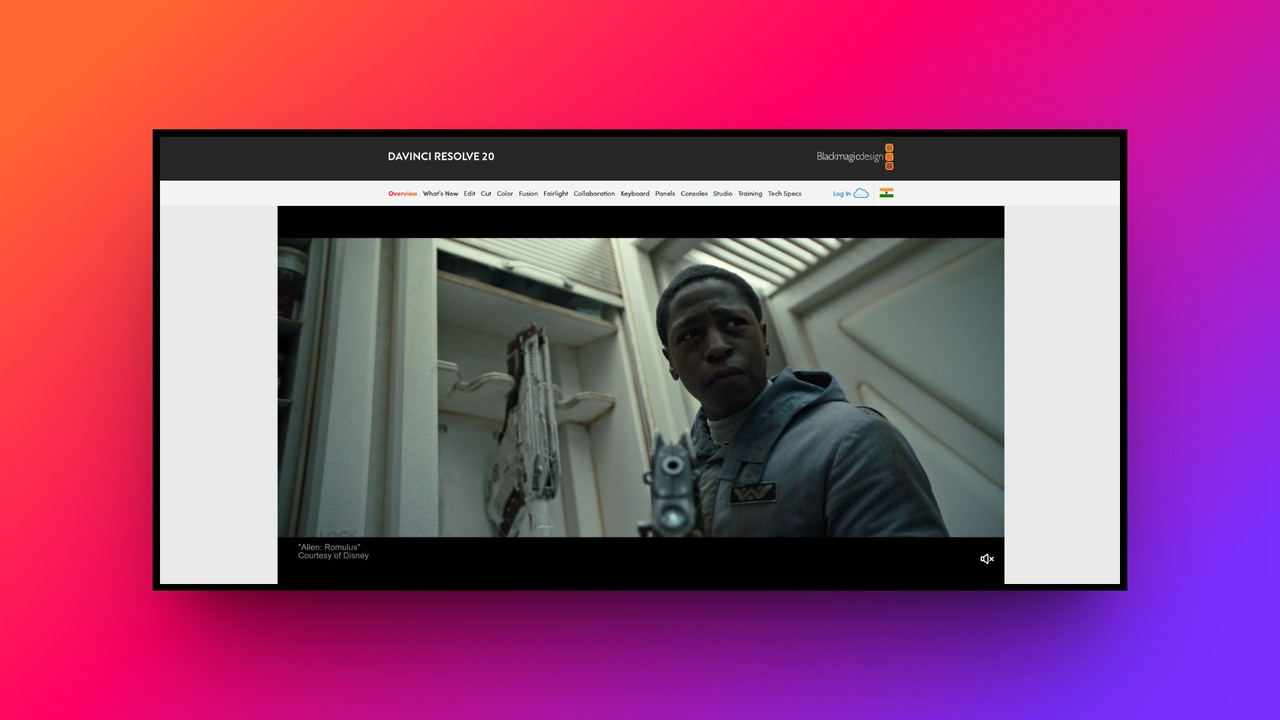
DaVinci Resolve stands as a Hollywood-grade powerhouse, making it one of the most sophisticated CapCut alternatives for dedicated filmmakers. Available exclusively as a robust desktop application for Windows, Mac, and Linux, it combines editing, color correction, visual effects, and audio post-production. While it features a steeper learning curve, it rewards users with unparalleled control over every single cinematic detail imaginable.
Key features:
- Advanced color grading: It offers the industry's best color correction nodes, allowing creators to achieve true cinematic color palettes with stunning precision.
- Fairlight audio post: The integrated page provides a complete professional audio workspace, ensuring your sound mixing is as flawless as your stunning visuals.
- Fusion visual effects: Create incredible cinematic visual effects and sophisticated motion graphics using the powerful, node-based workspace built directly inside the main application.
- Collaborative workflow: The software allows multiple editors, colorists, and audio engineers to work simultaneously on the exact same timeline in real-time.
Pros
- Pro quality: Delivers amazing Hollywood-level post-production tools for absolutely free.
- All-in-one: Combines video, audio, and visual effects in one software workspace.
- Node effects: Gives ultimate control over complex visual effects and color grading.
- High resolution: Renders massive 8K video exports completely without any branding watermarks.
Cons
- No AI automation: Resolve lacks any AI integration, making it difficult for casual users.
- Canva
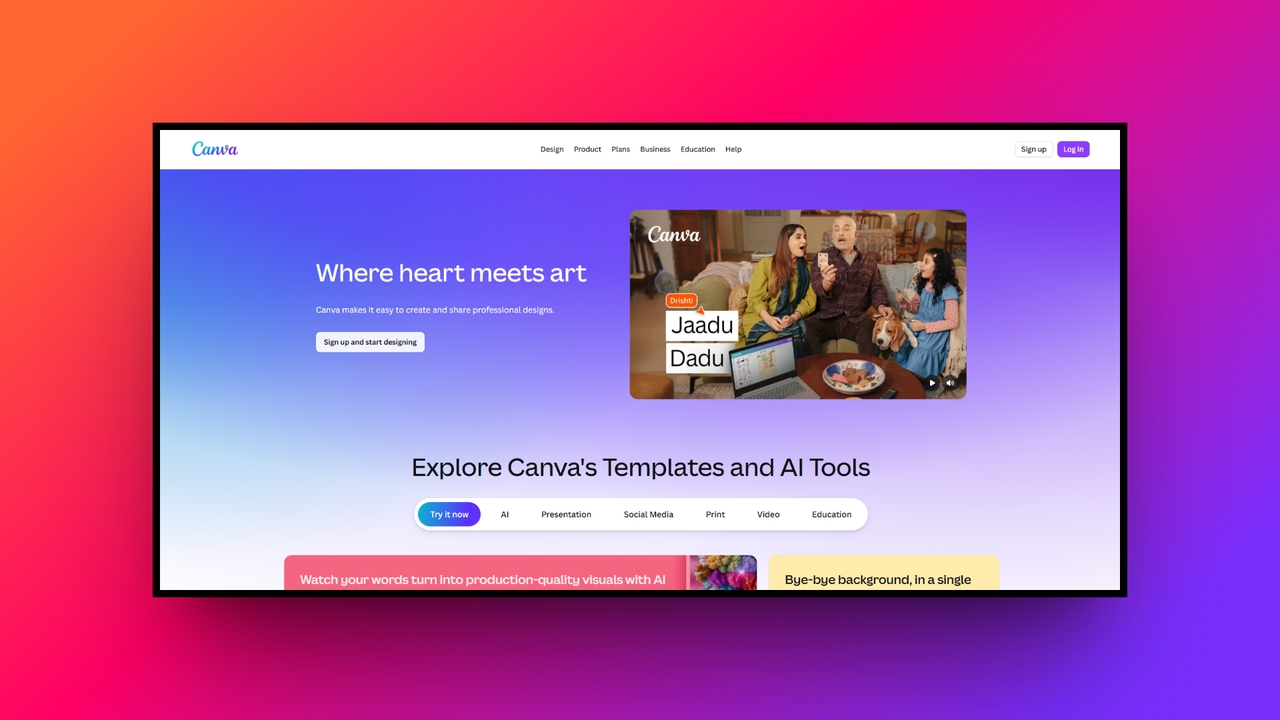
Canva has evolved from a graphic design favorite into a highly accessible web and mobile app video editor. It serves as an excellent CapCut alternative for marketers and small businesses needing quick, aesthetic content. With its massive template library and drag-and-drop simplicity, Canva allows users to produce engaging social media videos without needing any prior technical video editing experience.
Key features:
- Extensive template library: Access thousands of professionally designed video templates optimized perfectly for Instagram Reels, TikToks, and various YouTube channel formats effortlessly today.
- Brand kit integration: Maintain total visual consistency by automatically applying your company’s custom fonts, exact colors, and precise logos to every video project.
- Magic Studio AI: Utilize powerful artificial intelligence tools to instantly remove backgrounds, generate dynamic captions, and perfectly sync your video clips to music.
- Seamless collaboration: Share video projects instantly with team members, allowing for real-time commenting, easy editing adjustments, and streamlined approval processes online together.
Pros
- User friendly: Drag-and-drop interface requires zero prior video editing experience from users.
- Massive library: Offers millions of premium stock videos, photos, and audio tracks.
- Cloud sync: Automatically saves projects online for seamless editing across multiple devices.
- Brand kits: Keeps marketing content visually consistent through integrated company branding tools.
Cons
- Basic tools: Lacks advanced timeline editing and precise keyframe animation control options.
- Final Cut Pro
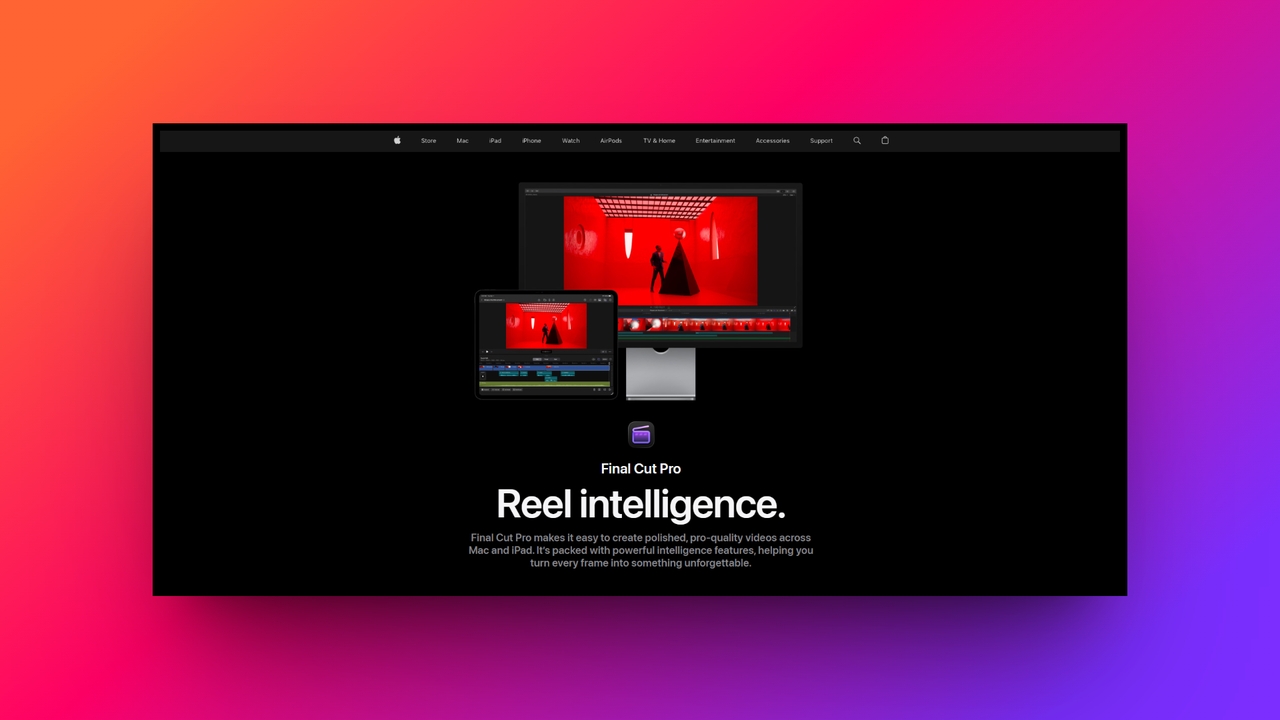
Final Cut Pro is Apple’s flagship professional video editing software, available strictly as a desktop application for Mac users and recently adapted for iPads. It serves as a premium CapCut alternative for Mac enthusiasts who demand lightning-fast rendering speeds and advanced organizational tools. Its revolutionary magnetic timeline fundamentally changes how editors assemble clips, making the creative process incredibly fluid.
Key features:
- Magnetic timeline: Clips automatically snap perfectly into place, preventing accidental black gaps and keeping your entire workspace beautifully organized and highly efficient.
- Multicam editing: Effortlessly sync and edit raw footage from multiple different camera angles simultaneously, making it perfect for complex podcasts or interview videos.
- Smart object tracker: Drag and drop striking text or color effects onto moving subjects, and the powerful software automatically tracks their dynamic movement.
- Cinematic video mode: Take full advantage of iPhone footage by easily adjusting depth of field and dynamic focus points entirely during post-production workflows.
Pros
- Apple device optimized: Delivers fast rendering speeds strictly on Apple silicon processors.
- One-time fee: Avoids annoying monthly subscriptions with a single, straightforward purchase price.
- Smart organize: Keyword tagging system makes managing massive media libraries incredibly simple.
- Apple linked: Works flawlessly alongside other professional Apple software like Logic Pro.
Cons
- Hardware lock: Strictly unavailable for Mac/iPad users, completely limiting its overall accessibility.
- InShot
InShot reigns supreme as one of the most beloved mobile app CapCut alternatives, specifically tailored for on-the-go social media creators. Operating entirely on iOS and Android smartphones, it packs a surprising punch regarding functionality. From basic trimming to advanced speed ramping, InShot empowers vloggers and influencers to craft highly engaging vertical content without ever needing to open a computer.
Key features:
- Quick canvas sizing: Instantly resize your video dimensions with pre-set aspect ratios perfectly optimized for TikTok, Instagram Reels, and amazing YouTube Shorts platforms.
- Smooth keyframe animation: Add professional movement to text, custom stickers, and picture-in-picture overlays to make your mobile edits look significantly more dynamic visually.
- Dynamic speed ramping: Create smooth, cinematic slow-motion effects or fast-forward sequences using the highly intuitive curve-based video speed adjustment tool provided directly inside.
- Built-in music library: Access a massive directory of royalty-free background music, awesome sound effects, and simple voiceover recording capabilities right from your smartphone.
Pros
- Mobile first: Perfect for editing videos entirely on your smartphone while traveling.
- Social ready: Built specifically to export stunning content for major social platforms.
- Very simple: Incredibly straightforward interface that beginners can easily learn in minutes.
- Fun stickers: Features a huge variety of animated stickers and expressive emojis.
Cons
- Small screen: Complex multi-track video editing becomes visually cluttered on smartphone screens.
- Veed.io
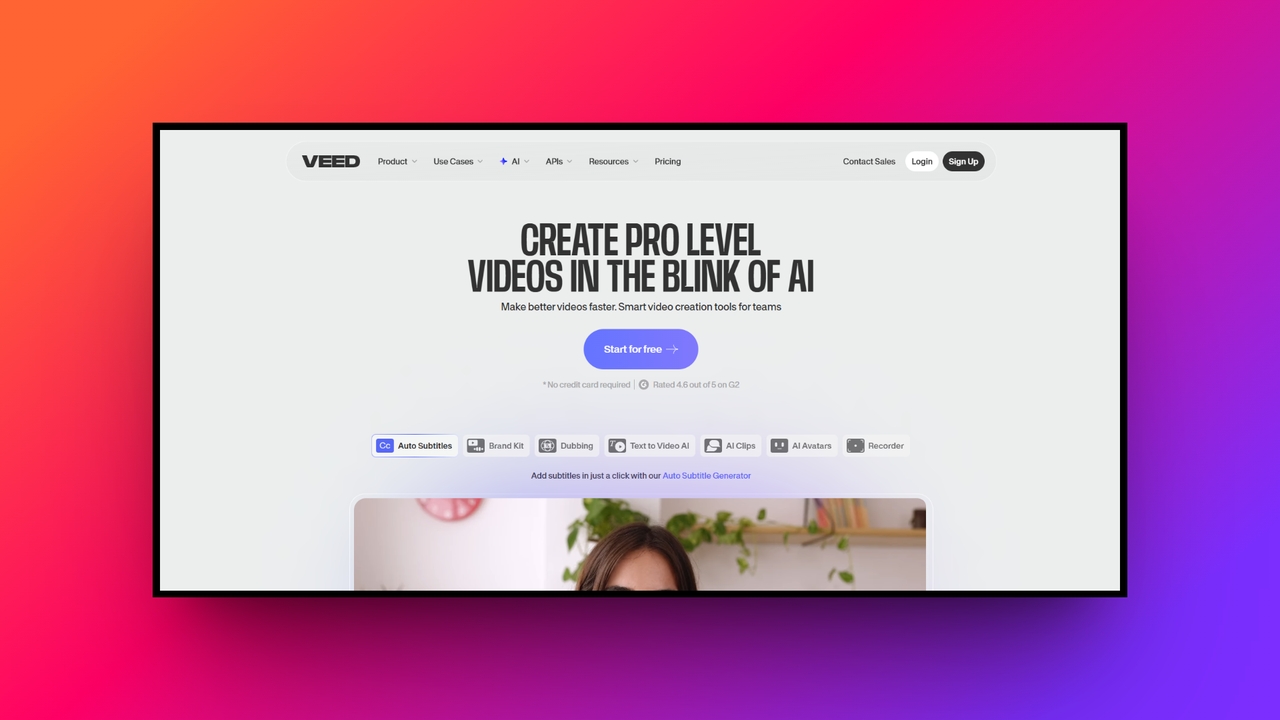
Veed.io is a remarkably powerful web-based CapCut alternative that has gained massive popularity among podcasters and marketing teams. Because it operates entirely within your browser, there is no bulky software to download. It excels brilliantly at quickly generating highly accurate subtitles, formatting content for various social channels, and cleaning up audio, making it an essential tool for rapid production.
Key features:
- Precise auto subtitles: Automatically generate, seamlessly translate, and beautifully style highly accurate video captions with just a single click of your computer mouse.
- Advanced audio cleaning: Instantly remove distracting background noise, annoying hums, and loud wind interference from your vocal tracks using advanced AI audio technology.
- Online screen recording: Effortlessly capture your computer screen, webcam, and microphone audio simultaneously, which is absolutely perfect for creating professional software tutorial videos.
- Saved brand assets: Securely save your company logo, custom typography, and specific color palettes to ensure perfect brand consistency across all video content.
Pros
- Browser based: No software installation required; works perfectly on any modern computer.
- Fast captions: Unbelievably fast and precise automated subtitle generation in multiple languages.
- Team sharing: Share customized web links securely to let teammates review projects.
- Great layouts: Offers fantastic pre-made video templates for podcasts and social marketing.
Cons
- Needs web access: Requires a consistently strong internet connection to render video files.
- Adobe Premiere Pro
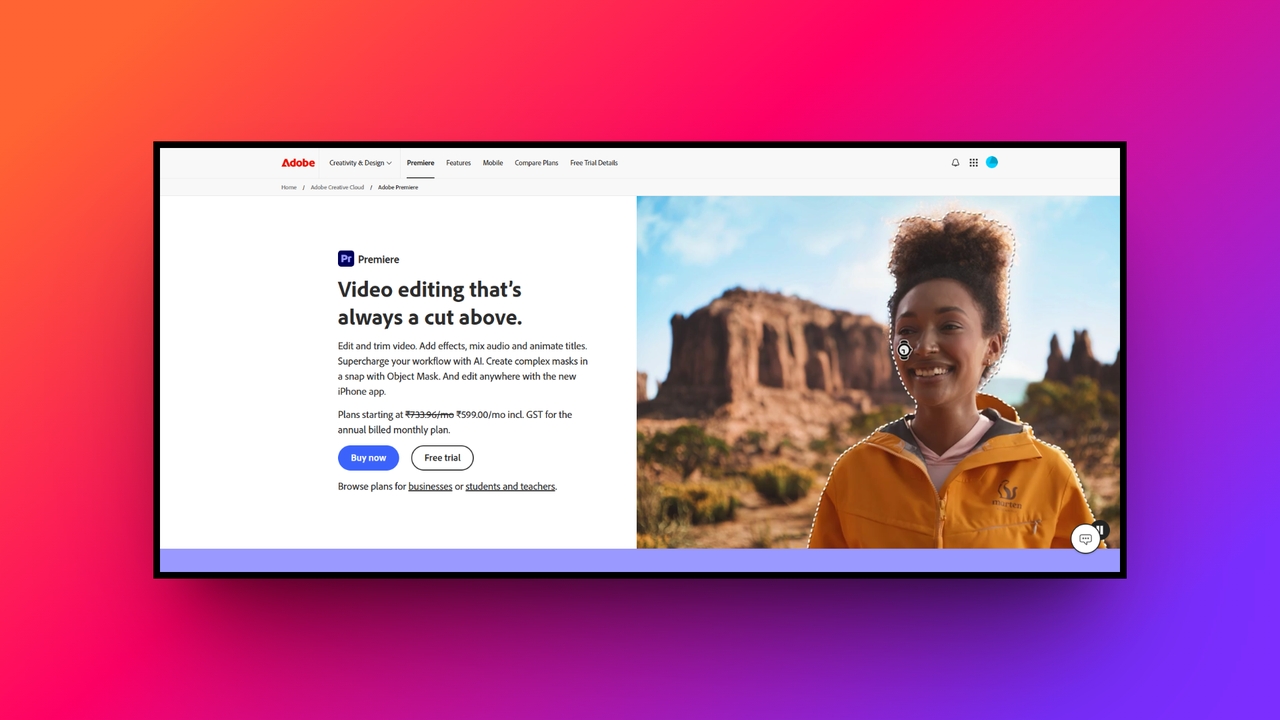
Adobe Premiere Pro is the undisputed industry standard for professional desktop video editing, serving as the ultimate CapCut alternative for serious creators. As a strictly desktop-based application, it offers an astonishingly deep feature set used to edit major Hollywood films and high-end YouTube channels. Its seamless integration with the broader Adobe Creative Cloud ecosystem makes it an absolute powerhouse.
Key features:
- Text-based editing: Speed up your workflow by editing your video timeline simply by deleting words directly from the automatically generated text transcript.
- Intelligent auto reframe: Intelligently identifies the main focal point of your video and automatically keeps it perfectly centered when changing aspect ratios quickly.
- Lumetri color wheels: Achieve broadcast-quality color correction and intricate stylistic grading using incredibly detailed color wheels and specialized curve adjustment tools provided inside.
- Powerful dynamic link: Seamlessly send complex video clips directly into After Effects for advanced visual effects without ever having to render files first.
Pros
- Industry standard: The most widely requested software skill for professional editing jobs.
- Endless tools: Provides every conceivable tool needed for complex, high-end video production.
- Adobe linked: Connects flawlessly with Photoshop and After Effects for advanced workflows.
- Format support: Easily handles virtually every single video file format currently existing.
Cons
- Costly pricing: Requires an expensive monthly subscription that deters many casual hobbyists.
- Movavi Video Editor
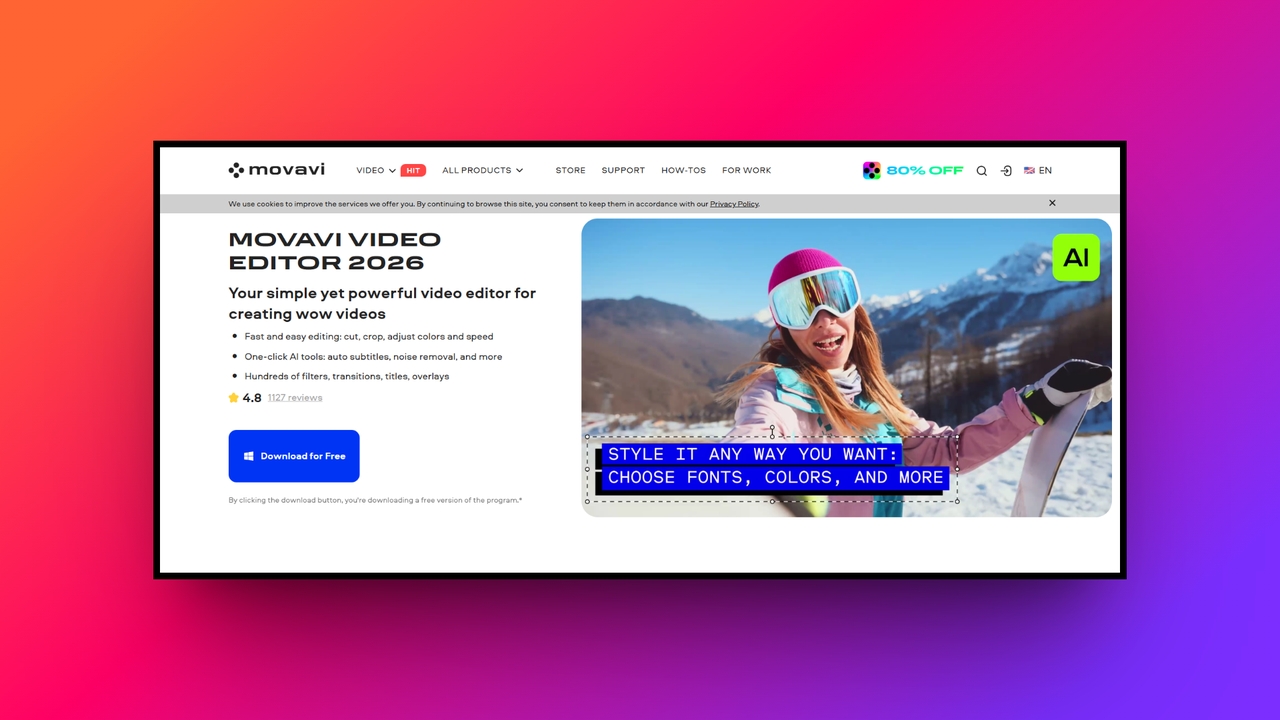
Movavi Video Editor is a wonderfully balanced desktop CapCut alternative built entirely for users who want high-quality results without overwhelming complexity. Available on both Mac and Windows, it strips away the intimidating interfaces of professional software while retaining powerful capabilities. Movavi is perfect for family vloggers, casual YouTubers, and educators looking to assemble polished videos with minimal stress involved.
Key features:
- AI background removal: Instantly replace your dull video backgrounds with dynamic imagery or completely transparent layers without ever requiring a physical green screen.
- Smart noise removal: Clean up your audio tracks flawlessly by letting the AI instantly eliminate pesky background traffic, wind, or annoying static noises.
- Drag-and-drop effects: Apply gorgeous cinematic filters, smooth transitions, and engaging animated titles merely by dropping them directly onto your active video timeline.
- Custom intro maker: Build highly engaging, custom-branded introductory sequences for your YouTube channel utilizing a fantastic library of professionally pre-designed thematic video templates.
Pros
- Gentle curve: Incredibly easy to learn, making it absolutely perfect for beginners.
- Fast renders: Highly optimized software engine ensures fast and smooth video exporting.
- Lifetime buy: Offers a great lifetime license option instead of mandatory subscriptions.
- Fun filters: Packed with creative stickers, distinct transitions, and cool visual effects.
Cons
- Basic color: Lacks the advanced, granular color grading tools found in Premiere.
- Slate Teams
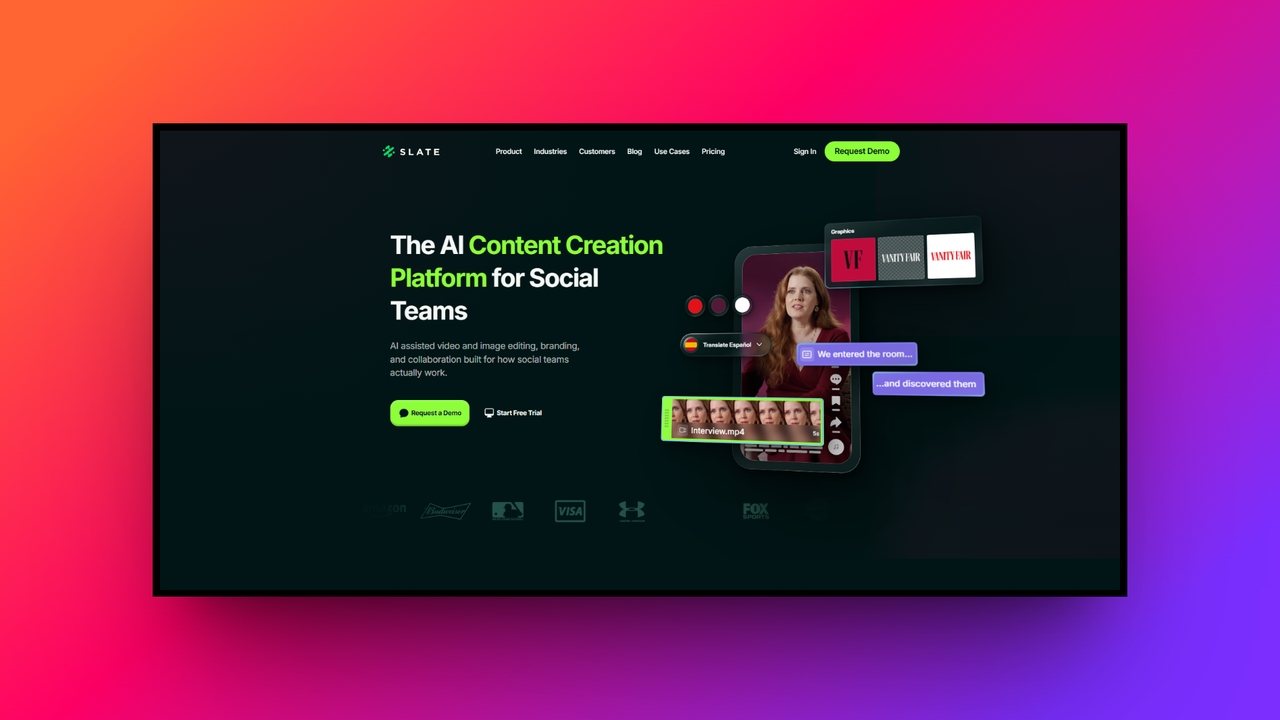
Slate Teams is a highly specialized web and mobile platform operating as a premium CapCut alternative primarily for dedicated social media marketing teams. Built specifically to maintain strict brand guidelines, it empowers corporate creators to generate scroll-stopping content effortlessly. It focuses heavily on centralized asset management, ensuring that every published piece of media aligns perfectly with internal company branding.
Key features:
- Brand hub management: Securely store and instantly organize all custom company fonts, specific logos, and hex colors in one easily accessible online portal.
- Custom social overlays: Apply dynamic branded watermarks, promotional lower thirds, and specific graphical borders directly to videos within the incredibly simple mobile app.
- Platform safe zones: Automatically display social media interface overlays to guarantee your essential text and graphics are never covered by annoying platform buttons.
- Seamless team collaboration: Provide multiple marketing team members with a unified, secure workspace to rapidly create, formally review, and approve daily social content.
Pros
- Brand safety: Guarantees absolute visual consistency across all corporate social media channels.
- Fast workflow: Designed explicitly to rapidly accelerate content approval and publishing processes.
- Asset control: Administrators can strictly control which visual elements creators can utilize.
- Live events: Perfect for creating fast, beautifully branded content directly on location.
Cons
- Niche market: Too specialized and expensive for independent, solo social media creators.
Crucial tips & tricks to select the best alternative for CapCut
Choosing the perfect video editor requires evaluating your specific creative needs and hardware limitations carefully. Here are several essential tips to guide you in finding your ideal CapCut alternative smoothly.
- Assess your hardware capabilities: Professional desktop software like DaVinci Resolve requires immense processing power and a dedicated graphics card. If you possess an older laptop, highly efficient browser-based tools or lightweight mobile apps will completely prevent frustrating crashes and lagging.
- Define your primary platform: Identify exactly where your target audience lives online. If you strictly create vertical content for TikTok, a mobile-first app is ideal. Conversely, if you produce long-form YouTube documentaries, a robust desktop timeline interface is absolutely necessary.
- Evaluate the learning curve: Be radically honest about your current technical proficiency and available free time. While professional software offers limitless control, beginner-friendly options allow you to produce stunning, high-quality content immediately without enduring months of extremely complicated tutorials.
- Review the asset library: Creating engaging content requires background music, sound effects, and transitions. Investigate whether the alternative software includes a massive, royalty-free library built-in. This incredible feature saves you considerable money and totally prevents stressful social media copyright strikes.
- Look for AI automation: Modern video editing demands maximum speed. Prioritize software that actively integrates advanced artificial intelligence features. Tools offering automatic subtitle generation, instant background removal, and smart audio cleanup will aggressively reduce your editing time and boost productivity.
Wrapping up
In conclusion, while CapCut remains undeniably popular globally, exploring robust CapCut alternatives can significantly elevate your entire content creation workflow. Whether you need the cinematic precision of DaVinci Resolve, the mobile convenience of InShot, or the corporate branding power of Slate Teams, there is a perfect tool meticulously tailored for your specific creative demands.
However, if you truly want to future-proof your production process, we highly suggest using Framia Pro. By seamlessly leveraging its revolutionary Video and Design Agents, Framia Pro automates everything from scriptwriting to layered design editing. It provides unmatched consistency, incredible time savings, and absolute control.
FAQs
Are there any mobile apps similar to CapCut that offer professional tools?
Yes, InShot is highly popular for social media creators due to its simplicity. Canva also offers an incredibly accessible, template-driven mobile interface tailored for fast social content creation.
What is the most reliable CapCut alternative for PC users?
DaVinci Resolve is an exceptional, free CapCut alternative for PC delivering Hollywood-grade tools. For a gentler learning curve, Wondershare Filmora offers incredible AI-powered automation and multi-track editing capabilities.
Is there a web-based alternative of CapCut that doesn't require software download?
Absolutely. Framia Pro is a top-tier web-based alternative of CapCut, offering full automation. Veed.io is another excellent browser option renowned for its lightning-fast auto-captioning and screen recording features.
Which editing software like CapCut is best for absolute beginners?
Canva and Movavi Video Editor are fantastic options. This editing software like CapCut provides intuitive drag-and-drop interfaces and extensive template libraries, making them perfect for absolute beginners.
Overall, what is the best alternative for CapCut for automated content creation?
Framia Pro is the best alternative for CapCut. It leverages top-tier AI models to automate scriptwriting, storyboarding, and layered design editing, saving creators up to 90% in production time.





